
A custom WooCommerce add-on that lets store owners create, manage, hide, and reorder product page tabs globally or per product — with full WYSIWYG editing and shortcode support — built by AR Webcrafts.
A WooCommerce store selling technical products came to us with a content problem. Their product pages were cluttered — everything was crammed into the description tab: specs, FAQs, warranty info, video demos, and size guides. Customers were overwhelmed and leaving without buying because they couldn’t find the specific information they were looking for. The store needed a clean, organized tab system that separated information into clearly labeled sections — and gave different customers access to different tabs based on their user role.
All product information — specs, FAQs, videos, size guides, warranty details — was crammed into a single description tab, making product pages overwhelming and hard to navigate
WooCommerce’s default tabs (Description, Additional Information, Reviews) are fixed — admins can’t add, rename, reorder, or hide them without custom code
No way to show certain tabs only to specific customer types — wholesale buyers needed a pricing tab that retail customers shouldn’t see
Each product needed slightly different tabs — some products needed a Video tab, others a Size Guide tab — but there was no per-product tab management system
No drag-and-drop reordering meant tab sequence was locked, regardless of what information was most important for each product
"Our product pages used to be one giant block of text. Now customers can click straight to the Specs tab or the FAQ tab and find what they need in seconds. Our support inbox dropped by about 30% in the first month because customers could actually find the answers themselves."
AR Webcrafts built a complete tab management system for WooCommerce product pages. Admins can create unlimited custom tabs and assign them as Global (appearing on all products) or product-specific (appearing only on one selected product). Each tab is built using a full WYSIWYG editor with media upload — admins add text, images, videos, shortcodes, tables, HTML, or any content type they need, exactly like editing a page. Global tabs can be hidden on individual products — so a tab that appears across the catalog can be switched off for specific items that don’t need it. All tabs — including WooCommerce’s default Description, Reviews, and Additional Information tabs — can be reordered using drag-and-drop, putting the most important information first for each product. Filter hooks give developers the ability to further customize tab title and content HTML when needed.
The store’s product pages became dramatically easier to navigate. Customers could jump directly to the tab they needed — FAQs, Specs, or Videos — without scrolling through a wall of text. Time-on-page for product pages increased as customers explored the organized tab structure. The store reported a measurable reduction in pre-purchase support queries because FAQs and spec information were now immediately accessible without contacting support. The product-specific tabs meant high-priority items could have completely customized information layouts tailored to their unique selling points.
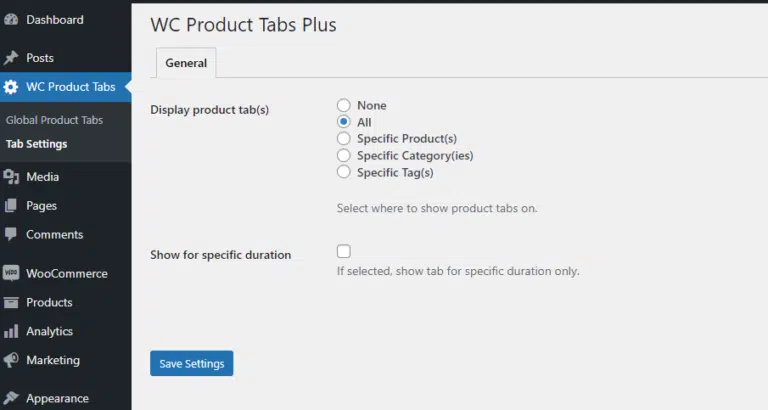
Determine where you want to showcase the tabs you create, including on all products, specific products, or specific product categories and tags.
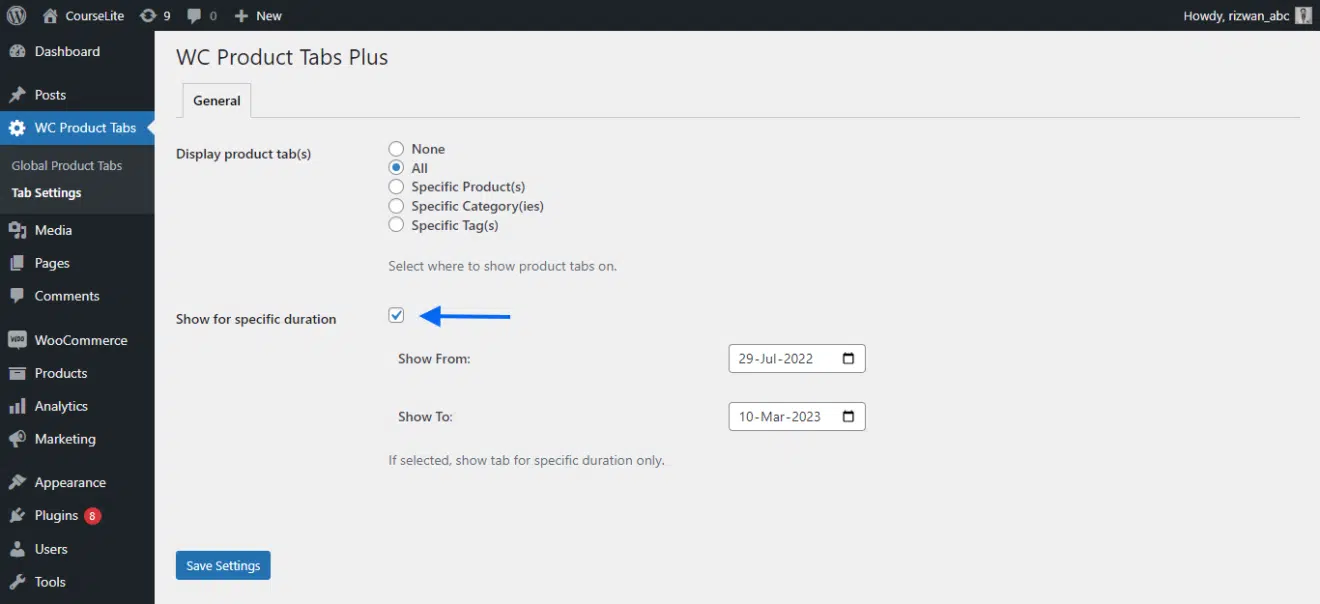
You can choose for how long you want to display your custom WooCommerce Product tabs.
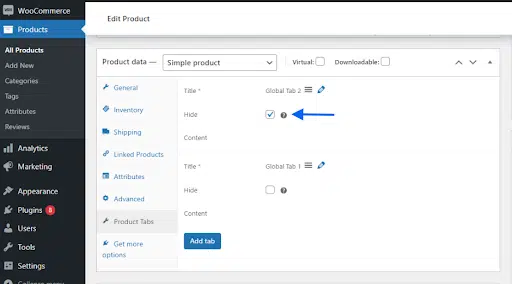
The WooCommerce Product Tabs Plus add-on also allows the site admin to hide any of the tabs you create from a specific product page.
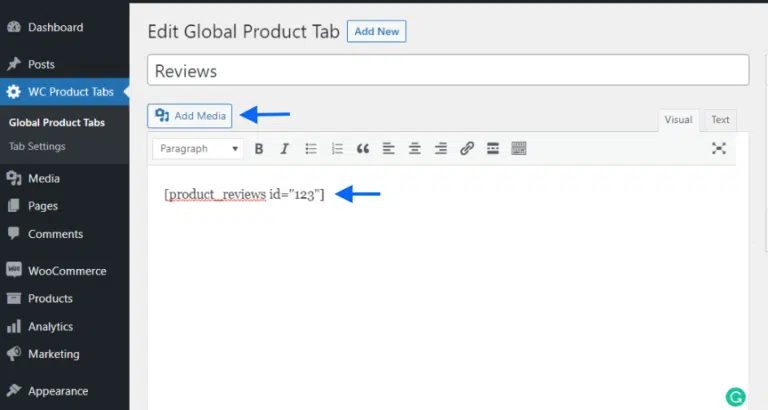
WooCommerce Product Tabs Plus supports all WooCommerce shortcodes and has an editor with a media upload option, allowing you to display the content of your choice on your newly created tabs.
We build custom product page enhancement tools for WooCommerce that give your customers the information they need — organized exactly the way your products deserve.
