How We Gave a TutorLMS Platform Full Student Attendance Tracking — With Automated Logs, Time Tracking, IP Restrictions, and Excel Reports

A custom TutorLMS add-on that tracks student attendance on lessons and topics — marked by students, admins, or automatically on login — with full reporting and Excel export — built by AR Webcrafts.

Submit on all Pages

Add-On Overview & Features

An online training platform running TutorLMS came to us with a compliance problem. Their corporate clients required proof that enrolled employees had attended specific lessons and spent a minimum amount of time on course content — not just that they had enrolled. There was no attendance system in TutorLMS at all. Instructors were guessing who was engaging and who wasn’t, there were no logs to show compliance auditors, and no way to enforce a minimum attendance requirement before course completion was granted.

THE CHALLENGE


TutorLMS had no native attendance tracking system — there was no way to verify that students were actually engaging with course content

Corporate clients required compliance-grade attendance records — enrollment data alone wasn’t sufficient for audit purposes

No time-spent tracking meant the platform couldn’t prove students had spent the required minimum duration on lessons

Students could complete courses without attending the majority of lessons — undermining the learning value and compliance requirements

No import/export system existed for attendance data — sharing records with corporate HR teams required manual work

No IP restriction meant students could mark their own attendance from anywhere — even when not actually engaged with the content

CLIENT QUOTE

"Our corporate clients insisted on attendance records before they'd pay for their employees' training. Before this add-on, we had nothing to show them. Now we export a full attendance log with login times, lesson records, and IP verification. We passed our first compliance audit without a single question."

The Solution & Results

AR Webcrafts built a comprehensive attendance tracking system that adds a dedicated Attendance submenu directly under TutorLMS in the WordPress dashboard. Admins choose from three attendance marking modes: students mark their own attendance via a button on lesson and topic pages, admins and instructors mark attendance manually from the backend or frontend, or automatic attendance on login — the system records attendance as soon as a student logs in. For compliance-grade accuracy, an IP restriction option locks attendance marking to a single, specific IP address — preventing students from marking attendance remotely or fraudulently. Every lesson and course has a configurable minimum attendance requirement — students who haven’t met it cannot complete the course, ensuring genuine engagement before completion is granted. Detailed Attendance Logs — filterable by Course, Lesson, or User — give admins a full picture of attendance across the platform, with a daily login and logout time tracker showing exactly how long each student spent on each course day. Students see their own attendance history via a calendar view on their frontend dashboard. All attendance data can be imported and exported as Excel files for sharing with HR teams, compliance auditors, or external reporting systems.

Mark Student Attendance

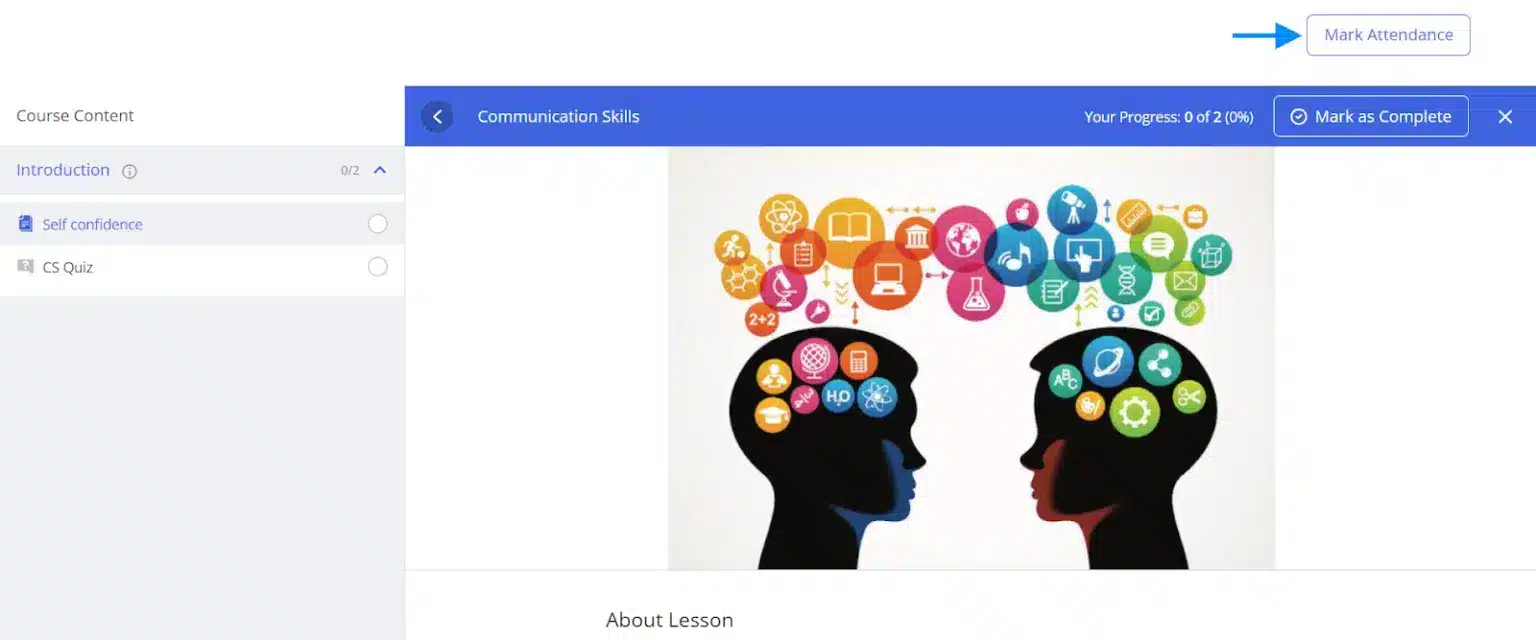
Students can mark their attendance on lessons and topics. If preferred, you can only allow administrators and instructors to mark attendance for users from backend and as well as from frontend.

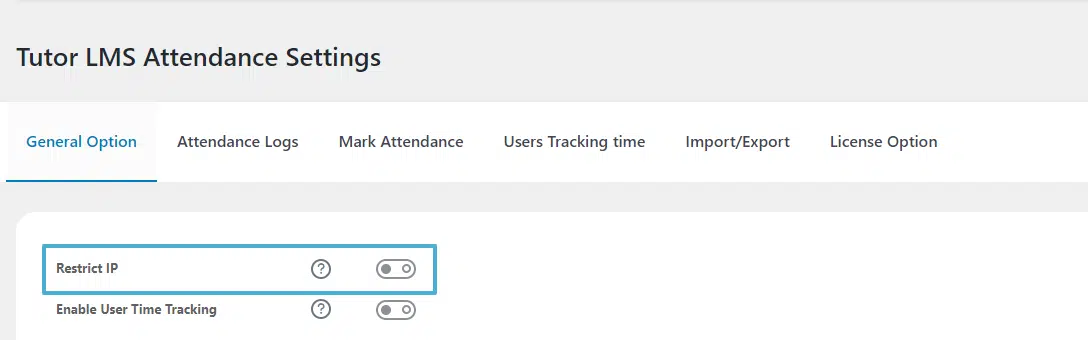
Restrict Attendance Tracking By IP

Keep greater control over your students behavior by only allowing students to mark their attendance from a single IP address.

Collect And Review Course Attendance Data

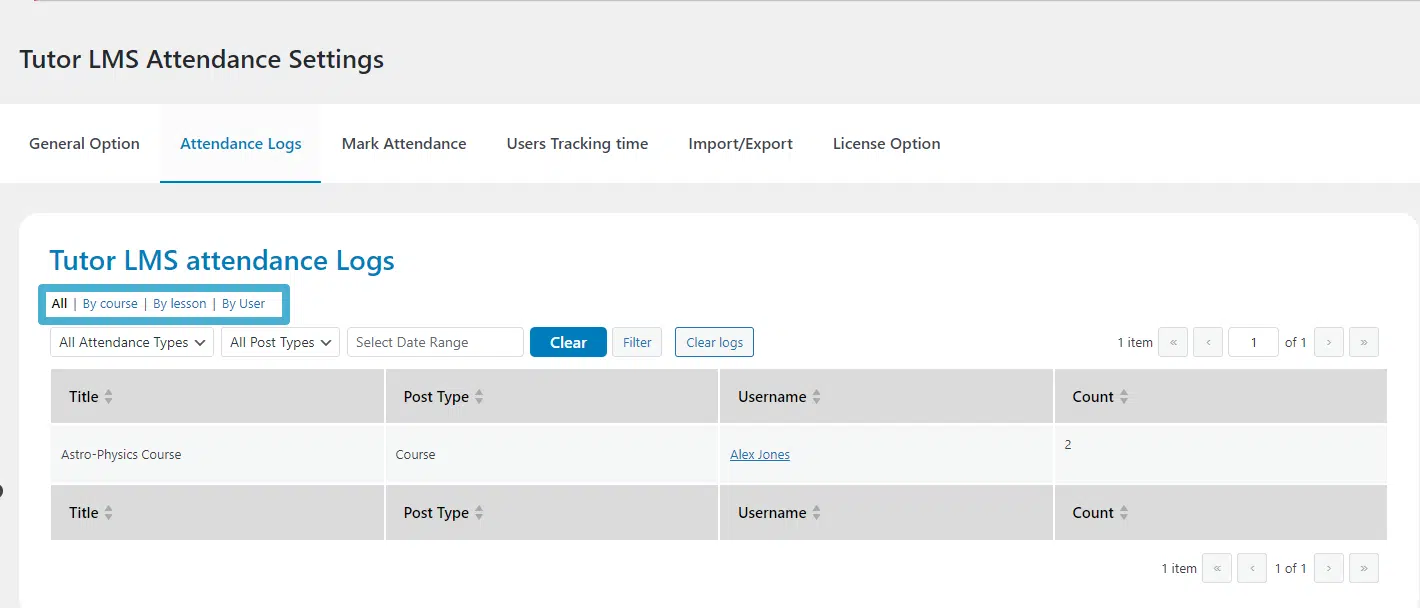
Administrators can see the attendance count of all enrolled students on the Attendance Logs tab of the settings page. Attendance reports can be grouped “By Course,” “By Lesson,” or “By Users”.

User Time Tracking

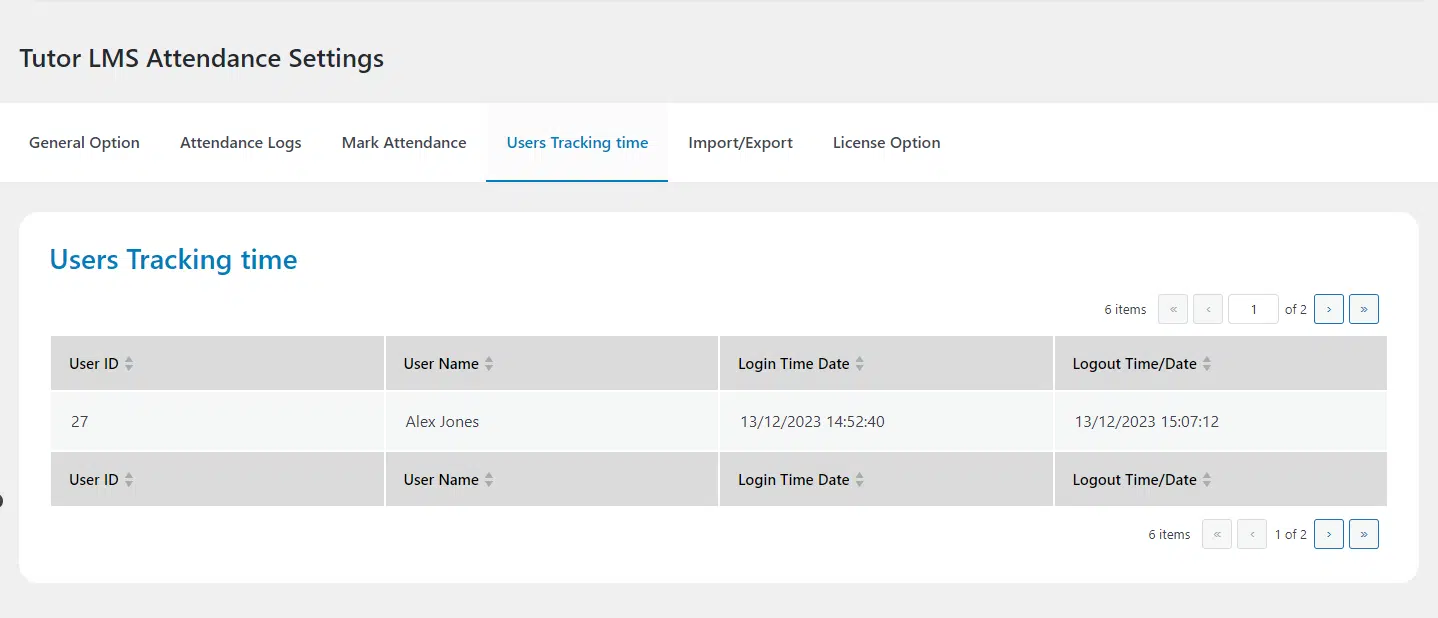
Administrators can track the daily login and logout time of learners.

Minimum Attendance

Administrators can ensure that the students have spent a minimum amount of time on the course daily.

Attendance Calendar on the Frontend

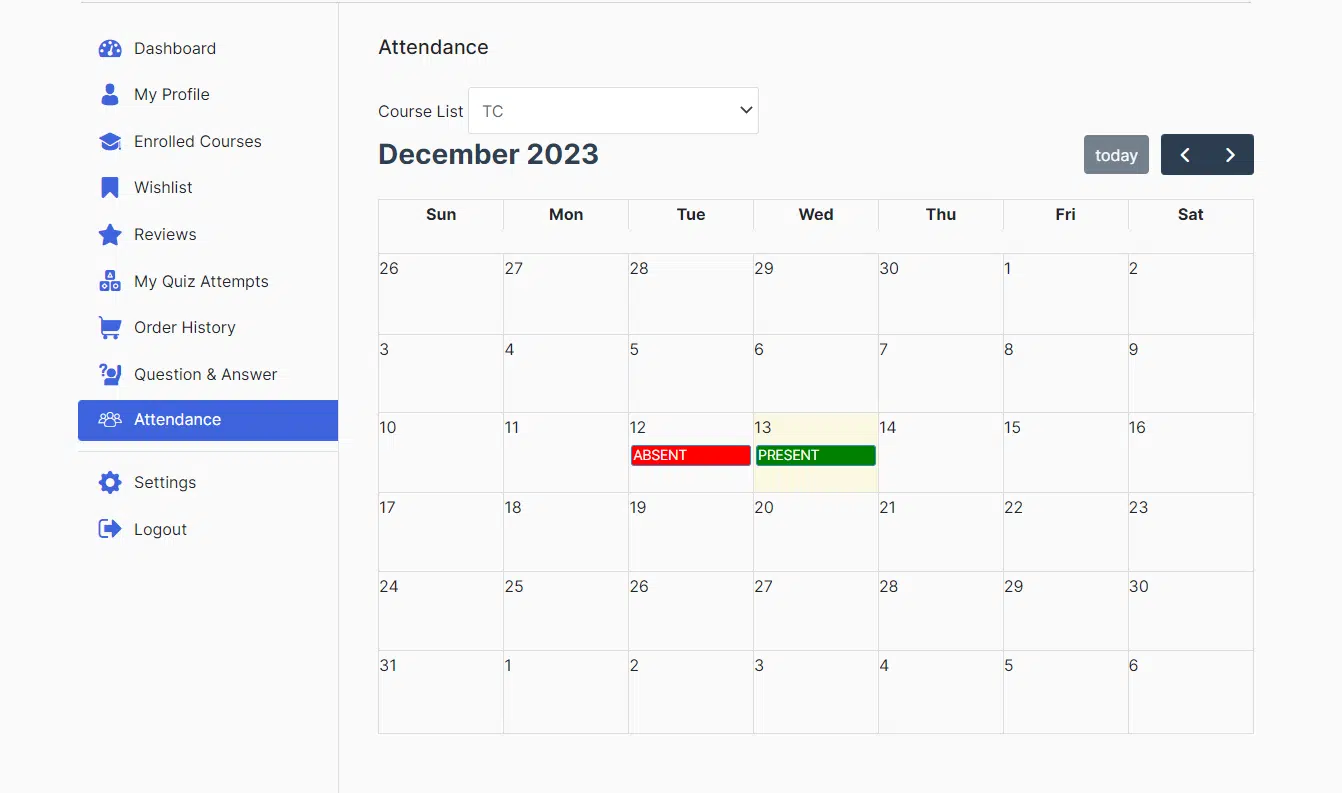
Students can check their attendance on the courses on the frontend dashboard.

Import/Export Attendance

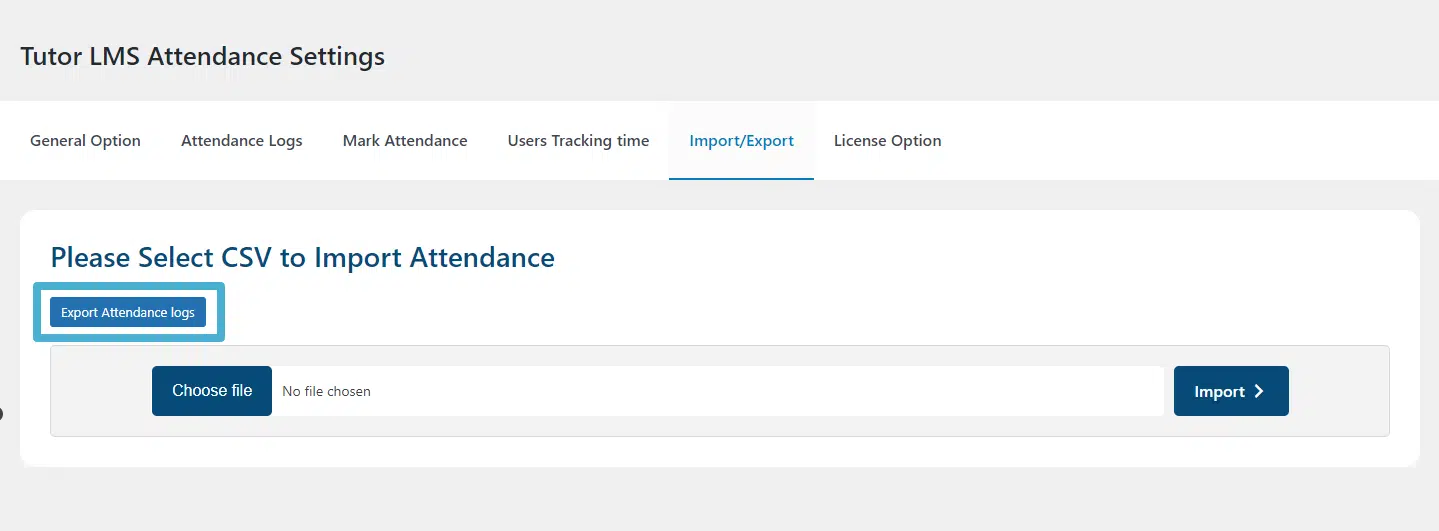
Administrators can import as well as export the students’ attendance in an Excel file.

Need to Prove Your TutorLMS Students Are Actually Engaging With Course Content?

We build custom attendance tracking and compliance systems for TutorLMS that give your platform the accountability tools it needs — for corporate clients, regulatory requirements, or simply better learning outcomes.

Request For Quote