
If your WordPress site suddenly displays the message there has been a critical error on this website wordpress, panic can set in quickly. Your entire website becomes unreachable, visitors see a blank error screen and you might even receive an email from WordPress to your admin email address warning about the issue.
This critical error on this website often appears after a plugin update, a theme change, or server side problems. Many WordPress users face this at some point because WordPress is an open source platform with countless plugins and themes that sometimes clash. At AR Webcrafts, we see this WordPress error every day from clients across the United States.
Whether the site is down completely or only the WordPress admin area is blocked, our team knows exactly how to troubleshoot the error and get everything running again. We help business owners access the admin panel once more and restore your website without losing data. Instead of guessing what caused the error, we follow proven steps to fix the critical error fast and safely.
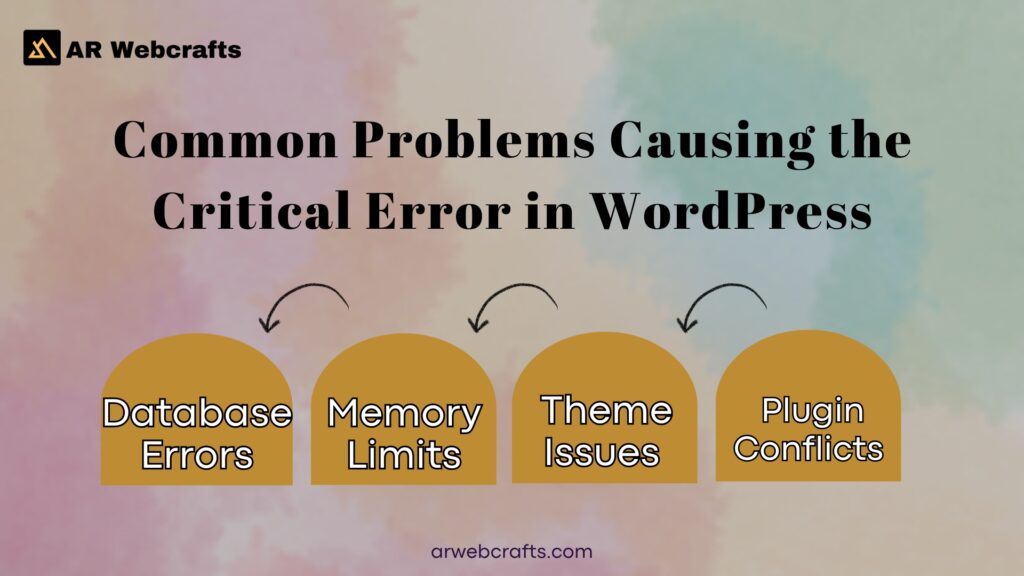
Common Problems Causing the Critical Error in WordPress
Plugin Conflicts and Updates Gone Wrong
One of the most frequent reasons for there has been a critical error on this website wordpress is a bad plugin interaction. When you update a plugin, it might not work well with other WordPress plugins or the current PHP version. Sometimes a single faulty plugin can trigger a critical error that brings down the whole WordPress site.
You may also notice related issues like publishing failed the response is not a valid json response or updating failed the response is not a valid json response when trying to save posts. These messages point straight to plugin problems. In severe cases, the critical error message blocks access to your WordPress admin, leaving you unable to manage content. We often find that rolling back a recent plugin update or disabling the conflicting plugin folder through FTP resolves the issue quickly.
Theme Issues and Incompatibilities
Your WordPress theme plays a big role too. An outdated or poorly coded theme can cause critical errors after a WordPress core update. The error message might appear only on the front end, while the WordPress dashboard stays accessible, or the opposite can happen.
Sometimes the appearance navigation menu is missing in WordPress because the theme files got corrupted during an update. This incompatibility can trigger the error and make the site look broken. Switching away from the active theme usually helps identify if the theme is the culprit behind the critical error in WordPress.
PHP Version Mismatches and Memory Limits
WordPress requires a compatible version of PHP and running an older version of PHP is a common reason sites crash with there has been a critical error on this website wordpress. When WordPress updates, it often needs newer PHP features and the site stops loading if the server hasn’t kept up.
Another related problem is when WordPress sets a low PHP memory limit. Heavy plugins or large media files exhaust available memory, leading to a fatal error. You might see HTTP error 500 WordPress, WordPress 500 internal server error, or 500 internal server error WordPress instead of the standard message. To fix the problem, you often need to increase the PHP memory limit or update your PHP version through your hosting control panel.
Database Errors and Corrupted Files
Corrupted WordPress files or database issues can create an error establishing a database connection or a full critical error on your website. This happens when core WordPress files get damaged during uploads via FTP or when the database tables break. A sudden server hiccup or failed automatic update leaves files incomplete. The result is a broken website that refuses to load. These problems are harder to spot without checking the error log.
Malware Infections and Security Breaches
A WordPress hacked site frequently shows there has been a critical error on this website wordpress because malicious code interferes with normal operation. Hackers inject files that trigger the error or overload the server. You might also discover attempts to prevent unauthorized access to media files in WordPress were bypassed, leaving sensitive areas exposed. Checking WordPress error logs reveals suspicious activity. Cleaning malware requires removing bad code and strengthening security right away.
| Common Cause | Main Symptoms | Impact on Site |
|---|---|---|
| Plugin Conflicts | Critical error after update, JSON response failures | Site down or admin locked |
| Theme Issues | Menu missing, layout broken | Front end display problems |
| PHP Problems | 500 internal server error, memory exhaustion | Complete site crash |
| Database/File Corruption | Database connection error | No pages load |
| Malware | Unexpected errors, strange redirects | Security risk and downtime |
Solutions Provided by AR Webcrafts for the Critical Error on Your WordPress Site
Enable Debugging to Identify the Error Source
The first step we take is turning on debugging in WordPress. WordPress comes with a built in debug mode that shows exactly what went wrong instead of the generic there has been a critical error on this website wordpress message.
We edit the wp config.php file through file manager or use an FTP client to add the debug code. Once active, the screen displays the exact PHP error and file location. This lets us see if a specific plugin, theme, or core WordPress file is at fault. We also check WordPress error logs in the hosting account for hidden clues. With clear details, we can fix the issue much faster than guessing.
Deactivate Plugins to Resolve Conflicts
After gathering debug information, we usually deactivate all WordPress plugins at once. The safest way is renaming the plugin folder via FTP or FTP client. This forces WordPress to run without any plugins active.
When the site loads again, we know a plugin caused the critical error on your WordPress. Then we rename the folder back and activate plugins one by one through the WordPress admin dashboard until the problem returns. That reveals the exact plugin creating trouble. We either update it, replace it, or remove it completely to restore your site.
Switch to a Default Theme for Testing
If plugins aren’t the issue, we switch to a default theme like Twenty Twenty Five. We do this by renaming the current theme folder using FTP.
The WordPress site often comes back online immediately. This confirms the active WordPress theme was incompatible or corrupted. Once confirmed, we install a fresh copy of the theme or move content to a new one. Clients regain access to the WordPress dashboard and front end without losing posts or pages.
Increase PHP Memory Limit and Upgrade Version
Many crashes happen because the server runs out of memory or uses an outdated PHP version. We start by editing wp config.php to increase the PHP memory limit to 256M or higher.
If the site still struggles, we work with the hosting provider to update your PHP version to the latest stable release that WordPress requires. This simple change often eliminates server error messages like 500 internal server error WordPress and makes the site run smoother overall.
Restore from Backups and Reinstall Core Files
When files are corrupted or malware is present, we restore your website from a recent backup. We keep multiple backups ready so rolling back takes minutes. If no clean backup exists, we reinstall core WordPress files by downloading a fresh copy from wordpress.org and uploading everything except wp content via FTP.
This replaces damaged WordPress core files while keeping themes, plugins and media intact. After that, we run security scans, clean any remaining bad code and harden the site to prevent unauthorized access to media files in WordPress. The WordPress website returns to full function and clients can log in to your WordPress dashboard again.
Scan for Malware and Fix Security Issues
When a WordPress hacked situation leads to there has been a critical error on this website wordpress, malware often hides in website files or plugins. We use specialized tools to scan the entire WordPress directory and spot infected code that could trigger the error. Suspicious files get removed and we update all WordPress plugins and themes to patch vulnerabilities.
This process also helps prevent unauthorized access to media files in WordPress by adding extra layers like file permissions. If the scan shows deeper issues, we clean the database and replace compromised core WordPress files. Clients see their WordPress website load normally again, free from redirects or odd behavior. We always check the error log afterward to confirm no traces remain.
There Has Been a Critical Error on This Website WordPress Fix
To fix the there has been a critical error on this website wordpress, start by gaining access your website through FTP. Rename the plugins folder to disable everything, then test if the critical error message vanishes. If it does, reactivate plugins one at a time via the admin dashboard to find the bad one.
Many WordPress users can fix the critical this way without coding skills. But if the problem persists, check the admin email for clues or enable debug mode to reveal the PHP error. This approach lets you fix the issue and restore your site quickly.
There Has Been a Critical Error on This Website WordPress Elementor
Elementor users often hit there has been a critical error on this website wordpress elementor when the page builder conflicts with other tools. The error message appears during edits, blocking the WordPress admin area. We deactivate Elementor temporarily via file manager to see if the site stabilizes.
If that’s the case, we clear caches and update Elementor to match the current WordPress core. This way to fix gets the builder working again without losing designs.
There Has Been a Critical Error on This Website WordPress Admin
The there has been a critical error on this website wordpress admin locks you out of the admin panel, making management impossible. A faulty plugin or theme usually causes this, so we access the WP files using an FTP client and rename suspects.
Once inside the WordPress admin dashboard, we pinpoint the issue from the error log. This restores access to your WordPress admin and lets you handle updates safely.
There Has Been a Critical Error on This Website WordPress PHP
PHP problems trigger there has been a critical error on this website wordpress php when code doesn’t run properly. An outdated PHP version or low PHP memory limit crashes the WordPress site, showing a blank page. We adjust settings in the hosting panel to increase the PHP memory limit and switch to a newer version of PHP. This fix the problem smooths out loading and prevents future fatal error messages.
There Has Been a Critical Error on This Website WordPress Install
During setup, there has been a critical error on this website wordpress install can stop the process cold. Incomplete WordPress files or database mismatches are common culprits, leaving the entire website unfinished. We reinstall core WordPress via FTP, fix permissions and connect the database properly. This gets the new WordPress website up and running without starting over.
HTTP Error 500 WordPress and 500 Internal Server Error WordPress
The HTTP error 500 WordPress or 500 internal server error WordPress masks the real issue like a server error. It ties back to PHP exhaustion or corrupted .htaccess files in many cases. We review server logs and reset the .htaccess file through FTP. If memory is low, we increase the PHP memory limit. These steps fix WordPress and bring the site back online for steady access.
Publishing Failed the Response Is Not a Valid JSON Response
When you see publishing failed the response is not a valid json response, it blocks post saves in WordPress. A plugin conflict or security tool often scrambles the data flow. We disable recent additions and clear browser cache to test. Updating plugins usually resolves this WordPress error, letting you publish without interruptions.
Appearance Navigation Menu Is Missing in WordPress
The appearance navigation menu is missing in WordPress after a crash points to theme damage. The critical error on your WordPress hides menu options in the admin dashboard. We switch to a default theme temporarily and rebuild menus. This fix the critical error restores full appearance controls.
WordPress Hacked and Prevent Unauthorized Access to Media Files in WordPress
A WordPress hacked site needs immediate action to prevent unauthorized access to media files in WordPress. Hackers add code that causes there has been a critical error on this website wordpress and exposes data. We scan and remove threats, then add firewalls and limit file access. This secures the WordPress site and stops repeat attacks.
WordPress Error Logs
WordPress error logs hold key details on what caused the error. Found in the hosting panel or wp content folder, they list PHP error lines and file paths. We analyze them to troubleshoot the error and able to fix issues like plugin failures. Regular checks help catch problems early.
| Action | Tools Needed | Expected Outcome |
|---|---|---|
| Enable Debug Mode | FTP Client, Text Editor | Detailed error messages appear |
| Deactivate Plugins | File Manager or FTP | Site loads without plugins to isolate issue |
| Switch Theme | FTP Client | Confirms if theme is causing error |
| Increase Memory/Upgrade PHP | Hosting Control Panel | Resolves server side crashes |
| Restore Backup | Backup Plugin or Hosting Tools | Site returns to pre error state |
| Scan for Malware | Security Plugin | Removes threats and secures site |
Benefits of Using AR Webcrafts for WordPress Critical Error Fixes
Quick Recovery and Reduced Downtime
Facing a critical error in WordPress means lost time and visitors, but our team at AR Webcrafts jumps in fast. We access your website remotely and fix the critical within hours, not days. Clients avoid long outages that hurt business. By handling WordPress recovery mode and backups, we minimize disruption. Your WordPress site bounces back ready for traffic.
Enhanced Site Security and Performance
After we fix the critical error, we strengthen defenses against trouble with WordPress like hacks or conflicts. We optimize plugins and themes to speed up your website and reduce load times. This also covers common WordPress errors by updating everything. Sites run smoother, with better protection from fatal error triggers. Our work makes the WordPress website more reliable overall.
Ongoing Support to Avoid Future Errors
We provide maintenance to stop there has been a critical error on this website wordpress from returning. Regular scans and updates keep WordPress files clean and compatible. Clients get peace knowing we monitor for issues. This proactive help lets you focus on content while we handle tech.
Case Study
A small shop owner in Casper, Wyoming, ran into a major snag when their WordPress site crashed with there has been a critical error on this website wordpress right after a plugin update. Sales halted as the entire website went offline during busy hours and they couldn’t access the admin to fix it. Our experts at AR Webcrafts got the call and started with a full audit. We used debug mode to spot a conflict between the updated plugin and an older theme. Renaming the plugin folder via FTP brought the site back temporarily, then we deactivated the problem one and installed a compatible version.
To make things solid, we set up automatic backups and scanned for any hidden malware. The WordPress admin dashboard became accessible again and we optimized the PHP memory limit to handle traffic spikes. Full functionality returned in less than a day, preventing thousands in lost revenue. Now, with our ongoing support, they haven’t seen another critical error on your website since.
Client Reviews of Our WordPress Error Resolution Services
“After my site showed there has been a critical error on this website wordpress, I reached out to AR Webcrafts. They fixed the plugin conflict super quick and got me back online. Great service in Laramie, Wyoming!” Local Blogger
“The team handled my WordPress hacked issue without hassle. They cleaned everything and taught me how to prevent unauthorized access to media files in WordPress. Reliable folks in Cheyenne, Wyoming.” Online Store Owner
“I couldn’t log in to your WordPress dashboard because of a fatal error. AR Webcrafts upgraded my PHP version and resolved it fast. No more downtime!” Freelancer
“Their fix for 500 internal server error WordPress saved my day. Expert knowledge and friendly help from start to finish.” Business Manager
“Publishing failed the response is not a valid json response kept popping up. They identified the cause in WordPress error logs and fixed it permanently. Highly recommend!” Content Creator
Why Select AR Webcrafts for Your WordPress Critical Error Needs
Experienced Team Handling WordPress Sites Daily
Our crew at AR Webcrafts deals with WordPress critical error cases all the time from simple plugin tweaks to complex server fixes. We learn how to fix through hands on work with hundreds of sites. This background means we spot patterns fast, like when a theme or PHP error is behind the crash. Clients trust us to restore your website efficiently.
Customized Fixes Tailored to Your Website
Every WordPress website differs, so we don’t use one size fits all methods. We examine your setup, including plugins and hosting, to craft a specific plan. Whether it’s adjusting file permissions or reinstalling core WordPress, our approach fits your needs. This targeted work fix the critical error without unnecessary changes.
Reliable Support Across Our Service Areas
We serve folks throughout Wyoming with steady help for any WordPress error. From Casper to Jackson, our team responds promptly via phone or email. This local focus means quick resolutions tailored to United States based sites.
| Feature | DIY Fixes | AR Webcrafts Services |
|---|---|---|
| Time Involved | Hours or days guessing | Under 24 hours professional |
| Risks | Site breakage, data loss | Safe, backed up process |
| Expertise | Basic user knowledge | Daily WordPress specialists |
| Ongoing Help | None | Maintenance to prevent issues |
Ready to Resolve Your WordPress Critical Error? Contact Us Now
If you’re stuck with there has been a critical error on this website wordpress, don’t wait. Contact our team at AR Webcrafts for fast help on your WordPress site. Call us at+1 307 278 4862, message via WhatsApp at +1 307 278 4862, or send an email to [email protected]. Find us at 1443 E 2nd St, Casper, WY 82601.
1. How to fix the critical error in WordPress?
To fix the critical error in WordPress, start by enabling debug mode to spot the issue. Deactivate plugins via FTP, switch to a default theme, or increase memory limits. At AR Webcrafts, we often fix the critical error quickly for clients facing there has been a critical error on this website wordpress.
What does it mean when it says there has been a critical error on this website?
This message signals a fatal PHP problem that stops your site from loading properly. It replaces detailed errors to protect visitors but alerts you via email to your admin email. We’ve seen this critical error on your website many times after updates.
How to debug there has been a critical error on this website?
Add define(‘WP_DEBUG’, true) to wp config.php through your website via file manager. Check wordpress error logs for clues on what triggered it. This way to fix helps reveal issues like plugin conflicts or wordpress requires php updates.
What causes the “There has been a critical error on your website” error?
Common triggers include faulty plugins, theme conflicts, low memory, or outdated PHP. Issues like publishing failed the response is not a valid json response or updating failed the response is not a valid json response often tie in. Malware or wordpress hacked sites can also cause this.
What Does “There Has Been a Critical Error on Your Website” Mean?
It means a serious PHP fault crashed the site, showing a generic message instead of details. You get an email to your admin email with recovery links. In our wordpress support work, this critical error on your website usually stems from recent changes.
What is the most common cause of the WordPress critical error?
Plugin conflicts top the list, especially after updates leading to there has been a critical error on this website wordpress. Outdated themes or low PHP memory follow close behind. We’ve fixed the error countless times by isolating bad plugins first.
How to fix the “There has been a critical error on your website” error?
Rename the plugins folder via FTP to test, then reactivate one by one. Upgrade PHP if wordpress requires php newer versions or check for http error 500 wordpress signals. See if the error is resolved after each step to access your wordpress again.
Can I prevent critical errors from happening in the first place?
Yes, keep plugins and themes updated, use reliable wordpress hosting and run regular backups. Scan for threats to prevent wordpress hacked issues and unauthorized access to media files in wordpress. Appearance navigation menu is missing in wordpress often ties to poor maintenance too.
Could Elementor be causing my critical error?
Elementor conflicts can definitely trigger there has been a critical error on this website wordpress, especially with other builders. Deactivate it first to test. We’ve handled many cases where updating fixed the error like 500 internal server error wordpress.
Where to get WordPress support if all else fails?
Contact professionals like our team at AR Webcrafts for expert wordpress support. We restore your website fast when DIY steps fail. Reach out to fix the there has been a critical error on this website wordpress and get your site running smoothly.
