How We Helped a Training Platform Turn Failed Quizzes into a Second Chance for Student Success

A custom LearnDash add-on that lets students retake quizzes — focusing only on questions they got wrong — with full admin control over limits, cooldowns, and logs — built by AR Webcrafts.

Submit on all Pages

Add-On Overview & Features

A professional training platform was watching students fail quizzes and give up entirely. There was no structured way to let them retry — and when they did retake a quiz manually, they had to redo every question including the ones they already knew. It was demoralizing and inefficient. The platform needed a smart retake system: one that was targeted, controlled, and gave students a real path to improvement without letting them game the system through unlimited retries.

THE CHALLENGE


LearnDash offers very limited native retake controls — no smart retake logic that focuses on wrong answers only

Students who failed quizzes had no structured, motivating path to improve — many simply disengaged and abandoned the course

The platform needed fine-grained control: retakes enabled for some courses, disabled for others, blocked for specific users or groups

Unlimited retakes were a concern — the platform needed a cooldown system to prevent students from retaking quizzes repeatedly in rapid succession

Admins had no visibility into retake activity — no logs, no tracking of how many times a student had retaken a quiz

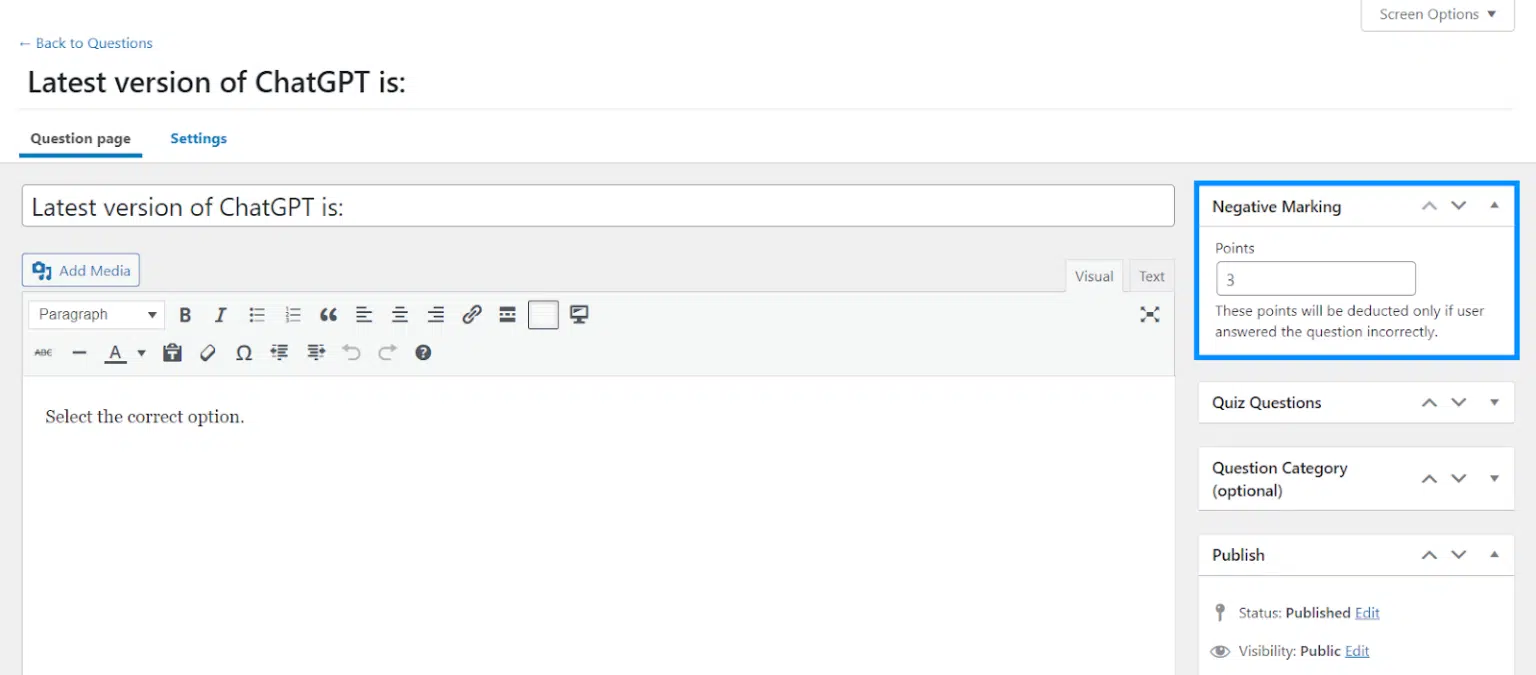
No negative marking system to discourage random guessing on retakes

CLIENT QUOTE

"Before this add-on, a failed quiz meant starting the whole thing over — students hated it. Now they only redo the questions they got wrong, and our pass rates on second attempts are really high. The retake logs also showed us that two of our quizzes had unusually high failure rates — we rewrote those lessons and scores improved immediately."

The Solution & Results

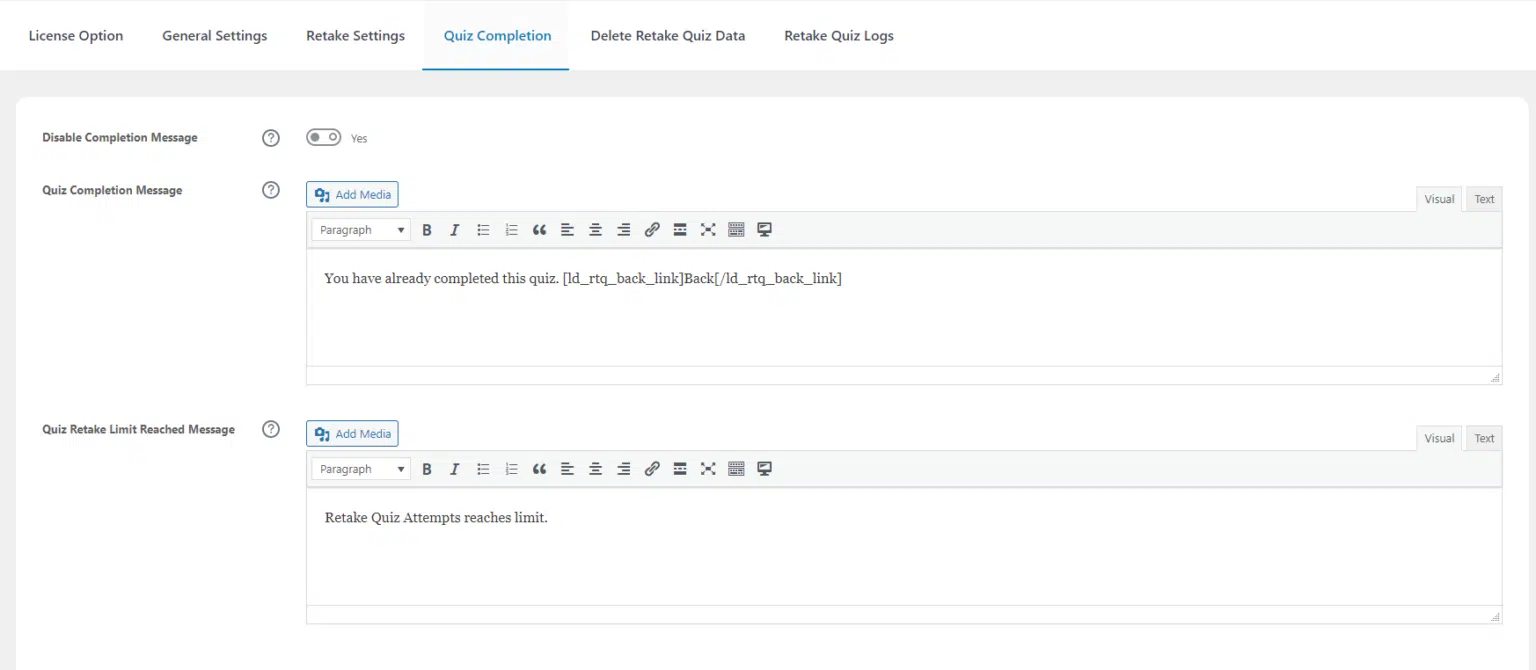
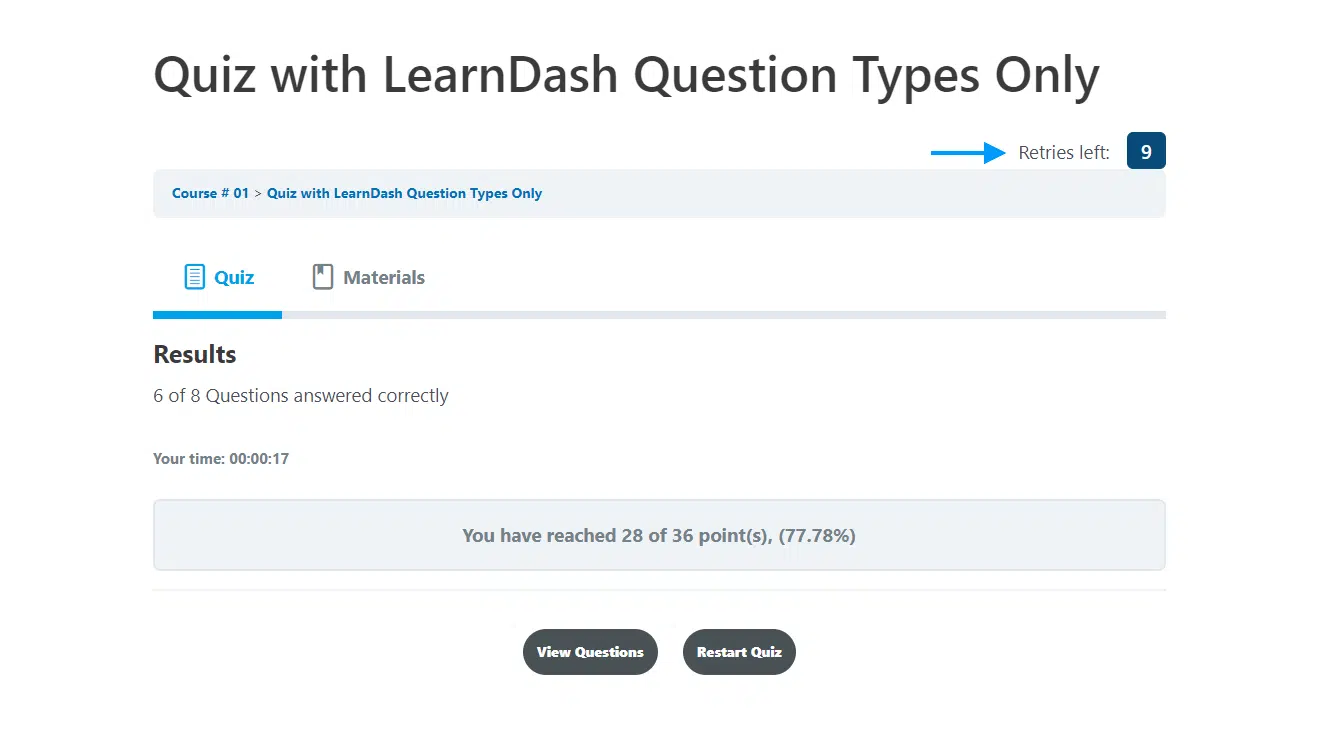
AR Webcrafts built a comprehensive quiz retake system with a key differentiator: when a student retakes a quiz, they are only shown the questions they answered incorrectly on the previous attempt . This makes retakes faster, more targeted, and far more effective for genuine learning. A Restart Quiz button appears automatically after every quiz attempt. Admins control exactly where retakes are allowed — enabling or disabling them per course, lesson, topic, quiz category, or quiz tag — and can block retakes for specific users or groups. To prevent abuse, a mandatory wait time can be set between retakes. Every retake attempt is recorded in a detailed Quiz Retake Log, giving admins complete visibility into student retake activity. For platforms that want to discourage guessing, Negative Marking can be enabled so incorrect answers deduct points.

Students who previously failed and disengaged now had a clear, structured path to improve. Targeting only wrong answers made retakes feel achievable rather than overwhelming — quiz completion rates on second attempts increased significantly. The cooldown timer eliminated abuse of the retake system, and the retake logs gave admins, for the first time, a real picture of which quizzes students were struggling with most — valuable data for improving course content.

Offer Quiz Retakes

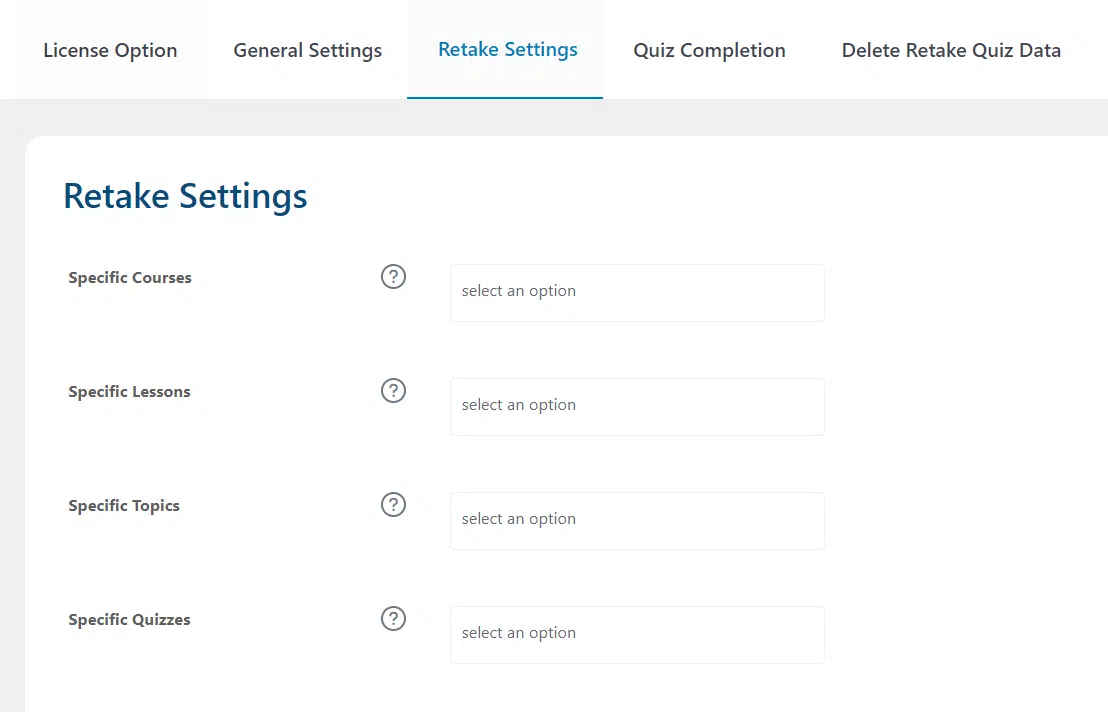
Offering quiz retakes mean your students have the opportunity to correct their mistakes and improve their quiz scores. Retakes can be enabled for specific courses, lessons, topics, quiz categories and quiz tags.

Restrict Retakes

You’ll have complete control over your quiz retakes and can disable them for selected quizzes, users and groups.

Limit Retake Attempts

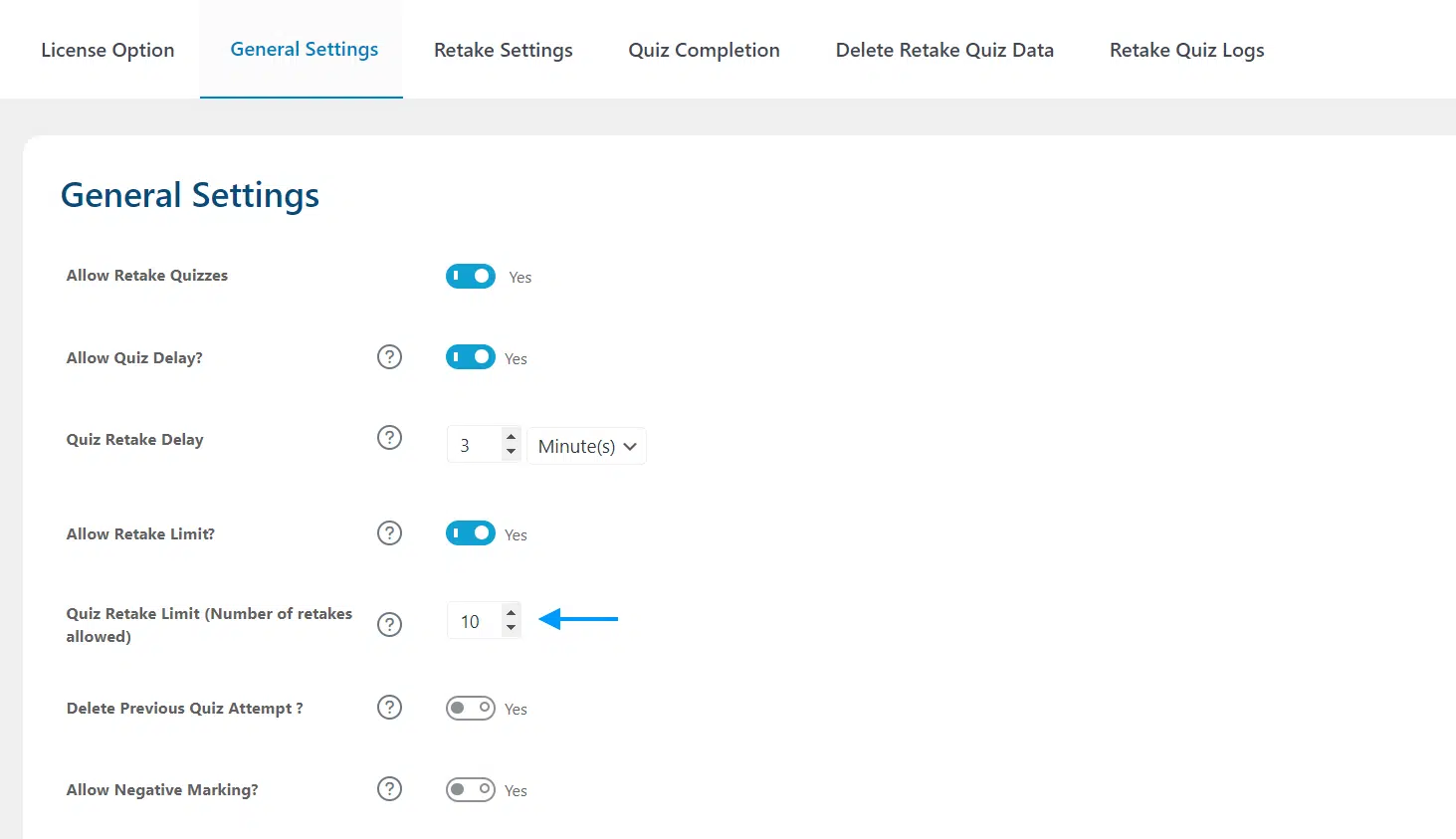
There are two views to display your students’ feedback on the frontend: the list view, and the grid view.

Delay User Retakes

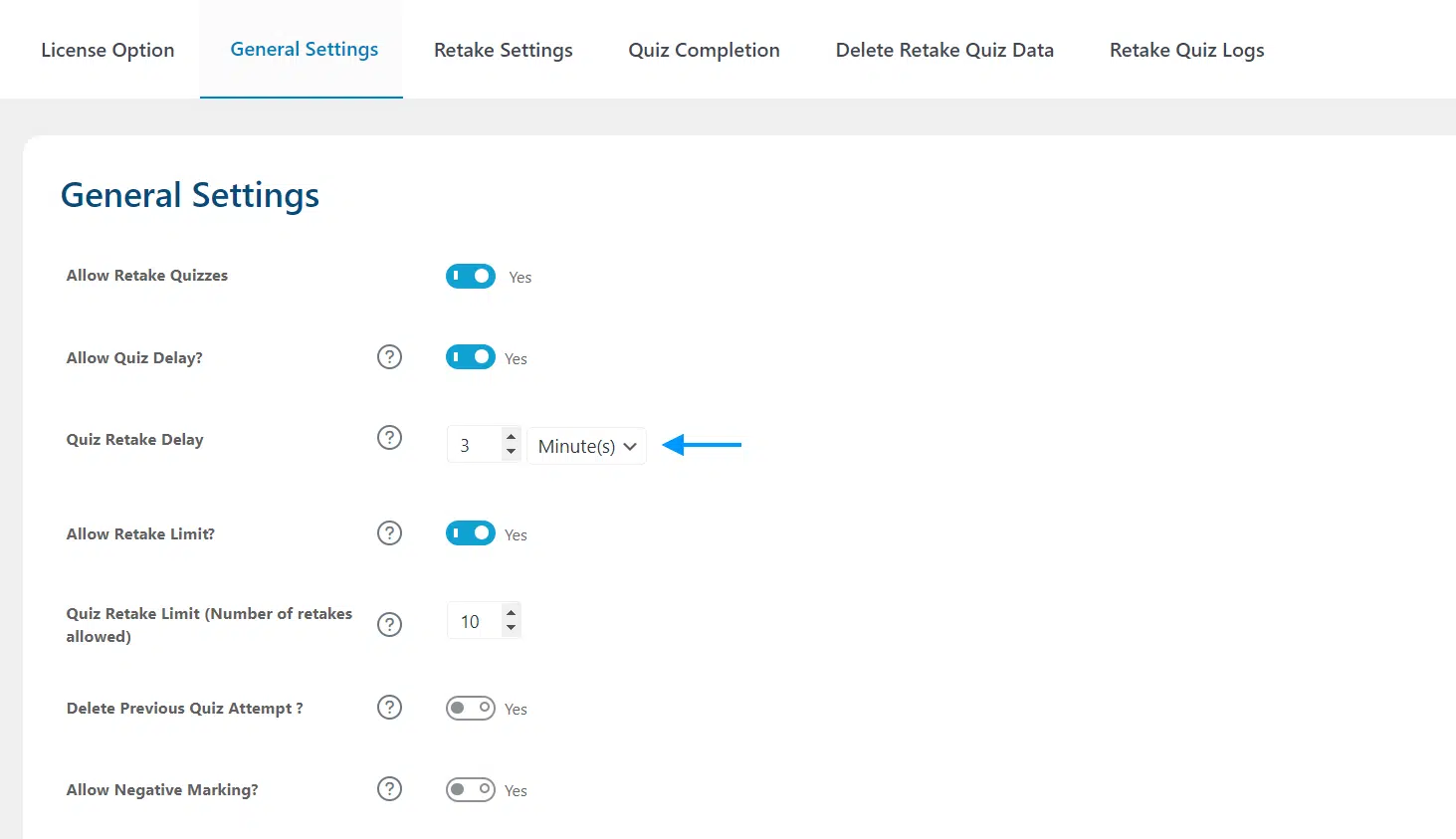
Prevent your students from retaking quizzes repeatedly by setting an amount of time the user must wait between retakes.

Retake Logs

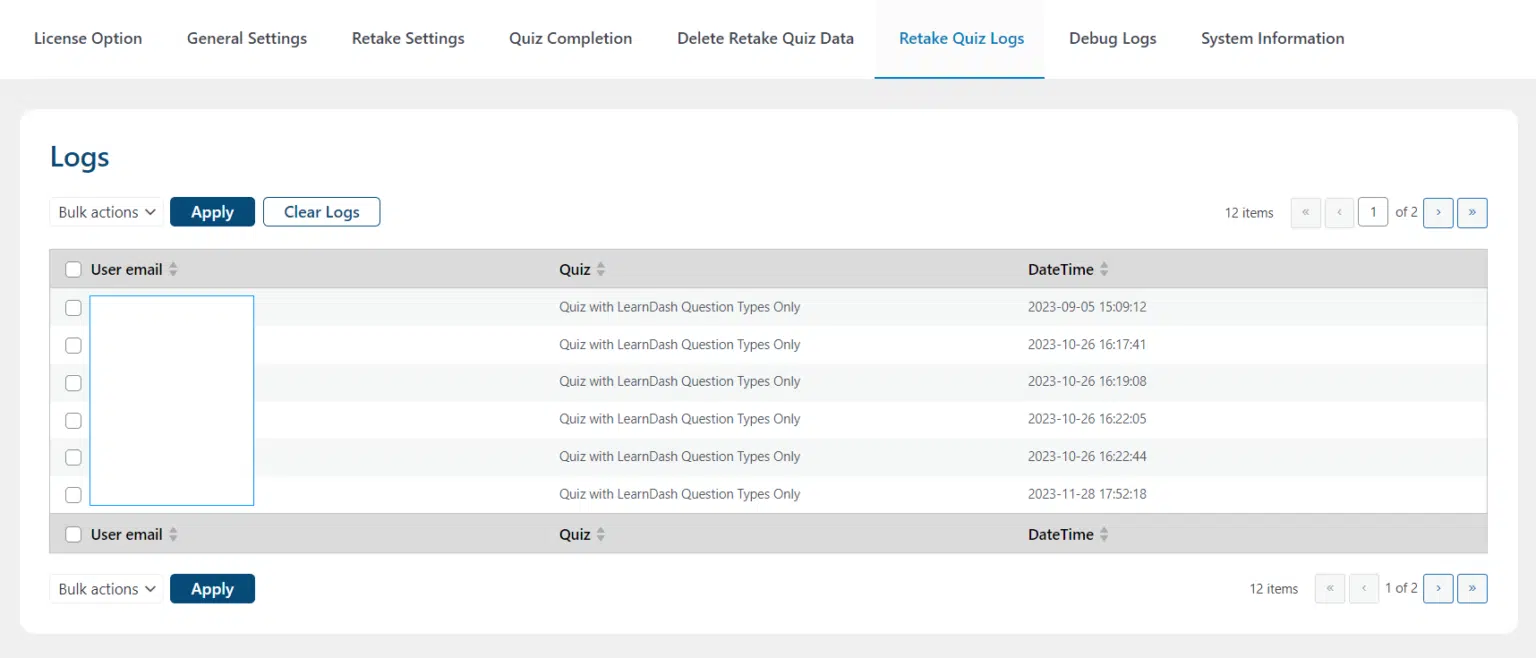
Keep track of your student’s quiz retake activity from the quiz retake logs.

Highlights student’s strengths and weaknesses

Struggling students that are failing a course or need additional practice to master course content can benefit from taking a course again. Such a comprehensive review of the course should help students improve their performance.

Implement spaced repetition into your teaching

When students begin to disengage from their learning or abandon the course completely, a progress reset can be a useful tool to get them back on track. By starting the course over, students can revisit the content they may have forgotten, reigniting that spark for learning that may have been lost.

Negative Marking

Deduct your students marks by enabling Negative Marking i.e. user will get the negative points if they attempt a question incorrectly.

Want to Give Your LearnDash Students a Smarter Path to Success?

We build custom quiz management tools for LearnDash that improve student outcomes and give admins the control and visibility they need.

Request For Quote