How We Helped an Online Course Platform Create a Fully Branded, Distraction-Free Learning Experience

A custom LearnDash add-on that takes Focus Mode beyond its default limits — giving admins full control over colors, layout, fullscreen, dark mode, and branding — built by AR Webcrafts.

Submit on all Pages

Add-On Overview & Features

A course platform running LearnDash had enabled Focus Mode — LearnDash’s built-in distraction-free view for lessons, topics, and quizzes. The problem? The default Focus Mode is completely rigid. It strips away the theme but replaces it with a generic, plain interface that looked nothing like the platform’s brand. Instructors couldn’t customize colors, fonts, backgrounds, or layout. Students were dropped into a white, unbranded page every time they started a lesson. The platform needed full creative control — without losing the distraction-free experience that made Focus Mode valuable in the first place.

THE CHALLENGE


LearnDash’s default Focus Mode offers almost no visual customization — admins can only adjust content width and sidebar position

The stripped-back Focus Mode interface looked completely off-brand — headers, logos, and theme styles were all removed with no replacement

No dark mode or fullscreen option for students who preferred a more immersive study environment

Background, font, and text colors on lesson and topic pages were completely fixed — impossible to change without custom code

Instructors had no way to show or hide specific UI elements inside Focus Mode — everything was all-or-nothing

CLIENT QUOTE

"Our brand uses deep navy and white — but every time a student entered Focus Mode it turned into a plain white page with black text. After this add-on, the learning environment finally looks like us. Students love dark mode too — we get compliments on it regularly."

The Solution & Results

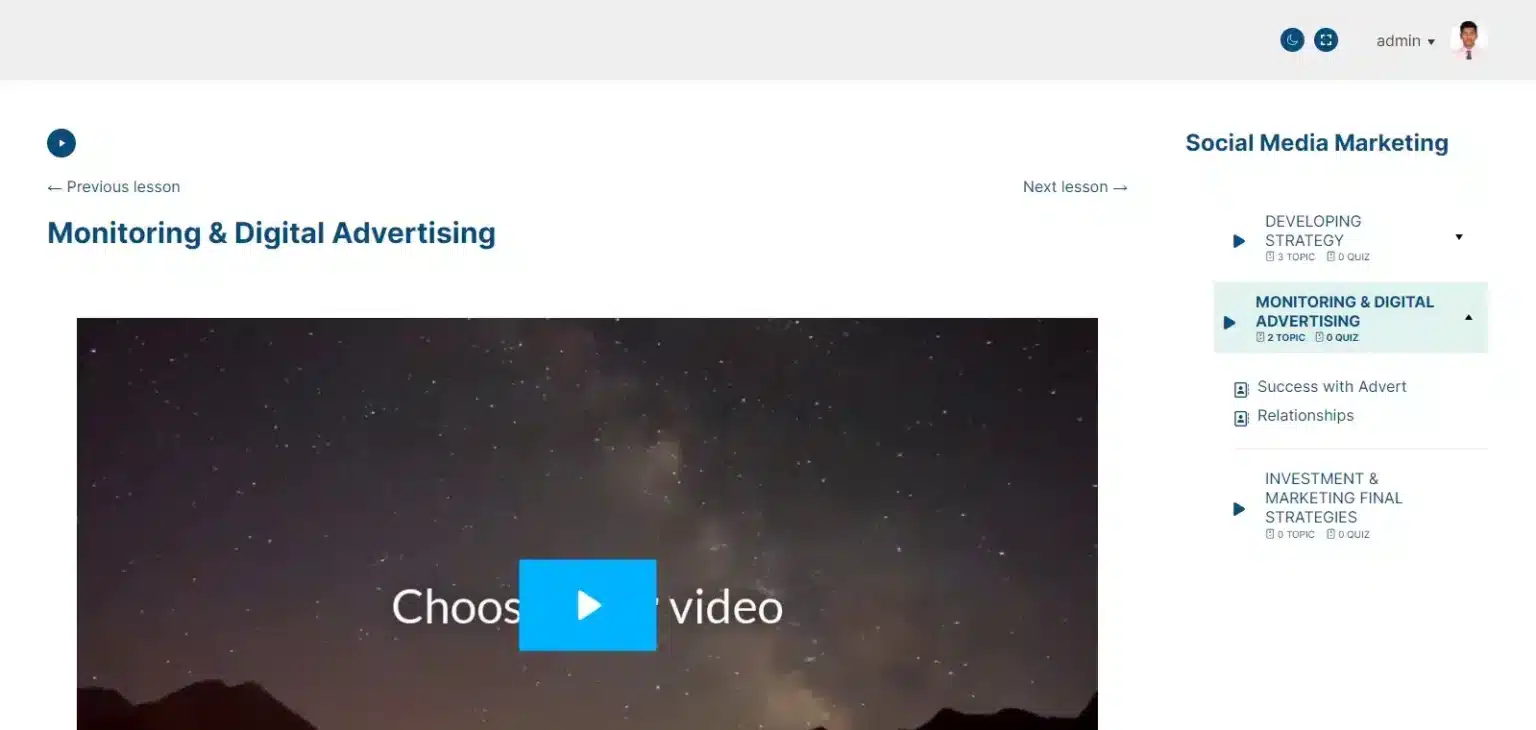
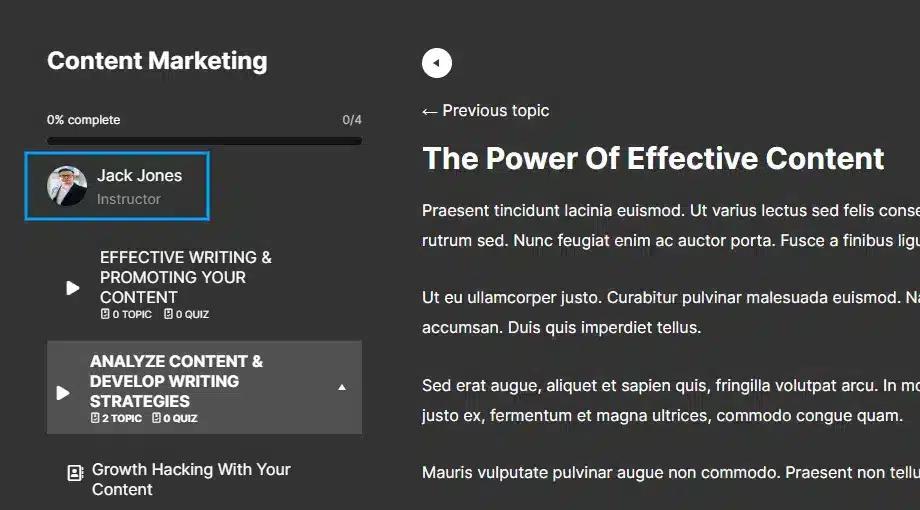
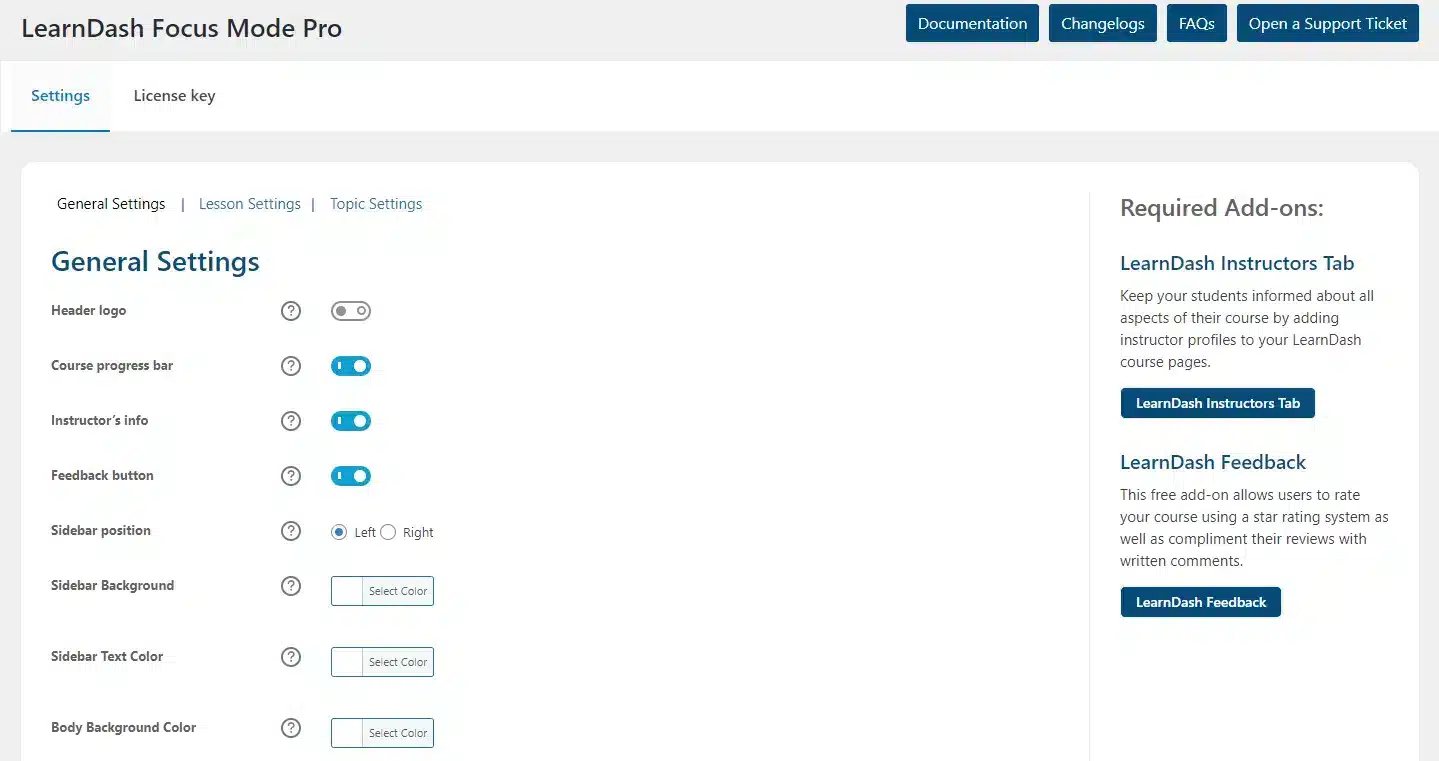
AR Webcrafts built a deep customization layer on top of LearnDash’s native Focus Mode. A new Focus Mode Pro settings panel is added directly inside the LearnDash menu, giving admins granular control over every visual element of the Focus Mode experience. Admins can fully customize lesson and topic background colors, font colors, and description colors to match their brand perfectly. Students gain access to a fullscreen toggle and a dark mode toggle — both optional and controllable by the admin. The add-on also integrates with LearnDash’s Instructors Tab and Feedback add-ons (both available free), expanding what instructors and students can see and do inside Focus Mode without ever leaving the distraction-free view.

The platform’s Focus Mode pages went from a generic, off-brand white screen to a fully customized, on-brand learning environment. Students responded positively to the dark mode and fullscreen options — especially those studying late at night. The platform’s brand consistency improved significantly across the entire course experience, and the team reported zero complaints about the visual design of lesson pages after the add-on launched.The platform’s Focus Mode pages went from a generic, off-brand white screen to a fully customized, on-brand learning environment. Students responded positively to the dark mode and fullscreen options — especially those studying late at night. The platform’s brand consistency improved significantly across the entire course experience, and the team reported zero complaints about the visual design of lesson pages after the add-on launched.

Hide Distracting Elements From Focus Mode

Customize visible elements on lesson, topic and quiz pages by choosing whether to show or hide a:

  • Header logo
  • Course progress bar

Move Navigation To The Right Or To The Left

Choose whether you want the course navigation sidebar to be displayed on the right or left side of the screen.

Additional Addons Support

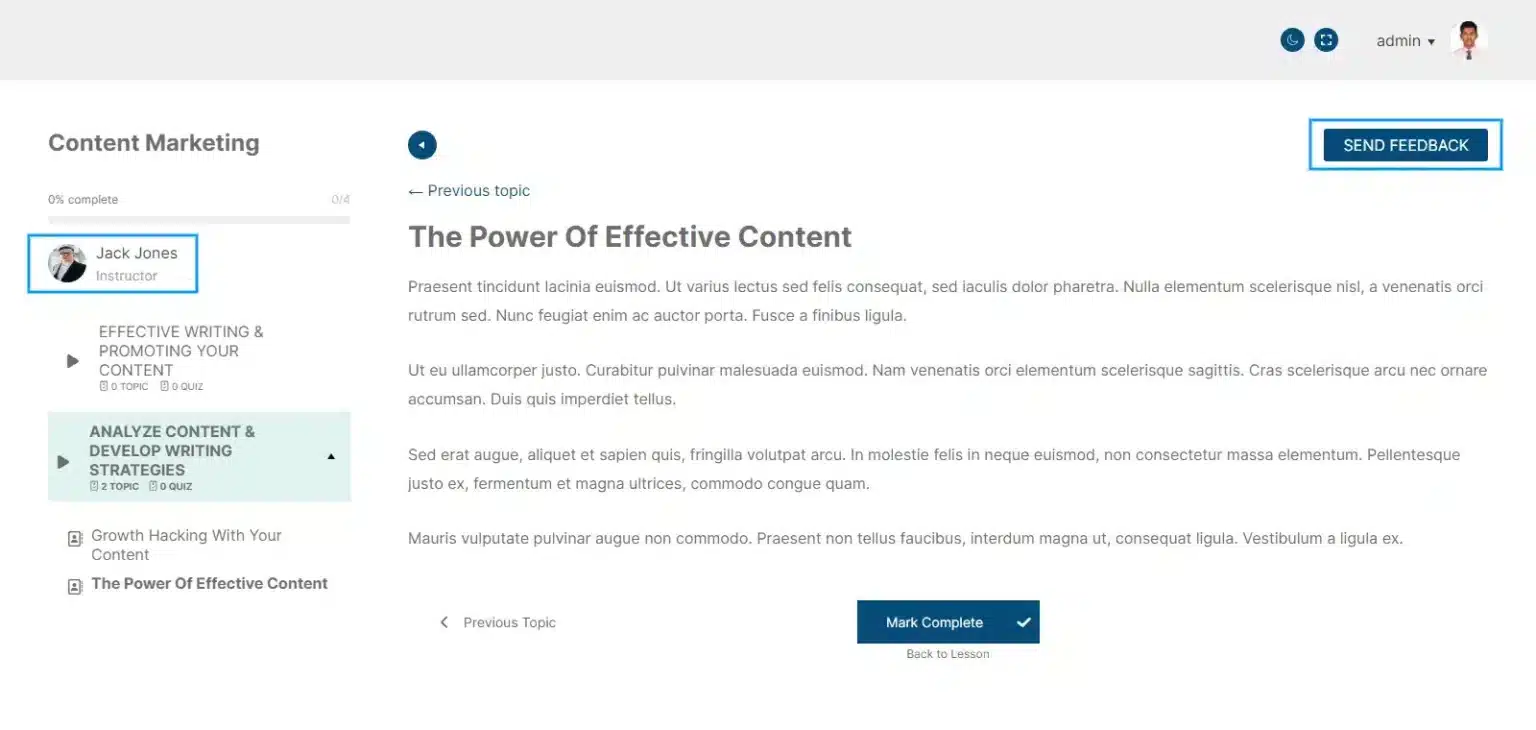
Choose whether you want to display the instructor’s info (from the LearnDash Instructors Tab add-on) and the feedback button (from the LearnDash Feedback add-on) on course content pages.

Show Instructor’s Name

Choose whether you would like to display the name and title of the course’s instructor(s).

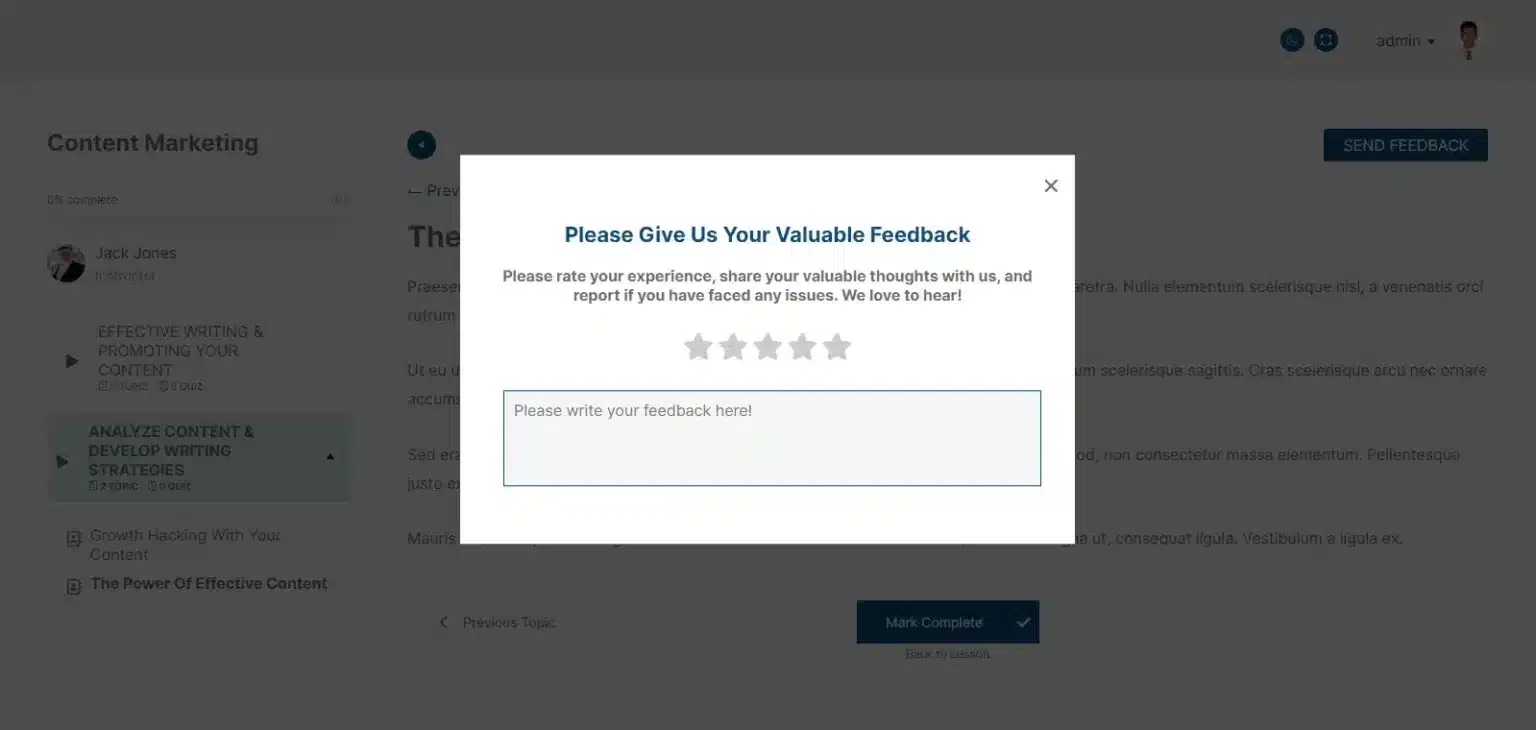
Show Feedback Button

Choose whether you’d like your students to leave feedback as a part of their focused learning experience.

Choose Between Light & Dark Mode

Keep your focus on learning with Fullscreen mode.

Want Your LearnDash Focus Mode to Look as Good as Your Brand?

We build custom visual and UX enhancements for LearnDash that give your students a polished, professional learning experience from start to finish.

Request For Quote