

Copyright © 2019 - 2026 AR Webcrafts LLC. | All Rights Reserved
- Welcome, We Transform Your Concepts into Reality.
A custom LearnDash add-on that puts course enrollment, progress tracking, user management, and group administration into one powerful central dashboard — built by AR Webcrafts.
A large eLearning platform managing thousands of students across dozens of courses was drowning in admin work. Enrolling students, moving them between groups, checking their progress, resetting completions, and managing course access all required jumping between multiple WordPress screens. There was no single place to see and manage everything. The admin team was spending more time navigating the backend than actually running the business.
Managing student enrollments, group assignments, and course access required navigating multiple disconnected WordPress backend screens
Admins had no single view of a student’s full activity across all courses and groups
Bulk enrollment and bulk management tasks were time-consuming with no batch operations available
Group leaders had limited admin tools — they couldn’t manage their own group’s enrollments without full admin access
There was no centralized way to view, edit, or override course progress for individual users across the whole platform
"We were managing 2,000 students across 40 courses and it was chaos. This dashboard pulled everything together. Our admin team went from spending 3 hours a day on enrollment and management tasks to about 45 minutes. It was genuinely transformative for our operations."
AR Webcrafts built a unified Course Management System dashboard that brings all critical LearnDash admin functions into one place. From a single interface, admins can enroll or unenroll students in courses and groups, view and edit individual student progress, manage group assignments, and override course completions — all without navigating away. Group leaders gain a scoped management panel showing only their own group’s students and data, without exposing the rest of the platform. Bulk operations allow admins to manage dozens of students at once — saving hours of manual work every week.
The platform’s admin team cut their weekly course management time in half. Tasks that previously required navigating five different WordPress screens could now be completed from one dashboard. Group leaders became fully self-sufficient — they managed their own groups without involving the admin team at all. The platform scaled its student capacity significantly without needing to hire additional admin staff.
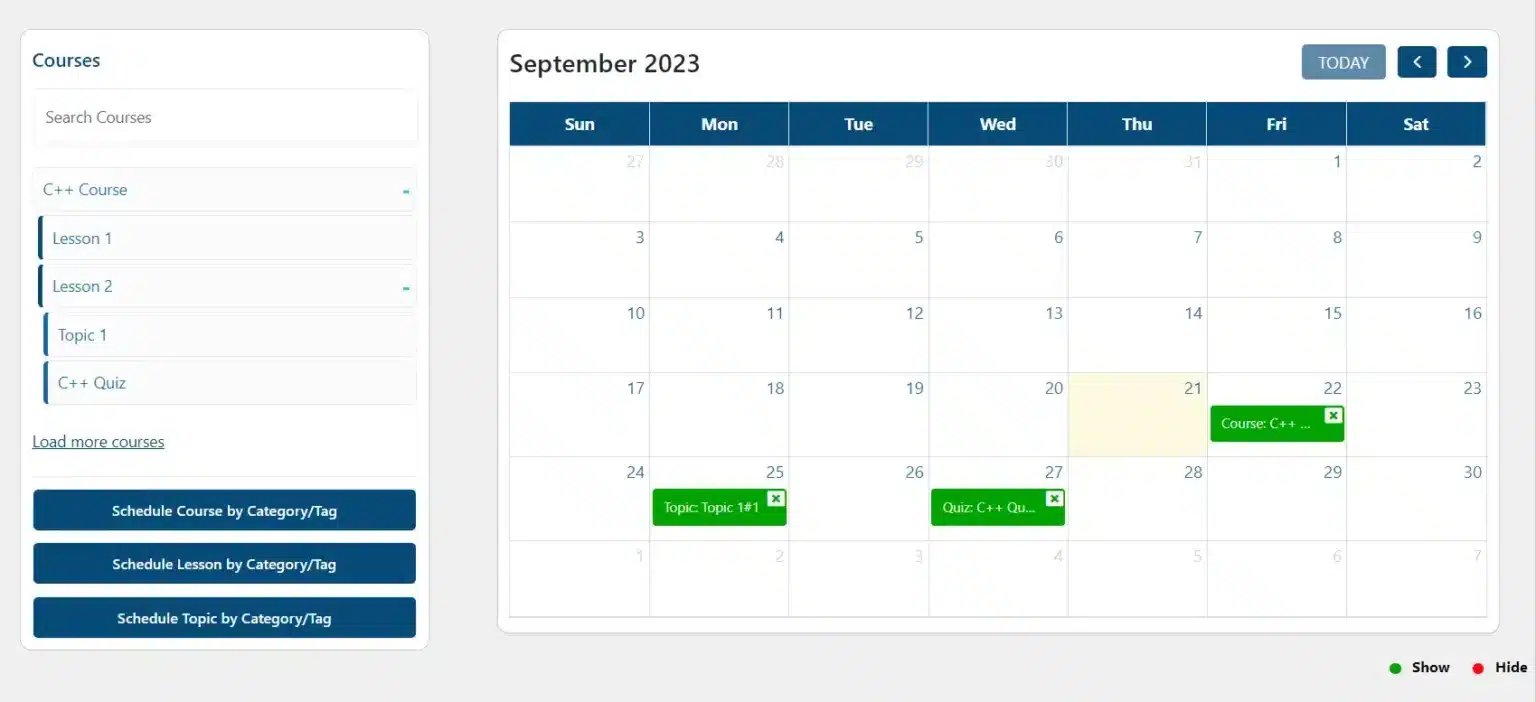
The process of scheduling content to be visible or hidden is easily done by simply dragging and dropping content onto any date on the calendar. From the calendar, you can also access additional scheduling settings. Furthermore, it is easy to delete scheduled dates directly from the calendar.
You can also determine dates in which course content becomes hidden from your students. Similarly, these courses, lessons, topics and quizzes can be scheduled individually or according to their category or tag. Whilst content is hidden, you also have the option to hide these courses from the course listing page.
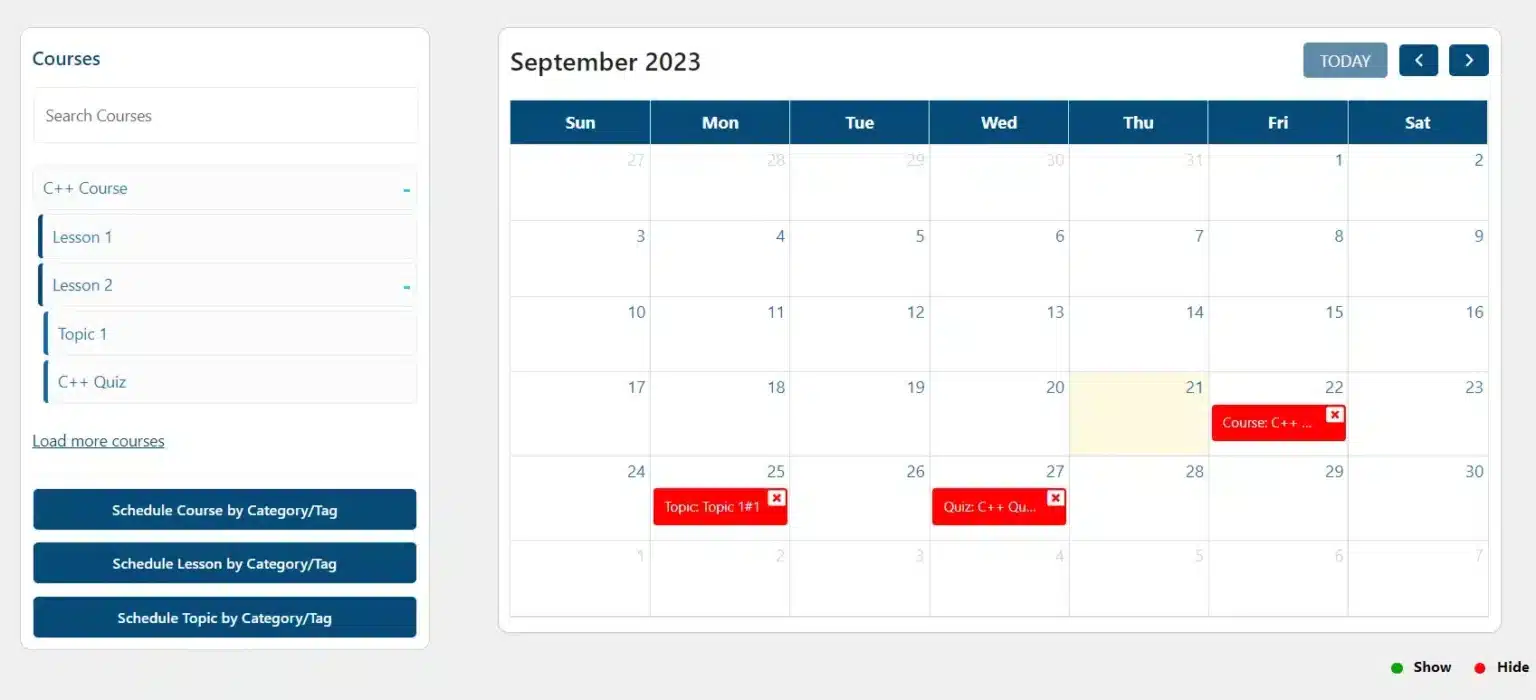
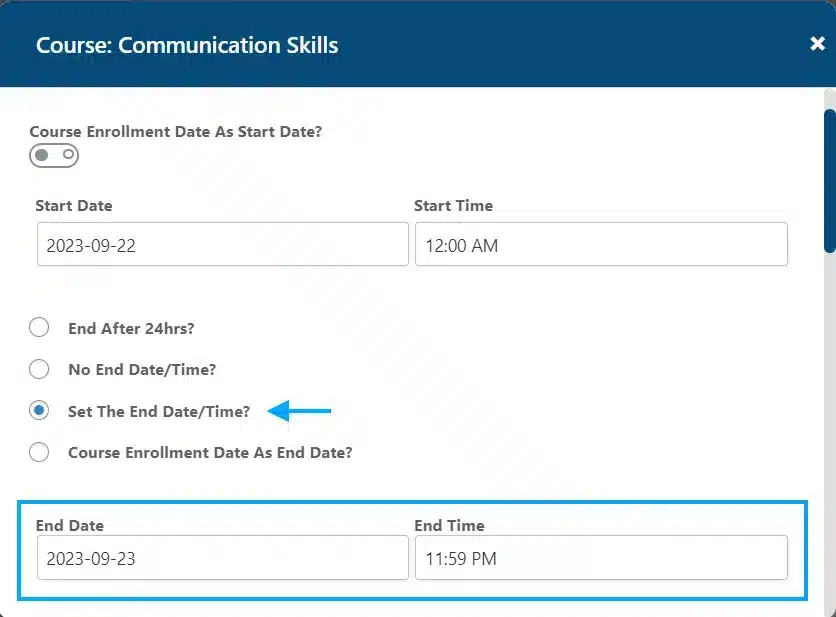
With this add-on, you can set dates for when course content becomes visible to your students. Courses, lessons and topics can be scheduled individually or according to their category or tag.
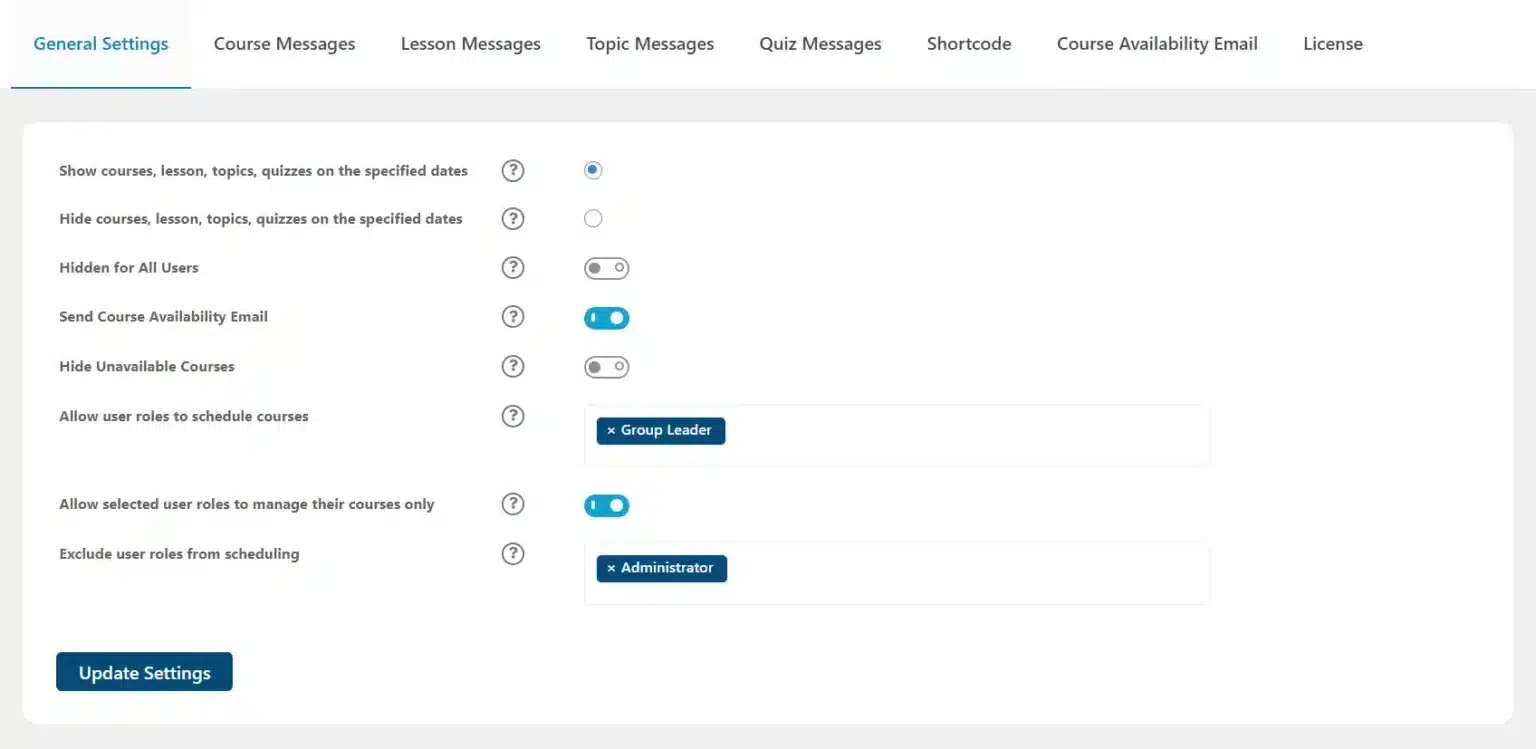
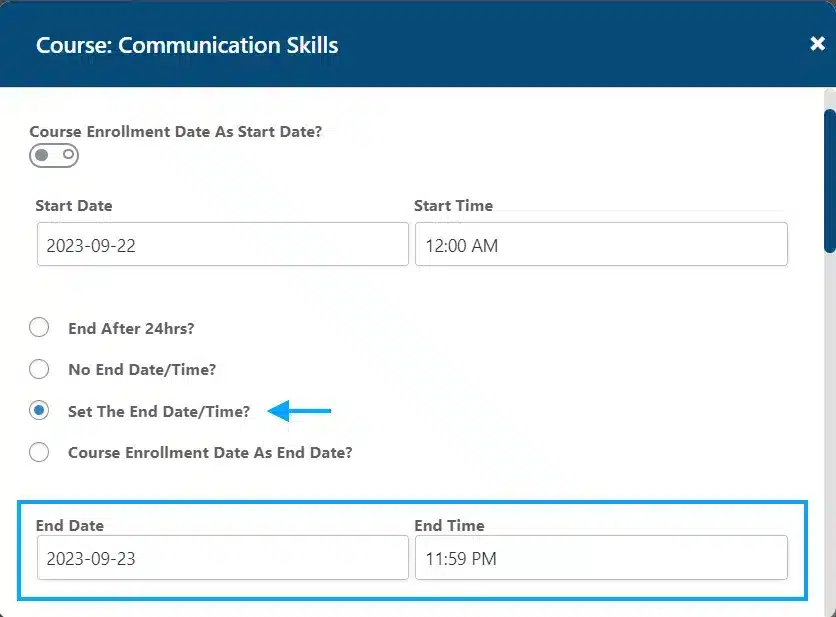
The add-on allows you to select specific users or user roles to be excluded from the selected schedule for a course, lesson, topic or quiz.
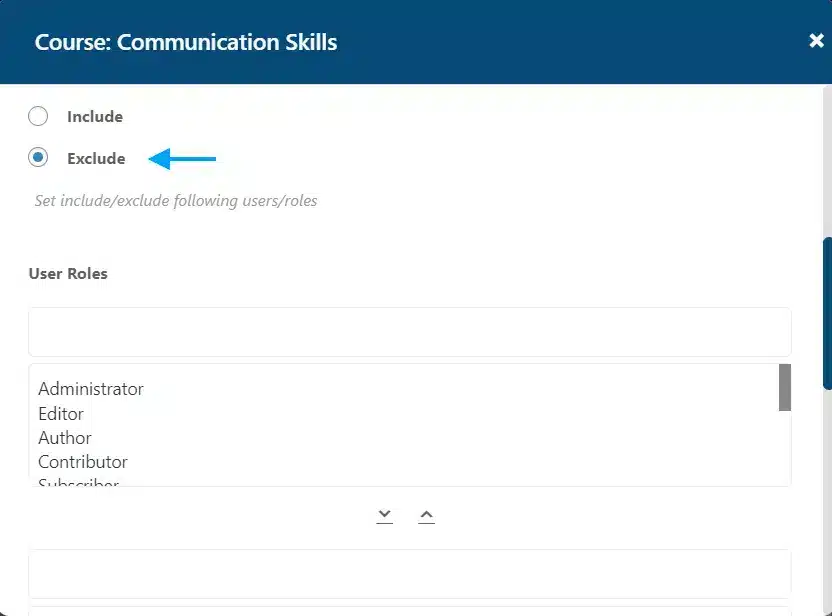
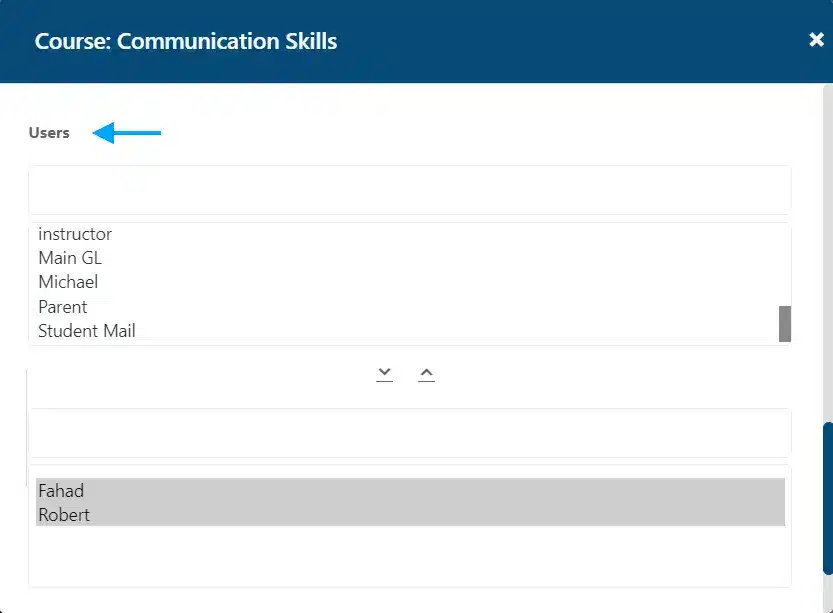
Part of being an adaptive learning platform is offering flexibility to your students. With the add-on you can offer unique scheduling of course content for specific users or users roles by using the “Include Users” and “Include User Roles” scheduling options.
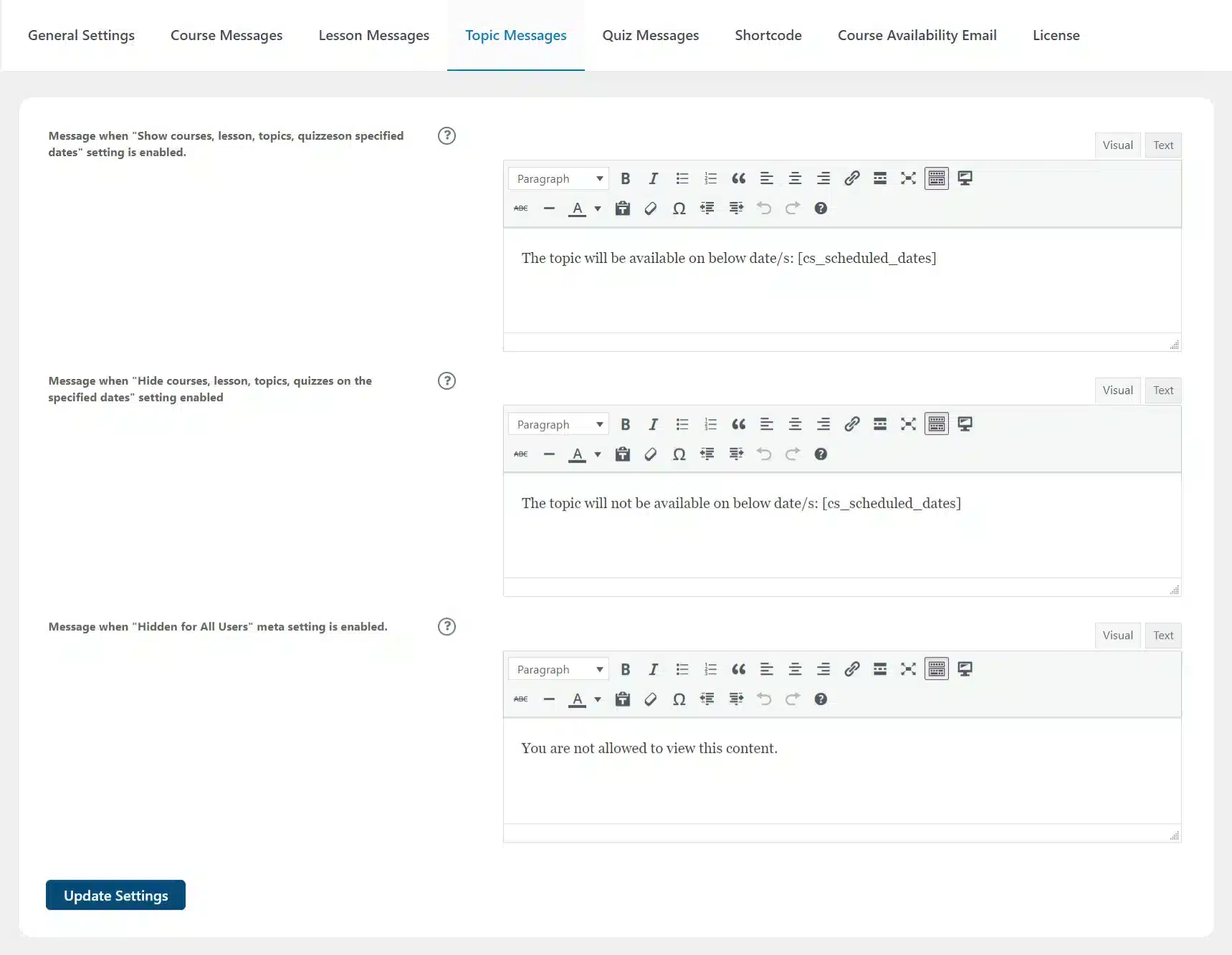
Set custom messages to inform users about the availability status of each course, lesson, topic or quiz. By displaying the dates course content becomes available, students can better prepare their individual schedules needed for success. Messages are displayed right on the page.
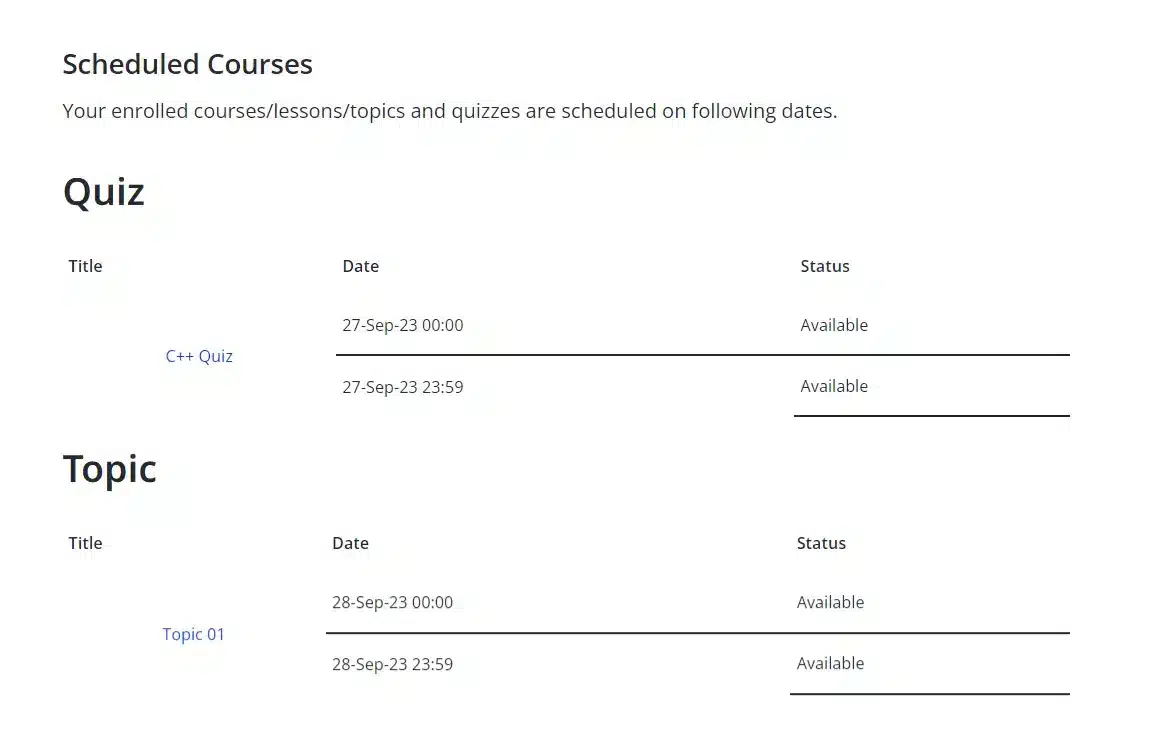
The LearnDash Course Planner Pro Widget allows you to display course schedules to students on any widget area on your site.
Select specific dates for courses, lessons, topics, and quizzes to be shown or hidden for selected LearnDash groups.
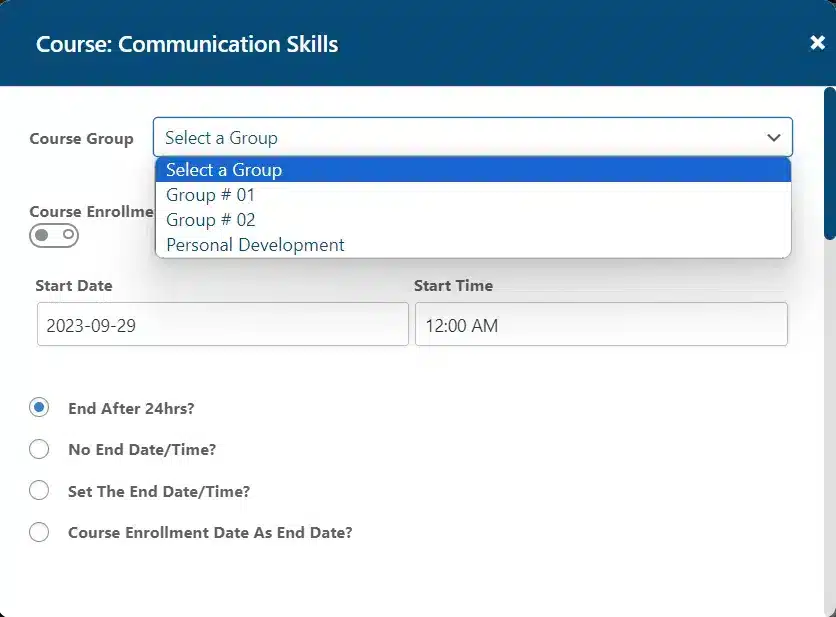
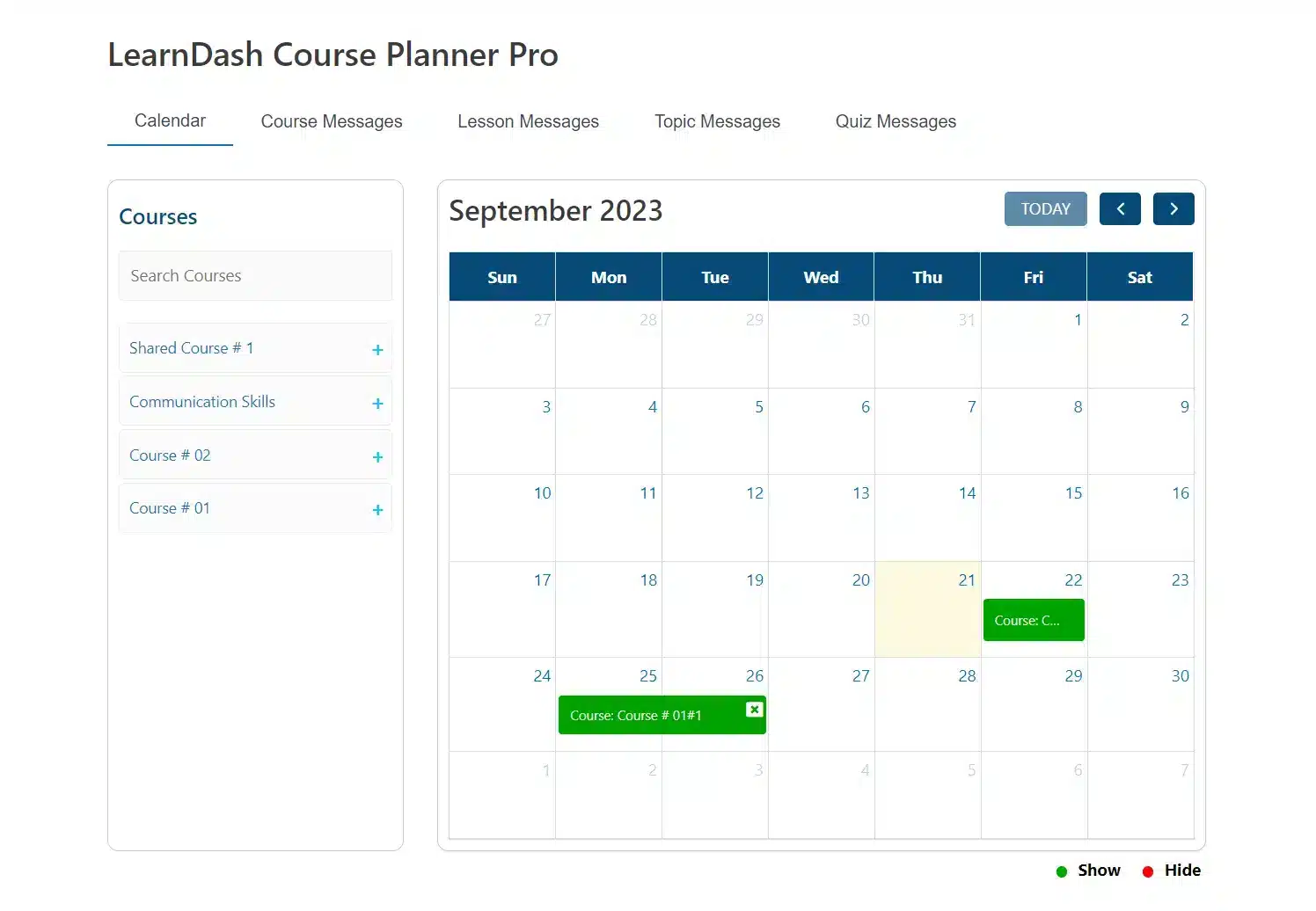
The add-on allows you to display the calendar interface on the front end, using a shortcode, meaning administrators and group leaders can easily schedule courses, lessons, topics, and quizzes. Moreover, you can also allow any other user roles for scheduling.
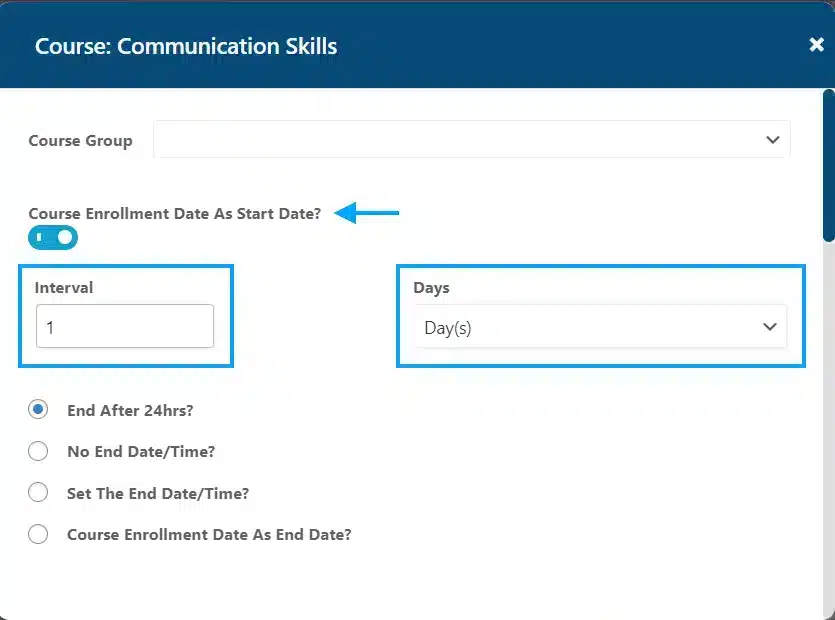
This add-on gives you the option to select a student’s course enrollment date as their scheduled start date.
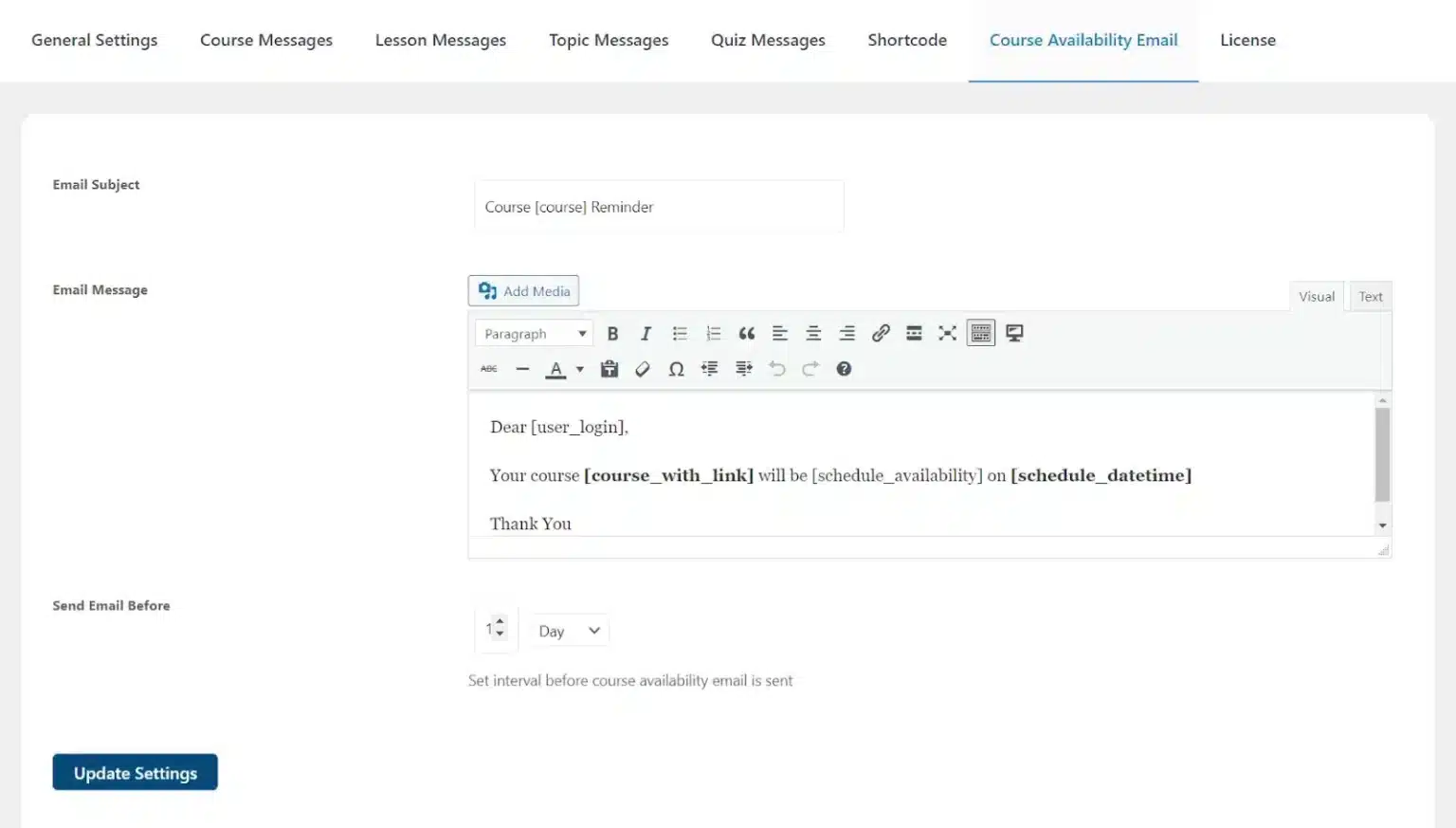
Administrators can send a course availability email to course enrollees, informing users when a course becomes available.
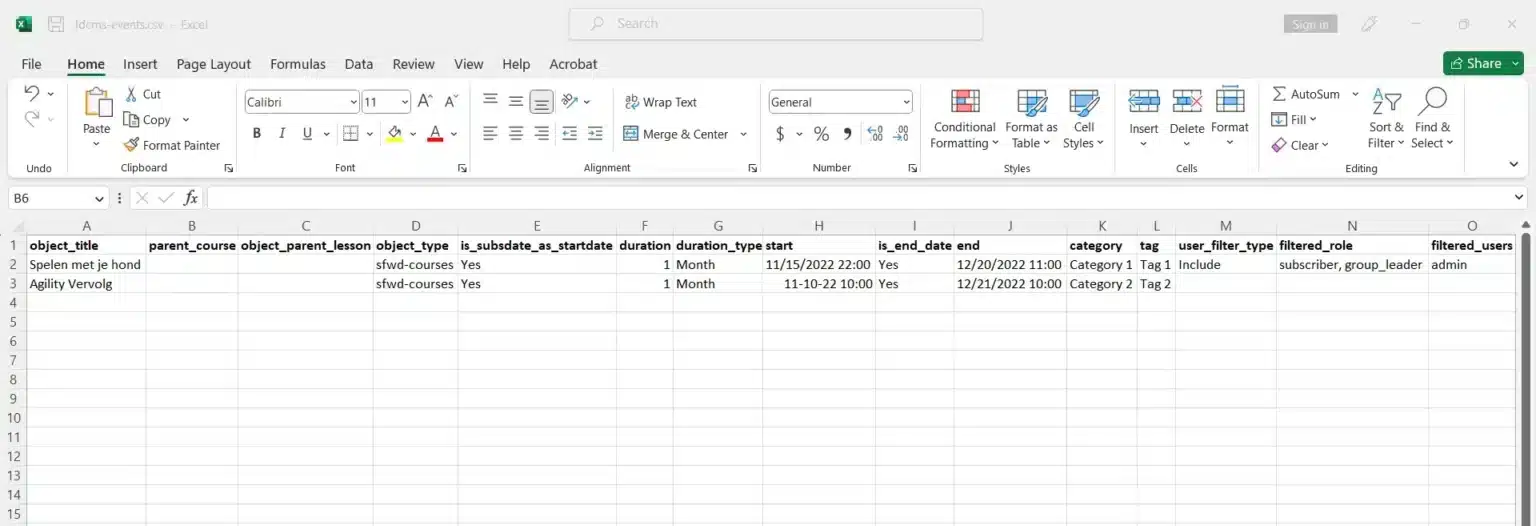
The process of scheduling the courses/topics/lessons and quizzes can easily be done using the Import Events wizard. This feature allows users to schedule multiple courses, lessons, topics, and quizzes at once by importing a single CSV file
We build custom admin and management tools for LearnDash that put everything in one place — so you can focus on growing your platform, not maintaining it.
We build custom admin and management tools for LearnDash that put everything in one place — so you can focus on growing your platform, not maintaining it.