

Copyright © 2019 - 2026 AR Webcrafts LLC. | All Rights Reserved
- Welcome, We Transform Your Concepts into Reality.
A custom LearnDash add-on that puts targeted, scheduled, event-triggered announcements directly inside courses, lessons, topics, and quizzes — built by AR Webcrafts.
A large eLearning platform was struggling with internal communication. Instructors needed to notify specific groups of students about course updates, new content, deadlines, and important reminders — but they had no tool to do it inside LearnDash. They were relying on mass emails that went to everyone, generic WordPress notifications, or manually posting in forums. What they needed was a smart, targeted announcement system built directly into their course pages — one that only showed the right message to the right students.
No native LearnDash announcement system — instructors couldn’t post updates directly on course or lesson pages
Announcements had to be sent as mass emails to all users, regardless of which course they were enrolled in
No way to target announcements to specific user roles or groups — students, instructors, and group leaders all saw the same messages (or none at all)
No scheduling — there was no way to set a start and end date for an announcement
No event-triggered messaging — instructors couldn’t automatically show a message when a student completed a lesson or when new content was added
Group leaders had no way to communicate with their own groups without involving the admin
"Before this, I had to email the entire user base every time I updated one course. Now I post the announcement directly on the course page, it only shows to enrolled students, and it disappears after the deadline automatically. It's exactly what we needed."
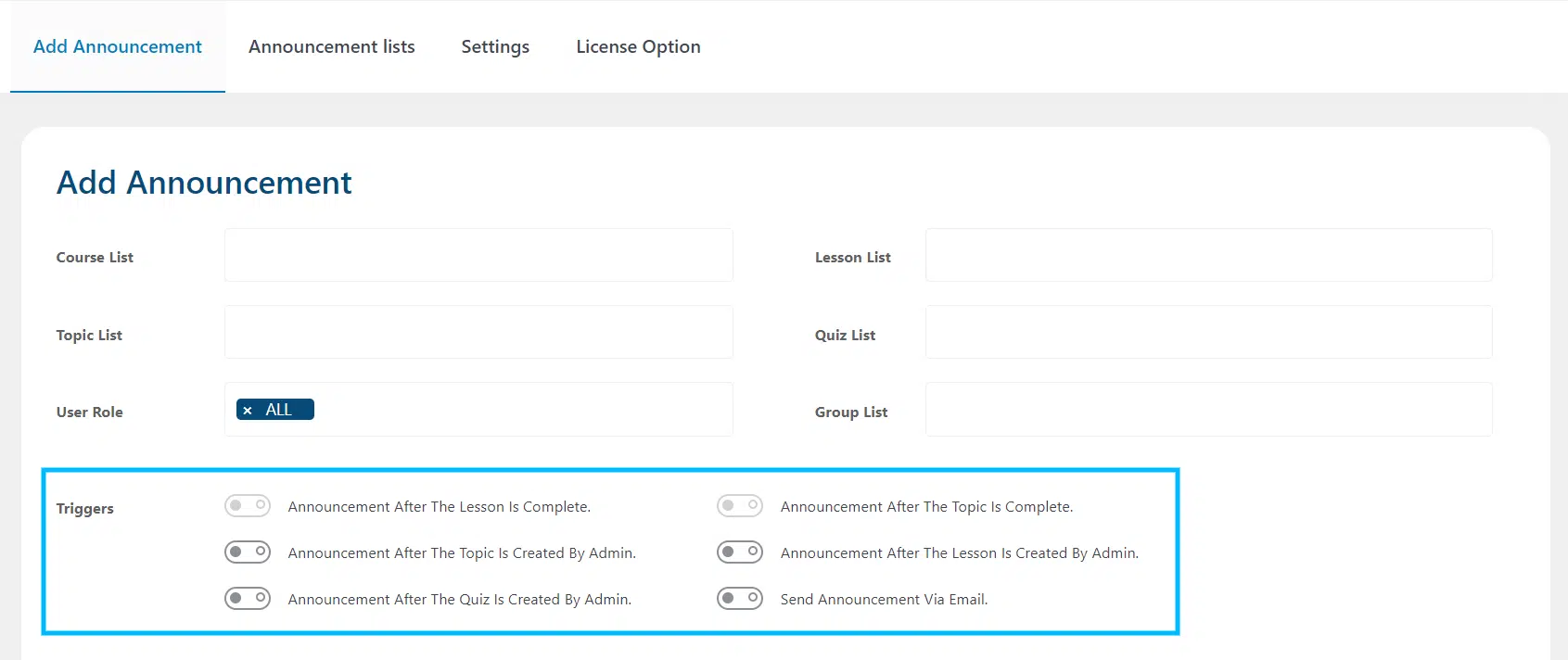
AR Webcrafts built a comprehensive announcement management system fully integrated into LearnDash. Admins and group leaders can now post announcements directly on course, lesson, topic, quiz, and group pages — targeting specific user roles or groups so only the relevant students see each message. Every announcement has a start and end date, making it automatically appear and disappear without manual intervention. Powerful event triggers allow announcements to fire automatically when a student completes a lesson, completes a topic, or when the admin adds new content to an existing course. Announcements can include file attachments — documents, images, or resources — and optionally fire an email notification to all relevant students the moment the announcement is published.
The platform replaced scattered mass-email communication with a targeted, in-course announcement system. Students received only the messages relevant to their courses and groups, dramatically reducing notification fatigue. Group leaders became self-sufficient — they could communicate with their own groups without involving the admin. Instructors reported significantly better student engagement with course updates because announcements appeared exactly where students were already working.
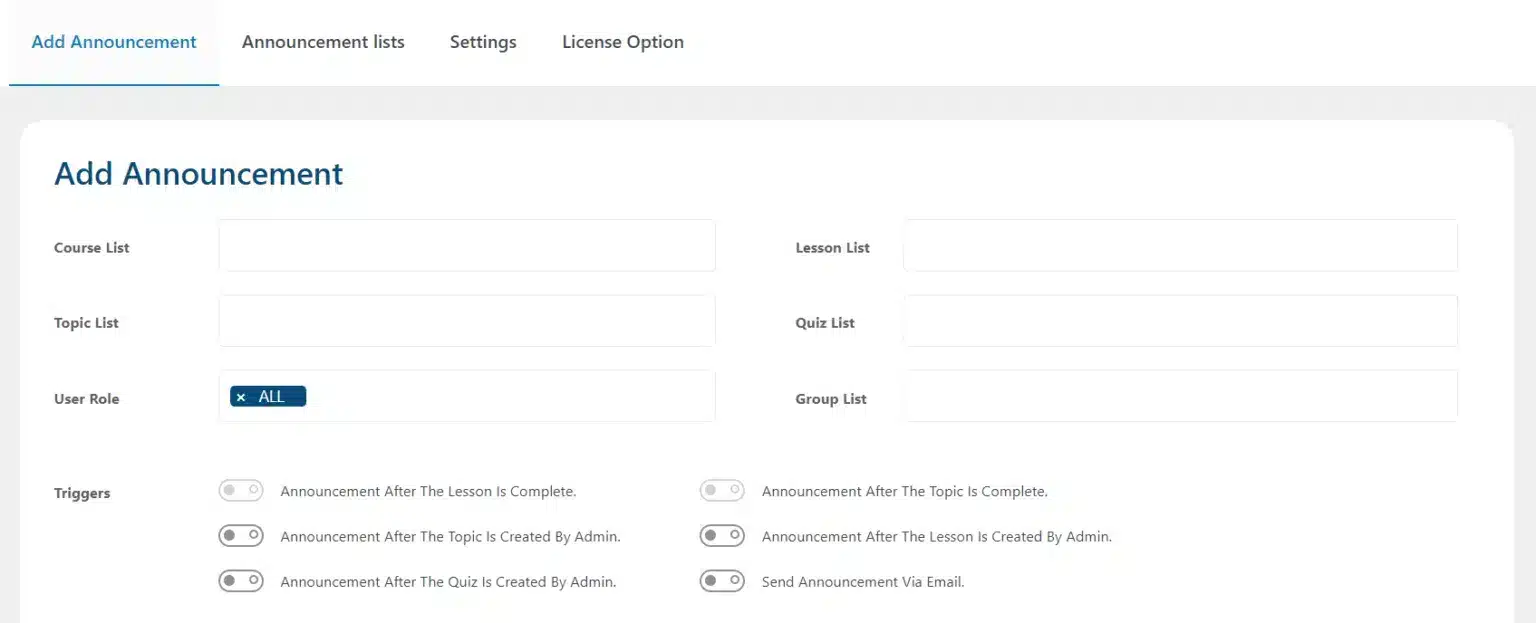
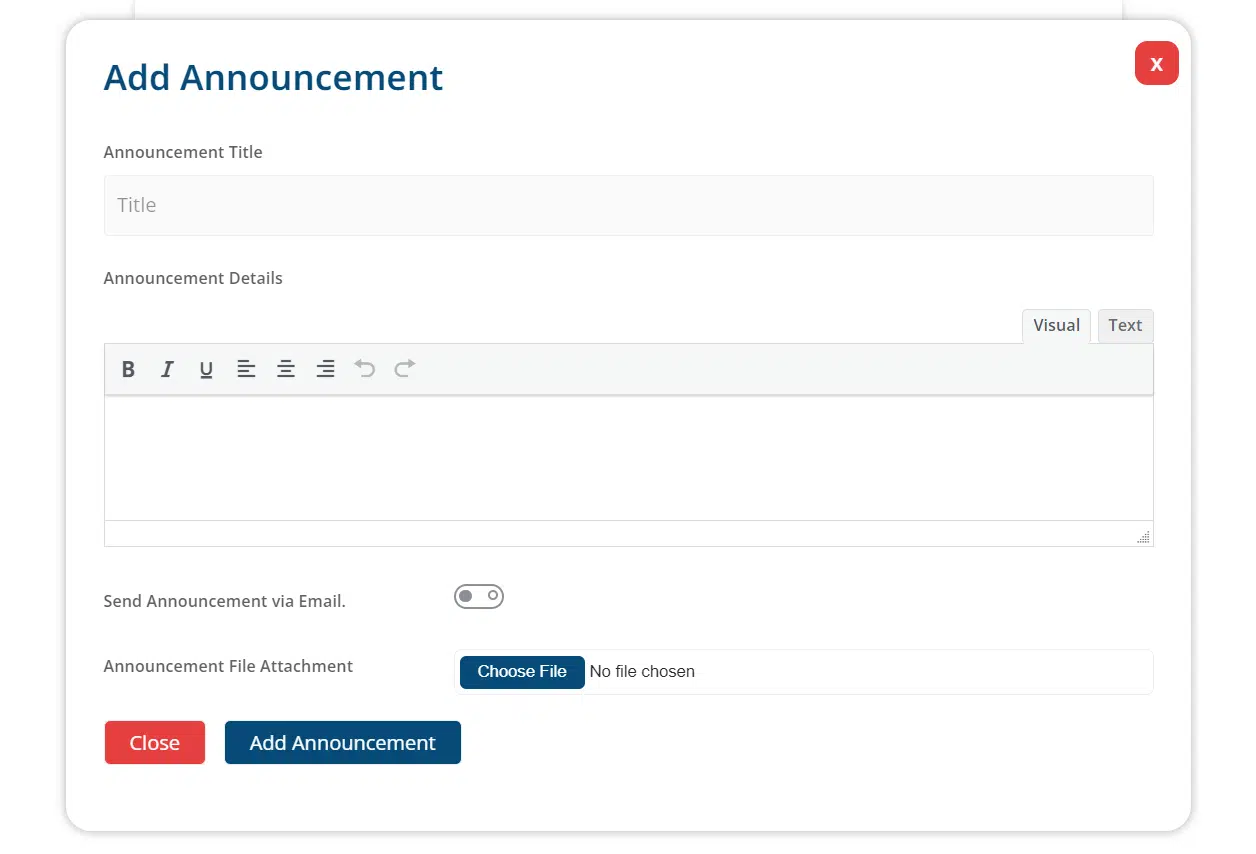
Add announcements for one or multiple courses, lessons, topics, quizzes, groups, or user roles. Announcements can easily be configured by selecting the post to add the announcements along with the announcement title, message, and file attachment.
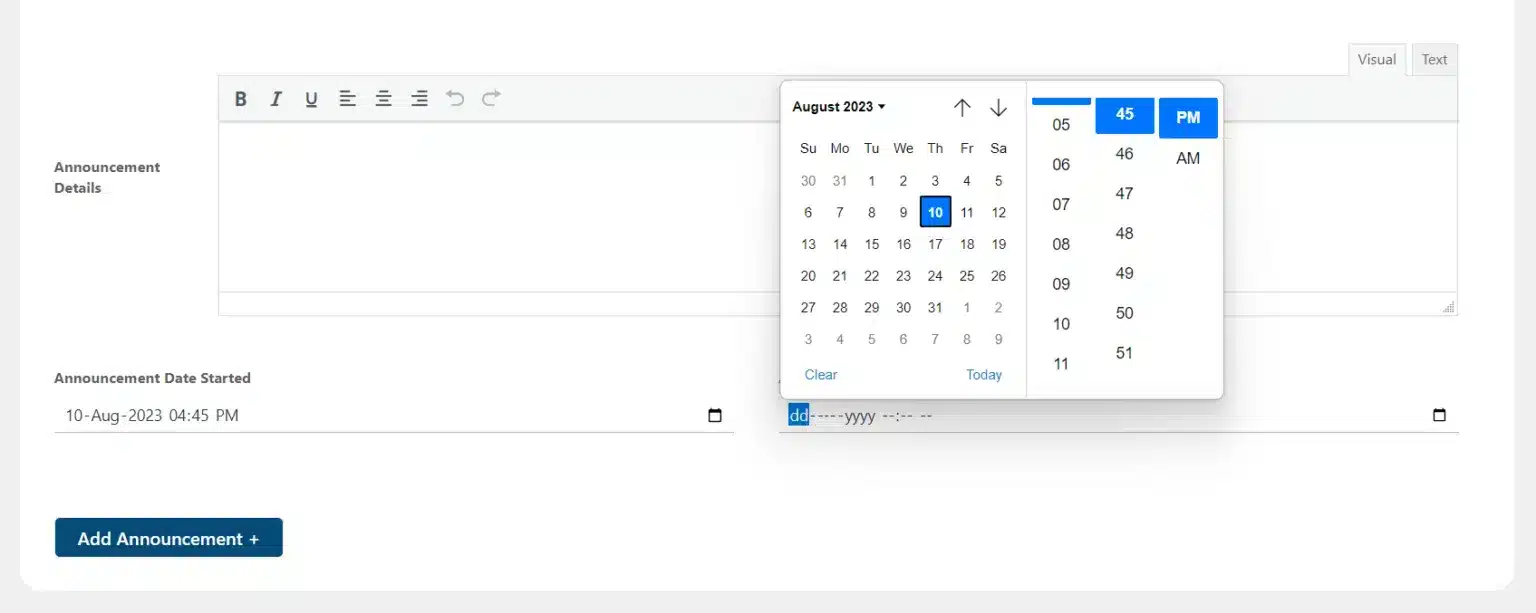
You can set starting and ending, dates and times for the individual announcements.
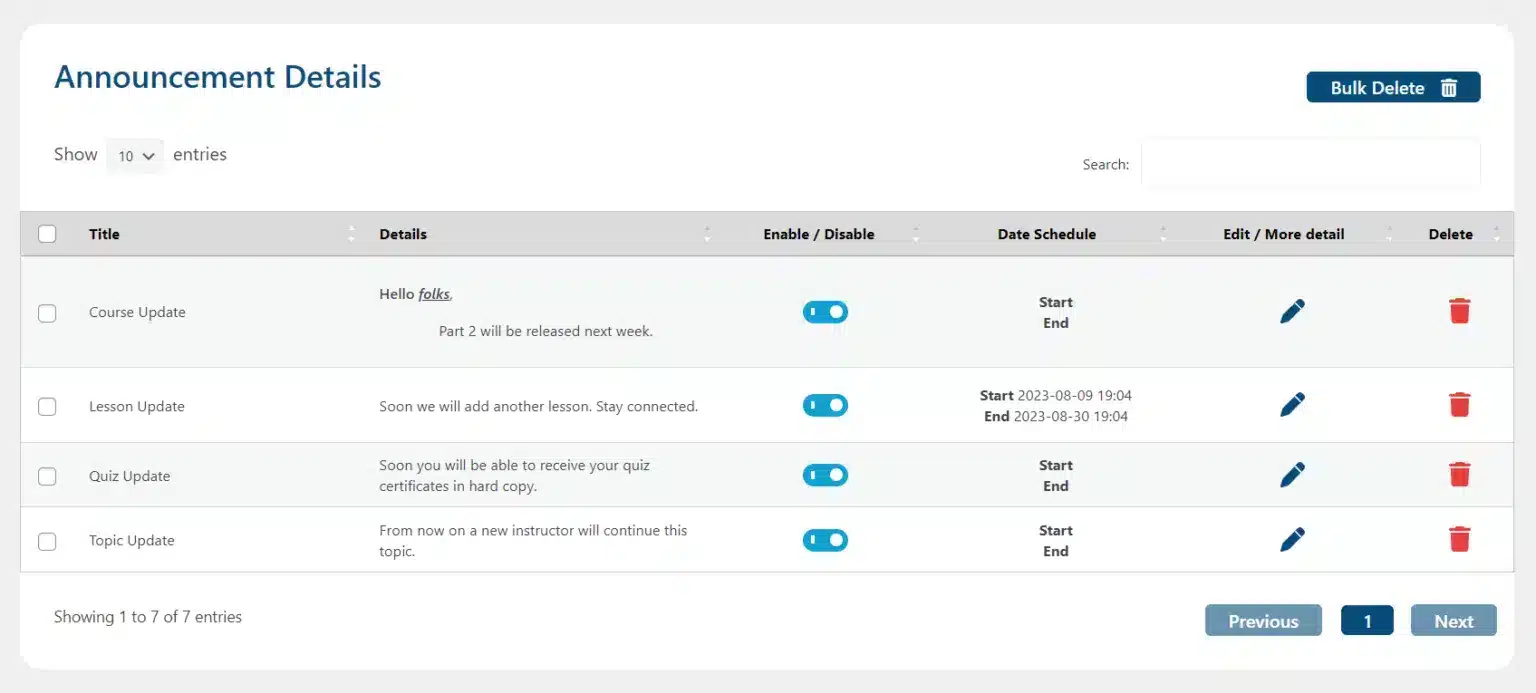
Admins can see a list of all published announcements, including the announcement details from a single list. The announcements can be edited directly from the list by clicking on the edit icon.
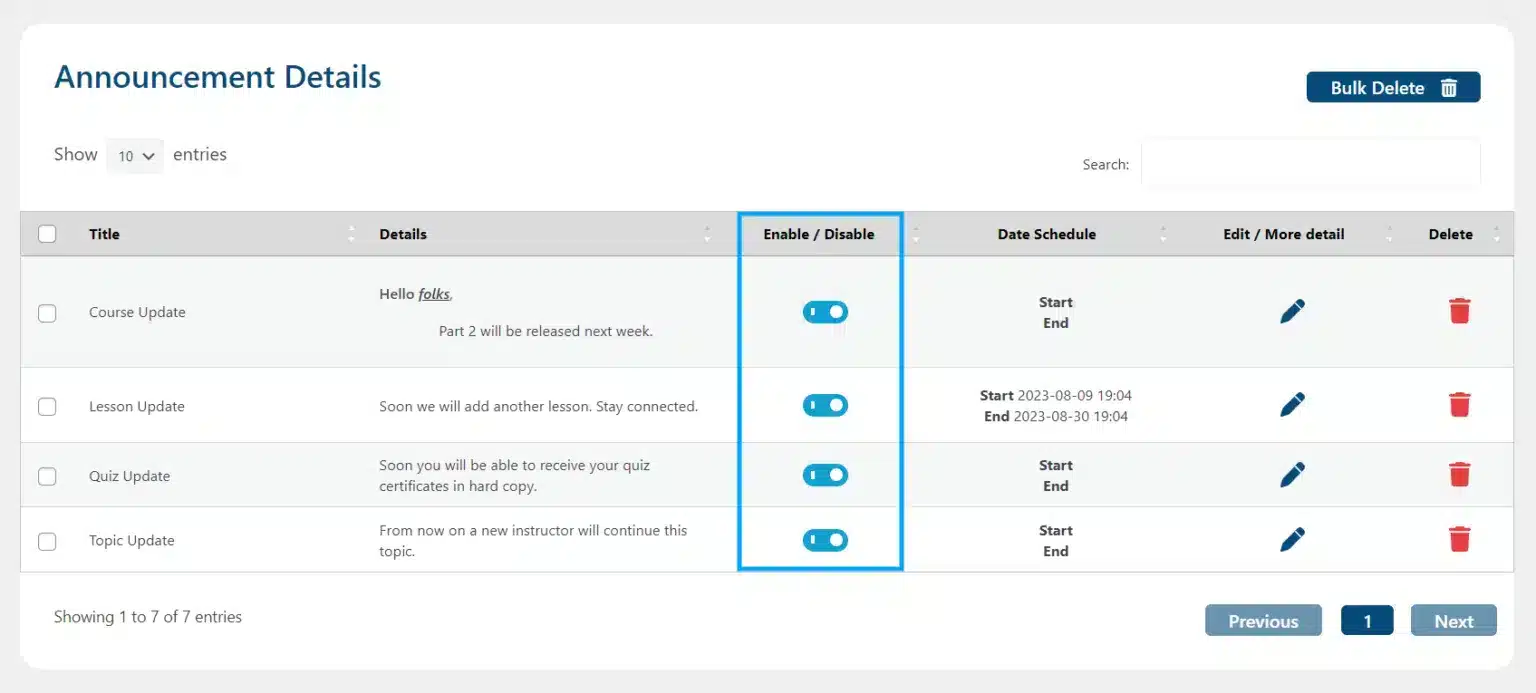
Enabling or disabling an announcement to hide or display it on the front end can be done with a single click of a button.
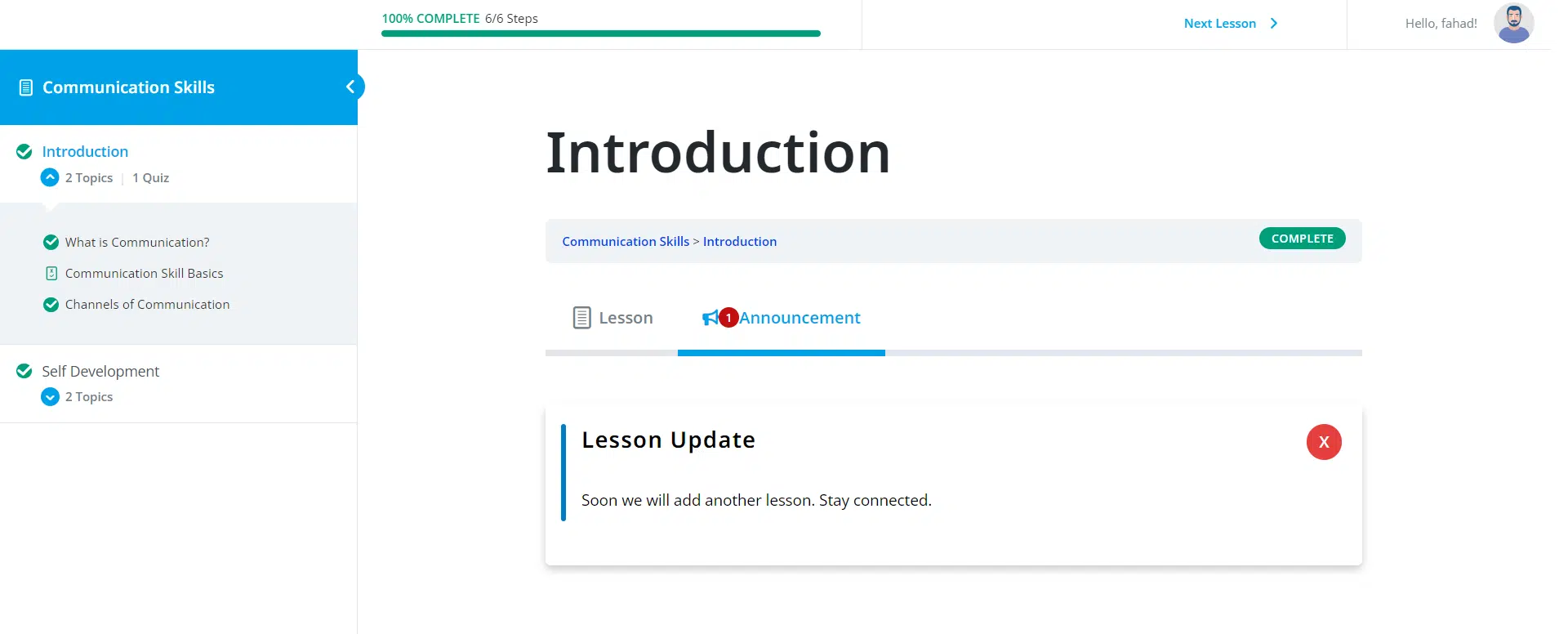
An “Announcement” tab will be added on the front end of every course, lesson, topic, and quiz page; where all of the published announcements for that course, lesson, topic, and quiz will be visible, respectively.
We build custom communication and notification tools for LearnDash platforms — targeted, scheduled, and fully automated.