
Have you ever typed in a URL and stared at a blank screen or error message, wondering is this website down? It happens to everyone at some point, especially when trying to access your website during a busy day. For WordPress site owners across the United States, these moments can feel frustrating because a site becoming inaccessible often ties back to server problems or hosting provider choices.
When a website goes down, it means visitors cannot load the page due to technical issues like slow response time, DNS errors, or full outage. You can quickly check the status by using a simple checker just enter the URL into a tool and it shows if the website is down for everyone or just your connection. Many free options help you determine the site status with real time checks around the globe.
WordPress powers millions of sites in the US from small business pages to WooCommerce stores and LearnDash courses. Options like free WordPress hosting or hosting free WordPress might seem appealing at first, but they often lack strong website availability. Paid plans, including WordPress managed hosting, handle updates and security measures better, keeping uptime high. Even popular services like Kinsta WordPress hosting focus on speed, while cloud hosting services from various cloud hosting providers offer redundancy to prevent a single crash from taking everything offline.
Proactive steps matter a lot here. Tools that offer website monitoring send a notification or alert via email or SMS if something goes wrong, giving you real time updates on website uptime and response code. This way, you stay informed about whether your website is facing issues before customers notice. Many WordPress users tie uptime and performance monitoring into routine maintenance to minimize problems and keep user experience smooth.
In the end, knowing if your website is stable starts with good habits and the right setup. At AR Webcrafts, we often help clients build that solid foundation. Later sections cover ways to check if a website is having problems, common triggers and how professional help prevents the site goes down unexpectedly.
Is This Website Down or Is It Just Me?
Free Website Down Checker Tools
Plenty of free website tools exist to quickly check whether a site is offline. These detector options let you simply enter the domain name or URL and they ping the server from different spots. Results show if the website you want to check is truly down or if local issues like your browser’s cache and cookies cause the problem.
Many people start here when trying to browse a page and it fails to load. A good checker provides real time info on server status, helping you find whether the website has a widespread outage or isolated technical issues. Some even display past uptrends so you see patterns in website availability.
For WordPress sites, these tools prove handy because incompatible plugins or coding errors can lead to your site becoming temporarily inaccessible. Clearing your browser’s data or disabling extensions often fixes personal access problems, while a true server issue needs deeper troubleshooting.
Check If Website Is Down from Multiple Locations
One smart way to check if the website has problems involves testing from spots around the globe. Tools that ping the server from various servers reveal if the website is down or experiencing regional issues, like slow response time in certain areas.
This approach helps when a page loads fine on your phone but not your computer often due to local network glitches versus a full crash. By seeing checks from multiple points, you get a clearer picture of website availability and whether it’s a global problem.
WordPress owners benefit from this because traffic spikes or overload on the host can cause uneven performance. If checks show consistent failures, it points to server errors or DNS record problems needing quick fixes.
Is It Down Right Now: Quick Status Checks
When you need to know is it down right now, fast tools provide instant answers. Just enter the URL and they display the current status of your website along with any recent server activity. These quick checks often include basic website monitoring features, showing if the page returns a normal response code or errors. Many users rely on them daily to access sites without guessing. For anyone managing a WordPress page, pairing these with regular habits reduces surprises from unexpected website crashes.
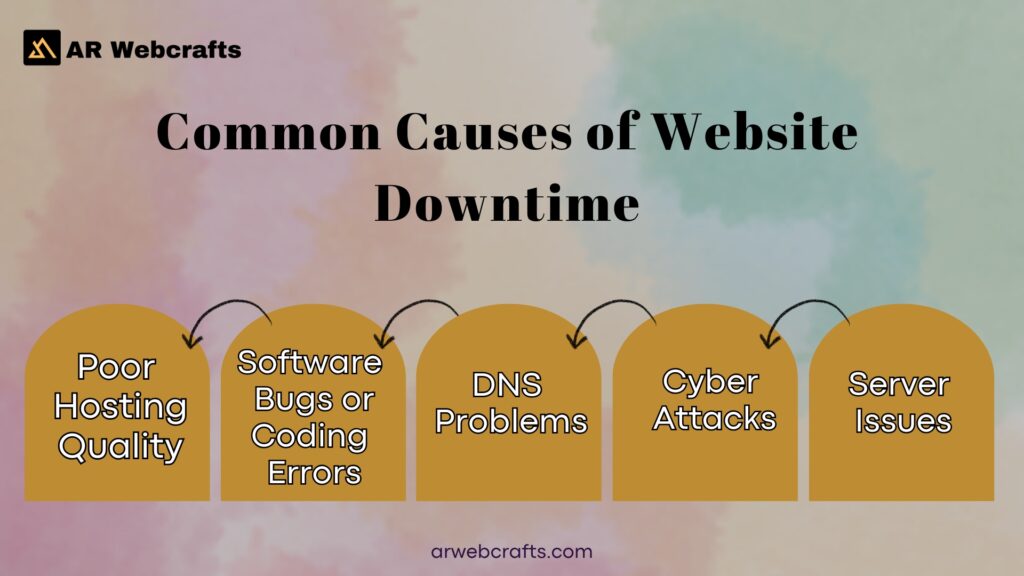
Common Causes of Website Downtime
Website downtime strikes for various reasons and understanding them helps prevent future headaches. One frequent trigger involves server overload during traffic spikes, when too many visitors hit the site at once, causing slow response time or full inaccessibility.
Hosting provider choices play a big role too. Budget options like free WordPress hosting often lack redundancy, making them prone to crash under pressure. Even solid plans face issues from routine maintenance, DDoS attack, or a hacker exploiting weak security measures.
In WordPress, incompatible plugins, outdated themes, or coding errors commonly lead to your site going down. Accidental deletion of files or bad DNS record changes block access. External factors like APIs failing or firewall or security settings blocking traffic add to the list.
Sometimes server errors stem from hardware failure or network problems at the host. These can make the website you are trying to load show error messages instead of content.
| Cause | Description | Common in WordPress? | Example Fix |
|---|---|---|---|
| Traffic Spikes/Overload | Sudden visitor surge overwhelms server resources | Yes | Upgrade hosting plan, add caching |
| Outdated Plugins/Themes | Incompatible updates cause conflicts | Yes | Update regularly, test in staging |
| DNS Issues | Wrong or propagating DNS records | Yes | Verify records, wait for propagation |
| Server Hardware Failure | Host equipment problems | Sometimes | Contact hosting support |
| DDoS Attack | Malicious traffic flood | Yes | Enable firewall, use CDN |
| Plugin Conflicts | Two plugins interfering | Yes | Disable one by one to identify |
| Maintenance Mode | Forgotten active maintenance | Yes | Deactivate plugin |
| Hacking/Malware | Exploited vulnerabilities | Yes | Scan and clean, strengthen security |
| API Failures | Third party service down | Sometimes | Add fallback options |
| Resource Limits | Exceeded hosting quotas | Yes | Optimize site, upgrade plan |
Why Is Server Down Today: Recent Major Internet Outages
In 2025, several large scale disruptions highlighted how interconnected everything has become. Cloud provider problems spiked, with public cloud network outages jumping sharply in the US. Issues often started from configuration changes or logic errors in proxy systems, spreading quickly.
For instance, disruptions hit major infrastructure providers multiple times, affecting sites relying on cloud hosting services. One early December event lasted about 25 minutes due to a firewall related change, while others tied to bot management bugs or DNS problems caused hours of trouble.
Network disruptions from providers like Cloudflare and others showed cascading effects, where one failure impacted many dependent services. These patterns remind WordPress users on cloud hosting providers or best cloud hosting for small businesses that even strong setups face risks from shared infrastructure.
Events like these often stem from attempts to fix vulnerabilities or routine updates gone wrong, leading to temporary but widespread problems.
The Impact of Website Downtime on Your Business
Website downtime hits hard, especially for US businesses running WooCommerce shops or LearnDash platforms. Lost access means potential customers bounce away, leading to dropped sales and frustrated visitors.
Poor website uptime can negatively impact search rankings, as engines favor consistent website availability. Slow response time or frequent outages erode trust, making people question reliability.
For e commerce or course sites, even short periods inaccessible translate to real revenue loss during peak hours. Repeated issues damage reputation, pushing users to alternatives. Overall, ignoring these problems risks long term harm to growth and customer loyalty.
How Hosting Affects Website Uptime and Availability
WordPress Managed Hosting Options
WordPress managed hosting takes care of many details that affect uptime. Providers handle updates, backups and optimizations, freeing you to focus elsewhere.
Options vary, but many include built in tools to monitor server status and quick fixes for common technical issues. This setup often leads to better website availability compared to basic plans. For US site owners, managed plans pair well with custom needs, keeping performance steady.
Best Cloud Hosting for Small Businesses
Small businesses often turn to best cloud hosting for small businesses for flexible scaling. Cloud hosting services distribute load across servers, reducing risks from single point failures. This approach handles traffic spikes better and provides redundancy features. Many include automatic backup systems for faster recovery.
Cloud Hosting Providers Compared
Different cloud hosting providers offer varying levels of reliability.
| Provider Type | Key Features | Uptime Focus | Suitability for WordPress |
|---|---|---|---|
| Managed WordPress | Auto updates, staging, caching | High with proactive monitoring | Excellent for custom sites |
| General Cloud | Scalable resources, global servers | Strong redundancy | Good with optimizations |
| Dedicated Server | Full control, isolated resources | Depends on management | Great for high traffic |
| Shared/Basic | Low cost, basic tools | Variable, higher risk | Basic sites only |
WordPress Hosting Cost Considerations
WordPress hosting cost ranges widely based on features. Basic or free WordPress hosting keeps expenses low but sacrifices uptime and performance. Higher plans include better support and tools to prevent website from going down. Factor in long term needs when choosing.
Problems Caused by Ignoring Website Uptime Monitoring
Skipping regular website monitoring opens the door to unexpected outage surprises. Without checks, slow response time builds up unnoticed, leading to poor user experience. Repeated downtime from unaddressed server errors or overload drives away visitors. Issues like forgotten firewall or security settings can block legitimate traffic quietly. Over time, lack of alert systems means problems grow worse before discovery, increasing recovery time and potential data risks.
Website Uptime Monitoring and Troubleshooting Steps
How to Check Website Availability and Response Time
To check website availability, use tools that measure response time and response code. Regular pings show if the server responds normally. Many options get real time data from multiple locations, spotting trends in uptime.
Basic Troubleshooting When Your Site Is Down
Start by clearing cache and cookies, then try a different browser or device. Check your internet connection and disable extensions temporarily. If the website server down persists, look for error messages indicating specific problems.
Website Server Down: Next Steps
When confirmed server issues appear, contact your hosting provider. Provide details like screenshot of errors. Review recent changes that might have triggered the problem and consider rolling back if possible.
Solutions: Professional WordPress Uptime Monitoring from AR Webcrafts
At arwebcrafts, we include strong website uptime monitoring in our WordPress maintenance plans. Our team runs regular checks with real time alerts sent via email or other channels if anything dips.
We test from locations around the globe to catch regional problems early, integrating this with overall security and speed work. This setup spots potential website crashes before they grow, combining notification systems with hands on fixes.
For US clients with WooCommerce or LearnDash sites, our approach ties into custom needs, ensuring consistent access your website for visitors. We handle everything from DNS checks to performance tweaks, helping promptly addressing technical issues.
What Our WordPress Maintenance Services Include for Uptime
Uptime Monitoring and Alerts
Our plans feature constant uptime tracking with instant alert setups. We watch key metric points like response time and send notification right away. This keeps you ahead of any experiencing issues.
Security and Performance Checks
Daily scans catch vulnerabilities that could cause downtime, while optimizations maintain fast loads. We block threats like hacker attempts and fix incompatible elements.
Backup Management and Quick Recovery
Automated backup systems store multiple versions off site. If something happens, we restore quickly to minimize interruption.
Benefits of AR Webcrafts Uptime and Maintenance Services
Working with us means your WordPress site gains reliable access day after day. Visitors load pages without hitting error screens and you avoid those stressful moments when the site goes offline unexpectedly. Our monitoring catches small glitches early, leading to faster response times that keep everything running smoothly.
Consistent website availability directly helps with search rankings, since engines reward sites that stay up and deliver quick loads. Less website downtime translates to happier users and stronger user experience, especially for US customers expecting fast service.
You also free up time to grow your business instead of chasing technical issues. Whether you run a WooCommerce store or LearnDash courses, steady uptime and performance lets you focus on sales and content while we handle the backend stability.
Overall, these services reduce risks from traffic spikes, server errors, or other problems, giving you peace of mind across the United States.
Real World Examples: How We Prevented Downtime for Clients
One client with a busy WooCommerce shop faced repeated slowdowns during sales events. Our real time checks spotted overload on the server right as traffic spikes started building. We adjusted resources quickly, added better caching and prevented a full crash that could have cost thousands in lost orders.
Another LearnDash platform owner worried about students losing access during enrollment periods. Alerts flagged an incompatible plugin update causing server errors. We rolled back the change, tested a fixed version and kept the site stable so courses stayed open without interruption.
A small business site relying on custom APIs for inventory once hit a snag when a third party service faltered. Our notification system pinged us instantly and we switched to a backup connection while adding redundancy features. The owner never noticed any inaccessible periods and customers continued checking stock normally.
These cases show how proactive steps stop small problems from turning into major outage events across different WordPress setups.
Client Feedback on Our Monitoring and Support
Clients often mention how quick alerts make a real difference. One said the team caught a potential DDoS attack early and blocked it before any website crashes happened, keeping everything online during a high traffic day.
Several owners highlight minimal downtime over months of service. A WooCommerce client shared that after switching to our plan, they went from weekly hiccups to almost zero interruptions, letting them serve US customers without worry.
People also appreciate the reliable support when troubleshooting arises. Feedback points to fast responses via email or direct chats, plus clear explanations about DNS record fixes or firewall or security settings adjustments.
Many note the value in having senior developers watch website uptime, with comments about feeling confident knowing issues get handled promptly addressing technical issues.
Why Choose AR Webcrafts for Website Uptime Monitoring
Our team brings years of hands on experience with WordPress sites right here in the United States. Senior developers focus solely on custom work for platforms like WooCommerce and LearnDash, spotting risks others might miss.
We take a proactive stance, running checks around the globe and setting up SMS or email alert systems tailored to your needs. This approach catches coding errors, resource limits, or external problems fast.
Clients get direct access to the people handling their site no layers of support tickets. We communicate clearly through tools like Trello or weekly calls, so you always know the status of your website.
At arwebcrafts, we prioritize long term stability over quick fixes, helping businesses maintain strong website availability without constant oversight.
Get Your WordPress Site Monitored and Protected Today
Ready to stop wondering is this website down? Book a free discovery call and get steady WordPress performance with our uptime monitoring.
Contact us: +1 307 278 4862 (Call/WhatsApp) | Location:1443 E 2nd St, Casper, WY 82601 | [email protected] | arwebcrafts.com
Frequently Asked Questions
Why is this website down?
Common triggers include server overload, plugin conflicts in WordPress, or hosting issues. I have seen sites drop during traffic spikes when using basic free wordpress hosting or hosting free wordpress plans.
What to do if a website is down?
First check if your website loads on another device or network. If it stays offline, contact your web hosting provider and review recent changes.
How do I know if a site is down?
Try loading the page in incognito mode or a different browser. Then use a website downtime checker to view the website status from multiple locations.
How can I check if my website is down for everyone or just for me?
Enter the URL into a free online tool that tests from servers worldwide. It quickly shows whether a website faces a global problem or only your connection.
What Causes Website Downtime?
Issues range from outdated plugins and DNS errors to hosting limits. Poor choices in wordpress hosting cost or skipping wordpress managed hosting often lead to frequent problems.
How to Check if a Website is Down?
Simply visit a downtime checker site, type in the domain and review results. For ongoing needs, choosing a reliable wordpress managed hosting like kinsta wordpress hosting adds built in monitoring.
Can website downtime affect my SEO ranking?
Yes, frequent outages hurt rankings because search engines prefer consistent access. Solid cloud hosting services from good cloud hosting providers help maintain steady performance.
How can I minimize website downtime?
Switch to best cloud hosting for small businesses or a dedicated hosting service with automatic backups and fast support. Fastest wordpress hosting options reduce risks from overload.
Can I receive notifications when my website goes down?
Many maintenance plans include real time alerts via email or SMS. Our team at AR Webcrafts sets these up so clients catch issues fast.
What is website downtime?
It means visitors cannot reach your site due to server or network problems. Even with a strong website builder, weak hosting can cause unexpected periods offline.
