
Images play a huge role in WooCommerce stores and LMS platforms across the United States. Product photos draw shoppers in, while course thumbnails and graphics keep learners engaged. Yet when those digital images stay too large, they slow everything down. Pages take longer to load, visitors get frustrated and search rankings drop because Google favors fast sites. Image compression changes that by making files smaller without ruining how they look.
It’s a straightforward process that cuts file size while keeping image quality sharp. At arwebcrafts, we create custom tools to handle image compression automatically on WordPress sites. This means every time you upload a jpeg image, png file, or gif image, it gets optimized right away.
There are two main approaches: lossless compression and lossy compression. Lossless keeps every detail intact, so the original file matches perfectly after you compress image files. It works great for logos or graphics needing exact colors in the image. On the other hand, lossy removes some data to create smaller file sizes, often using techniques like discrete cosine transform in jpeg compression. You might notice slight changes in complex photos, but the savings in bandwidth and speed make it worthwhile for most jpeg images.
Many store owners upload high resolution shots straight from cameras, leading to massive large images that hurt performance on mobile devices common in the US. Slow loads mean higher bounce rates, especially when shoppers browse on phones. Plus, unoptimized media eats up server space and raises hosting costs over time.
We focus on building solutions that fit your setup. For example, custom plugins can convert images to modern formats, reduce image size on upload and serve the right version based on the visitor’s browser. This keeps sites quick and reliable for customers nationwide.
Image compression directly supports better Core Web Vitals scores, which matter for rankings. When you optimize images, pages feel snappier and users stick around longer. At arwebcrafts, our custom work helps growing businesses handle thousands of product or course images without slowdowns.
Image Compression Meaning and Basics
What Is Image Compression?
Image compression is a process that lowers the file size of digital images so they take up fewer bytes and load faster online. It works by removing redundant data or rewriting how the information gets stored through encoding.
At its core, image compression reduces the amount of data needed to display a picture. Every image file contains details about pixels and colors in the image. Without compression, even simple photos can balloon in size. The goal stays simple: create a much smaller file that still looks good on screens.
Different compression methods handle this in various ways. Some focus on exact matches to the original file, while others prioritize smaller file sizes over perfect fidelity. Modern codecs make this efficient, often cutting sizes by half or more.
You see this everywhere on the web. Sites serving online image content rely on it to save bandwidth and speed up delivery. For WordPress users, built in tools and custom setups make compress your images straightforward.
Lossy vs Lossless Image Compression
Lossy and lossless image compression handle data differently. Lossless compression rebuilds the exact original file with no loss of quality. It spots patterns and removes repeats like in portable network graphics or certain png files. Common lossless compression algorithms include LZW (Lempel–Ziv–Welch), Huffman coding and arithmetic coding. These create smaller file versions that expand back perfectly.
Lossy compression discards some information to achieve best compression and smaller file sizes. It uses lossy algorithms like discrete cosine transform (DCT) in jpeg 2000 or standard jpeg compression. This can introduce minor artifacts, but the compression rate stays high, especially for photos with many gradual changes. Lossy or lossless depends on needs. Lossless and lossy both have places gif and png often lean lossless for sharp edges, while jpeg images use lossy compression methods for photos.
| Type | How It Works | File Size Reduction | Quality Impact | Best Use Cases |
|---|---|---|---|---|
| Lossless | Removes redundancy without discarding data (e.g., Huffman coding, LZW) | Moderate (20 50%) | No loss exact match to original | Graphics, logos, text heavy images |
| Lossy | Discards less noticeable data (e.g., DCT, quantization) | High (50 90%) | Some loss of quality, often unnoticeable | Photos, product images in stores |
Common Image Formats and How Compression Affects Them
JPEG vs JPG: Are They the Same?
JPEG vs JPG confuses some people, but is jpg and jpeg the same? Yes, completely. The names come from file extensions the older three letter limit led to .jpg, while modern systems allow .jpeg. Both point to the same image file format using jpeg compression. This widely used image format relies on lossy compression to reduce the file size of photos. It excels at handling complex scenes with many colors.
What Is PNG and How Does Compression Work for PNG Files?
What is PNG? It stands for Portable Network Graphics, a format designed for the web. A png file supports transparency and uses lossless compression to keep every detail. Compression in png files relies on filters and deflate methods, similar to zip file techniques. This creates sharp results for graphics without background bleed.
WebP Format and Compression Advantages
WebP brings modern efficiency with both lossy and lossless options. Browsers widely support it now and it often delivers smaller file sizes than older formats at similar quality. The advantages come from advanced compression algorithms that handle photos and graphics well. Many sites switch to WebP for noticeable speed gains.
What Is a GIF and When to Compress It?
What is a GIF? It’s the gif format known for short animations and limited colors (up to 256 per frame). Gif images use lossless LZW compression within those color limits. Compress a gif when loops or simple animations add weight. Reducing colors or frames helps reduce file size while keeping the motion smooth.
SVG File Format and Vector Images
What is an SVG file? SVG file format stores vector images, defined by math instead of pixels. What is a vector image? It scales perfectly without quality loss, ideal for logos. SVG files often compress well as text based code, sometimes gzipped for even smaller delivery.
| Format | Compression Type Supported | Transparency | Animation | Typical File Size After Compression | Best For |
|---|---|---|---|---|---|
| JPEG/JPG | Lossy (primarily) | No | No | Small for photos | Photographs, product shots |
| PNG | Lossless | Yes | No | Medium for graphics | Logos, icons with transparency |
| WebP | Lossy and Lossless | Yes | Yes | Very small | Modern web photos and graphics |
| GIF | Lossless | Yes (1 bit) | Yes | Medium for simple animations | Short loops, basic animations |
| SVG | Text based (gzip possible) | Yes | Yes | Tiny (scales infinitely) | Icons, illustrations, logos |
Image Compression Methods and Algorithms
Common Compression Algorithms
Popular compression algorithms include Huffman coding, which assigns fewer bits to common symbols and Lempel–Ziv–Welch (LZW) for pattern replacement. Transform coding shifts data into frequencies for better packing. These form the backbone of many formats, balancing speed and reduction.
Lossy Compression Techniques
Lossy compression techniques often start with discrete cosine transform to group similar areas, then quantize to drop subtle details. Chroma subsampling reduces color data humans notice less. This leads to high compression rate for natural photos.
Lossless Compression Approaches
Lossless compression algorithm options like arithmetic coding assign probabilities efficiently. Run length encoding handles repeated pixels simply. These keep every bit intact for exact reconstruction.
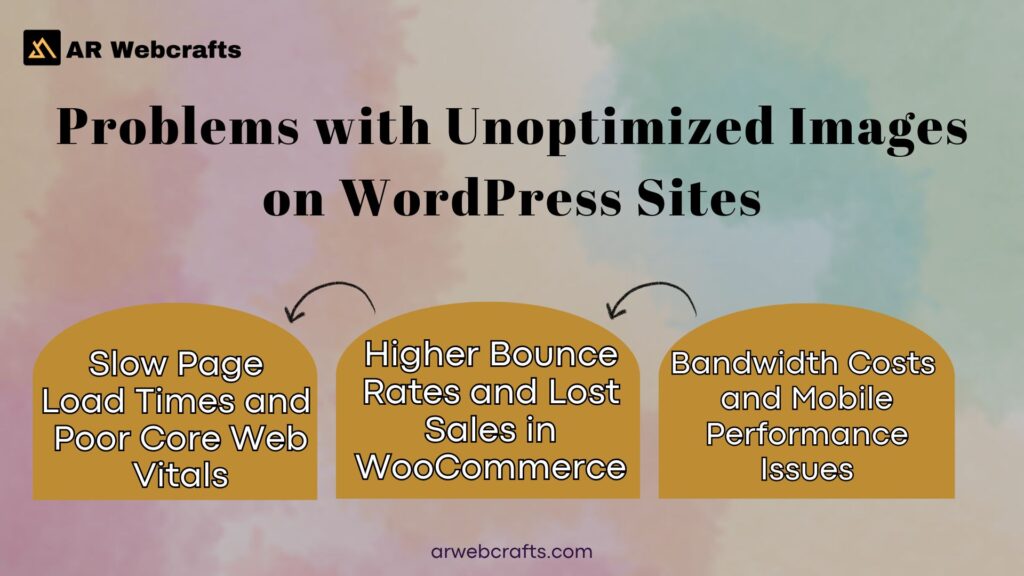
Problems with Unoptimized Images on WordPress Sites
Slow Page Load Times and Poor Core Web Vitals
Large image files delay the Largest Contentful Paint, a key metric Google tracks. When hero or product images load slowly, the whole page feels sluggish. Visitors on slower connections suffer most, leading to poor scores.
Higher Bounce Rates and Lost Sales in WooCommerce
Shoppers expect quick views of products. If galleries lag from heavy jpeg images or png files, many leave before buying. This directly hits revenue in competitive US markets.
Bandwidth Costs and Mobile Performance Issues
Unoptimized media consumes more data, raising costs for high traffic stores. On mobile, where connections vary, big files cause long waits and frustration.
SEO Impact from Large Image Files
Google factors site speed into rankings. Heavy images hurt visibility, pushing competitors ahead. Proper optimization helps maintain strong positions.
Custom Image Compression Solutions by AR Webcrafts
At arwebcrafts, we build practical tools that handle image compression right inside your WordPress setup. These solutions fit WooCommerce stores and LMS platforms perfectly, especially for businesses across the United States dealing with hundreds or thousands of product photos and course graphics. We focus on automation so you spend less time worrying about file size and more time growing your site. Every feature ties back to making pages load faster while keeping visuals sharp.
Automated On Upload Compression for WooCommerce Product Images
When you add new product images in WooCommerce, our custom code kicks in automatically. It applies the right compression level as soon as the file hits the server, whether it’s a jpeg, png, or another format. This stops large files from piling up in the first place.
Photographers or suppliers often upload high resolution shots, but the system scales them down to web friendly sizes without manual work. Stores see immediate improvements because galleries and thumbnails stay light. The process runs quietly in the background, supporting lossy or lossless based on your settings.
WebP and Next Gen Format Conversion Plugins
WebP delivers impressive results for modern sites. Our plugins convert images to WebP on upload or during optimization passes, often cutting file size by another 30% compared to standard jpeg or png. We include fallback options for older browsers, serving the original format when needed.
This keeps everyone happy while most visitors get the smaller file versions. Next gen formats like AVIF get added where support grows. The conversion happens server side, so your media library stays clean and efficient.
Lazy Loading and Responsive Image Integrations
Lazy loading holds off on downloading images until visitors scroll to them. We tie this into responsive setups that serve different sizes based on device screen. A phone gets a smaller version, while desktops receive higher resolution. This combo reduces initial page weight dramatically. The code works smoothly with themes and page builders common in WordPress sites.
Bulk Optimization for Existing Media Libraries
Older sites often have years of unoptimized uploads. Our tools scan the entire media library and process everything in batches. You choose compression strength per format and it runs during off hours to avoid slowdowns. After one pass, thousands of files shrink without quality complaints.
Custom API Integrations for Advanced Workflows
Some stores sync images from suppliers or external systems. We connect those feeds to run compression and conversion before storage. This includes CDN pushes or direct database tweaks for complex setups. The result stays seamless across your workflow.
| Feature | Benefit | Supported Formats |
|---|---|---|
| On Upload Compression | Prevents large files from entering library | JPEG, PNG, GIF, WebP, SVG |
| Next Gen Conversion | Extra size savings with modern formats | WebP, AVIF (with fallbacks) |
| Lazy Loading & Responsive | Faster initial loads on all devices | All common web formats |
| Bulk Media Optimization | Fixes existing libraries quickly | JPEG, PNG, GIF, others |
| API Driven Workflows | Automates external image sources | Custom based on integration |
Benefits of Professional Image Compression for Your Site
Handled properly, image compression transforms how your site performs day to day. The changes show up in load times, visitor behavior and bottom line numbers.
Faster Load Times and Better User Experience
Pages open in seconds instead of waiting. Shoppers browse galleries smoothly and students access course materials without delays. Mobile users especially notice the difference on varied connections across the United States.
Improved SEO and Higher Search Rankings
Google rewards quick sites with better positions. Optimized images help hit strong Core Web Vitals scores consistently. Higher rankings bring more organic traffic over time.
Reduced Server Costs and Bandwidth Usage
Smaller files mean less data transferred monthly. Hosting bills drop and you avoid overage fees during traffic spikes. Scaling becomes cheaper as the site grows.
Higher Conversion Rates in E Commerce Stores
When products load fast, visitors add to cart more often. Quick zooms and smooth galleries keep attention on buying. Many clients report noticeable sales lifts after optimization.
Real World Case Studies
Actual projects show the impact clearly. These examples come from typical client work at arwebcrafts.
WooCommerce Store Speed Improvement Example
One mid sized WooCommerce retailer had over 5,000 product images slowing page loads to eight seconds. We added on upload compression, WebP conversion and lazy loading. Desktop scores jumped from 62 to 94 on PageSpeed, mobile from 41 to 88. Load times dropped under three seconds and bounce rates fell 22%. Sales during peak seasons improved because shoppers stayed longer.
LMS Platform Performance Gains
An online education site with course thumbnails and downloadable graphics faced slow module loads. Bulk optimization plus responsive serving fixed the media library. Students reported faster access on phones and tablets. The platform handled enrollment surges without crashes. Completion rates rose as frustration from waiting disappeared.
Client Feedback on Performance Solutions
Clients often mention how much easier site management became. One store owner said the custom setup saved hours each week on manual tweaks and pages finally felt snappy for customers. Another highlighted the sales bump after images loaded instantly visitors converted instead of leaving. Feedback centers on reliable speed gains that stick over time. Several note the peace of mind from automatic handling, letting them focus on products or courses.
Why Choose AR Webcrafts for Image Optimization
arwebcrafts brings focused experience to WordPress performance work. We stick to what we do best.
8+ Years Specializing in WordPress and WooCommerce
The team has built and optimized over 100 sites in that time. Patterns from real projects shape every solution. This background means we spot issues fast and build fixes that last.
Tailored Plugins and Ongoing Support
Nothing comes off the shelf unchanged. Plugins match your exact needs from specific formats to workflow ties. Support continues with retainers for updates and new features as your site evolves.
Get Started with Custom Image Optimization Today
Ready for faster pages and happier visitors? Reach out to the team at arwebcrafts. Call +1 307 278 4862 or drop a message on WhatsApp at the same number. You can also email[email protected] or visit the office at1443 E 2nd St, Casper, WY 82601.
We’ll review your current setup and map out the best path forward. Let’s make your WordPress site perform at its peak.
Frequently Asked Questions
How does image compression work?
Image compression reduces file size by removing redundant data or rewriting pixel information efficiently. It uses algorithms to either keep every detail exact or discard less noticeable parts. In my years building WordPress sites, I’ve seen how smart image optimization makes pages load much faster without visible changes.
What is image compression?
Image compression is the process of shrinking digital image files while maintaining acceptable quality. An image compressor or online image compressor helps reduce image size for quicker web loading. We often use custom tools to optimize images automatically on client sites.
How to compress images without losing quality?
Choose lossless methods or gentle settings on an image optimizer. Formats like what is PNG (a PNG file) work well for exact results. Tools that compress image files carefully balance quality and size so you barely notice differences.
What is lossy compression?
Lossy compression permanently removes some data to create smaller files. It’s common in photos where minor details matter less. This approach delivers the ultimate image optimizer effect for bandwidth heavy sites.
What is lossless image compression?
Lossless image compression shrinks files but allows perfect reconstruction of the original. It’s ideal for graphics needing sharp edges. Many free online image tools offer this for images for free.
How does JPG image compression work?
JPG relies on lossy compression with discrete cosine transform to group similar colors. It discards subtle variations humans rarely spot. We frequently compress JPG files for WooCommerce product galleries.
How does PNG image compression work?
PNG file compression uses lossless methods to deflate data patterns without quality loss. It supports transparency and works great for logos. An online optimizer handles PNG files efficiently.
Why should I compress my images for my website?
Compressed images speed up page loads and improve user experience across devices. They also help SEO rankings and cut hosting costs. Every site I’ve optimized saw better performance after proper image optimization.
Does image compression reduce quality?
It can, especially with aggressive lossy settings, but smart choices minimize visible impact. Convert images wisely and test results. Good tools let you compress an image while keeping it sharp.
What are the two types of image compression?
The two types are lossy and lossless. Lossy creates smaller files with some data removal, while lossless preserves everything. We pick based on file types like GIF and PNG or photos.
