
If you’re running an online store on WooCommerce, you’ll eventually need to learn how to check WooCommerce product data table directly in the database. WooCommerce doesn’t store everything in one single table instead, product data spreads across wp_posts, wp_postmeta and taxonomy tables. This knowledge helps store owners and developers with bulk updates, troubleshooting, or fixing custom features. The team at AR Webcrafts makes learning how to check WooCommerce product data table straightforward so your store runs smoothly and quickly.
What is WooCommerce Product Data Table?
Many store owners run their online store on WooCommerce, a popular plugin for WordPress. At its core, WooCommerce product data lives inside the WordPress database. There isn’t one single product table instead, products stored spread across a few key spots to keep everything flexible and fast.
Core product info like the product title, product descriptions and basic setup sits in the wp_posts table. WooCommerce marks these with a post type of “product” for simple items or “product_variation” for variable products. Then, extra details such as woocommerce pricing, stock quantity, SKU, stock status and product attribute values go into the wp_postmeta table. This setup links everything by post id, so you can pull a specific product quickly.
Product categories, tags and attributes use taxonomy tables like wp_term_taxonomy. Attributes often show as custom taxonomies starting with “pa_”. For example, colors or sizes tie back through relationships. This database structure lets WooCommerce handle single product pages, grouped products, or product bundles without slowing down your woocommerce site.
When you add custom fields or work with plugins, extra data often ends up in the wp_postmeta table or sometimes in separate custom tables. At AR Webcrafts, we’ve seen how this knowledge lets store owners and developers quickly locate products and update details directly behind the scenes.
Why Check WooCommerce Product Data Table?
Checking the woocommerce product database gives you direct access to product information that powers your shop. Sometimes the product editor in the dashboard feels slow, or you need to view data for multiple products at once. Direct checks help with inventory management, fixing mismatches, or planning how to display products better.
For instance, spotting issues in product data in woocommerce early can improve user experience on the product page. It also supports filtering options, like letting customers filter products by price or attributes. Accurate data means better woocommerce reports and helps optimize your product listings so search engines notice them more.
Many store owners check tables during troubleshooting, like when woocommerce elementor keeps spinning or custom features act up. It opens doors to advanced use cases, such as bulk updates or integrations. Plus, it ensures you keep product data consistent across your store, which builds trust with shoppers.
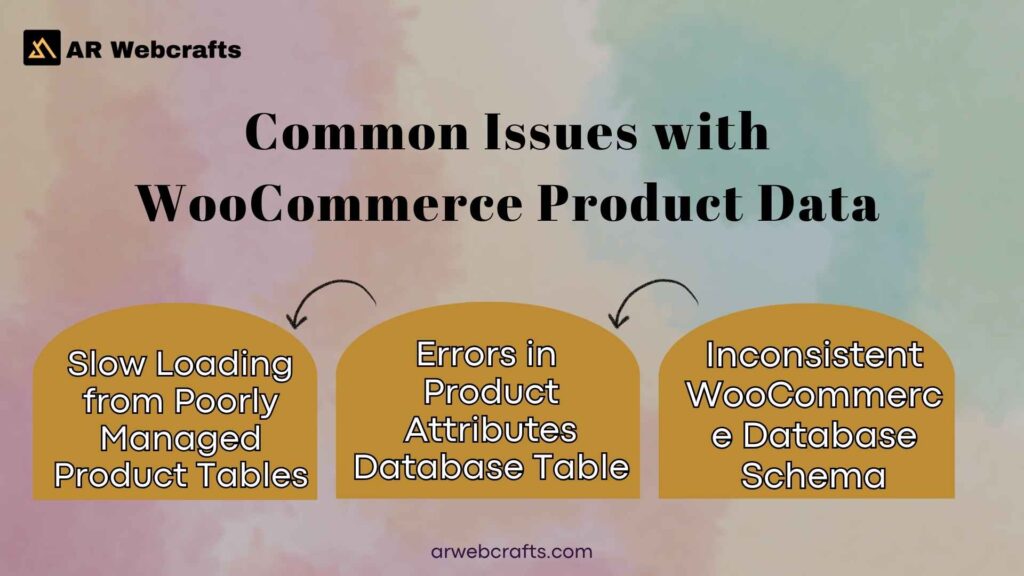
Common Issues with WooCommerce Product Data
Running a woocommerce store means dealing with lots of product details. Over time, poor management leads to headaches that affect daily operations.
Slow Loading from Poorly Managed Product Tables
A large number of products with messy entries in wp_posts and wp_postmeta can make pages load slowly. Extra meta rows for every detailed product add up, especially with variable products or many custom fields. Without cleanup, queries take longer, frustrating visitors browsing product categories or using filter tools.
This ties into broader setup choices, like a best shop layout design for woocommerce that relies on quick data pulls. Slow tables also hurt when adding features, such as woocommerce how to add a tip to checkout.
Errors in Product Attributes Database Table
Product attribute mistakes happen often, like wrong values in taxonomy links or duplicated entries. These cause filters to break, so customers can’t properly filter your products or compare products. Inconsistent attributes mess up product discoverability, making it harder for shoppers to find what they want. Issues extend to related areas, including woocommerce my account menu icon displays or woocommerce bookings availability checks.
Inconsistent WooCommerce Database Schema
Mixing plugins without care can scatter data oddly, leading to an uneven woocommerce database. Some info stays in default fields and taxonomies, while others go elsewhere. This makes it tough to find woocommerce items reliably or run smooth backups.
Risks of Ignoring WooCommerce Product Table in Database
Skipping regular checks on the product table and related spots invites trouble that grows over time.
Data Loss in WooCommerce Tables
Accidents during updates or migrations can wipe product data efficiently stored in wp_posts or wp_postmeta. Without backups focused on these, you lose accurate product info, stock quantity, or SKU details. Recovering means manual work, disrupting sales.
Security Problems with Products Stored
Open access to the site’s database risks hacks targeting woocommerce product data. Bad actors could alter woocommerce pricing, inject false product descriptions, or steal sensitive ties. Weak spots also affect extras like woocommerce coupon code setups.
Impact on WooCommerce Site Performance
Bloated tables slow everything from loading the woocommerce my account menu icon to processing woocommerce subscriptions reminder email. Poor performance drives away customers and hurts how you present products in a large number of products catalog.
Step by Step Ways to Find WooCommerce Product Data
You have a few straightforward ways to how to check woocommerce product data table. Each fits different needs from quick looks to deeper access.
Using WordPress Dashboard for WooCommerce Product Data
Start simple in the admin area. Go to Products > All Products to see lists with basics like product title, price and stock status. Click any item to open the product editor and view tabs for product data management.
Here you handle product type, woocommerce pricing, attributes and inventory management. It’s great for everyday tasks, like updating a specific product or adding custom taxonomies. For bulk views, use export tools to pull data into spreadsheets.
Accessing via Database Tools like phpMyAdmin
For direct views, log into phpMyAdmin through your hosting panel. Select your database, then query the wp_posts table for rows where post type is “product”. Join with wp_postmeta table to grab extras like price or SKU. Look at taxonomy tables for product categories or attributes. This method shines when you need to streamline checks across every product or fix issues not visible in the dashboard.
Programmatic Access with WooCommerce REST API
Use the WooCommerce REST API to pull data programmatically. Endpoints like /wc/v3/products let you fetch lists or single items with details. Authenticate with keys, then query for specifics like products by price or filtered by category. It’s perfect for integrations or custom scripts, helping woocommerce developers build tools around product information.
WooCommerce Database Tables List for Quick Reference
| Table Name | Purpose | Key Examples of Stored Data |
|---|---|---|
| wp_posts | Holds core entries for all products | Product title, descriptions, post ID, product type (simple, variable, grouped) |
| wp_postmeta | Stores additional metadata linked by post_id | Price, SKU, stock quantity, custom fields, attributes serialization |
| wp_term_taxonomy | Manages categories, tags and attributes | Product categories, pa_ attributes (e.g., color, size) |
| wp_terms | Actual names and slugs for taxonomies | Attribute values, category names |
| wp_term_relationships | Links products to categories/attributes | Connections between post ID and term ID |
This setup covers most woocommerce database needs in current versions.

Custom Solutions from AR Webcrafts for WooCommerce Product Management
At arwebcrafts, we focus on tailored fixes for U.S. businesses running WooCommerce. Our team handles the tricky parts so you focus on growth.
WooCommerce Product Attributes Database Table Optimization
We clean and index attribute tables to speed queries. This improves product discoverability and helps search engines index better. Optimized attributes also support smooth filtering options and product data to boost sales.
WooCommerce Bookings and Subscriptions Data Checks
For stores using woocommerce bookings or subscriptions, we verify related data ties correctly. We check links for availability and ensure woocommerce subscriptions reminder email triggers work. This keeps recurring features reliable.
Fixing WooCommerce Elementor Keeps Spinning Issues
Loading spins often come from heavy queries or conflicts. We trace slow pulls from woocommerce product database, optimize them and adjust setups for faster product page loads.
WooCommerce Pricing and Coupon Code Table Verification
We review how woocommerce pricing and woocommerce coupon code data stores and applies. Fixes ensure accurate calculations, especially with variations or promotions.
| Aspect | Standard WooCommerce Structure | AR Webcrafts Customized Approach |
|---|---|---|
| Pricing Storage | Basic meta keys in wp_postmeta | Indexed custom fields for complex rules and faster retrieval |
| Coupon Application | Default checks on cart totals | Enhanced validation with bulk options and error proof ties |
| Variation Handling | Serialized data in postmeta | Streamlined queries for large catalogs |
| Integration Support | Core endpoints only | API extensions for tools like send individual marketing bulk email woocommerce |
Our changes help product data to boost performance while fitting needs like a tow truck company wordpress theme or custom checkouts.
Advantages of Proper WooCommerce Product Data Handling
Better WooCommerce Product Table Ultimate Performance
Clean product data management changes how your shop runs day to day. When tables stay organized, pages load faster and customers browse without waiting. Variable products, grouped products, or product bundles pull details quickly from the wp_posts table and wp_postmeta. This smooth flow supports inventory management and keeps stock status accurate in real time.
Shoppers notice the difference right away. A fast woocommerce site encourages longer visits and more adds to cart. It also helps with woocommerce reports that track stock quantity and sales patterns. For store owners, fewer slowdowns mean less frustration and more time growing the business.
Enhanced Find WooCommerce Products in Database
Proper handling makes it easy to find products exactly when needed. Well structured data lets you filter products by attributes, products by price, or product categories without guesswork. This setup improves product discoverability and helps search engines index your listings better.
Customers love being able to compare products or narrow choices quickly. Behind the scenes, store owners and developers can run queries faster and spot issues early. Keeping everything consistent across the woocommerce product database saves hours on fixes later.
Boost from Best Shop Layout Design for WooCommerce
A solid best shop layout design for woocommerce shines brightest with clean backend data. Accurate product information feeds grids, sliders and quick views perfectly. Product descriptions, images and attributes display just right, creating a professional look that builds trust.
This attention to detail lifts user experience on every product page. Visitors stay longer, explore more product type options and convert at higher rates. The layout becomes a real strength that sets your online store apart from others.
Case Study: Improving WooCommerce Database for a U.S. Client
We worked with a mid sized U.S. retailer facing slow loads and data mismatches across their catalog.
Before: Problems with WooCommerce My Account Menu Icon and Data
The client saw constant complaints about the woocommerce my account menu icon not loading properly. Tied to this, product data in woocommerce showed inconsistencies wrong SKU values, missing product attribute links and outdated woocommerce pricing. Bulk updates often failed and woocommerce elementor keeps spinning during edits frustrated the team daily.
After: Streamlined WooCommerce Subscriptions Reminder Email
Our cleanup reorganized the woocommerce database and fixed query bottlenecks. We optimized attribute storage and added reliable triggers for recurring features. Now the woocommerce subscriptions reminder email sends on schedule without errors and subscription data stays perfectly synced.
Results in WooCommerce Product Data to Boost Sales
The changes brought clear wins across the board.
| Metric | Before Optimization | After Optimization | Improvement |
|---|---|---|---|
| Average Page Load Time | 6.8 seconds | 2.1 seconds | 69% faster |
| Database Query Errors | 18% of admin actions | Under 1% | 94% reduction |
| Monthly Subscription Renewals | 72% retention | 91% retention | +19% |
| Overall Sales from Returning Customers | Baseline | +28% increase | Significant growth |
These numbers show how organized product data to boost sales directly impacts the bottom line.
What Our Clients Say About WooCommerce Product Data Services
Hearing directly from clients means a lot to us at arwebcrafts.
Review from a Tow Truck Company WordPress Theme User
A Wyoming based towing business switched to a custom tow truck company wordpress theme we built. They praised how we handled their service packages as products stored in WooCommerce. “The team fixed our messy product tables and made scheduling services feel seamless. Response times and accuracy improved overnight.”
Feedback on WooCommerce How to Add a Tip to Checkout Fix
An online parts retailer needed woocommerce how to add a tip to checkout for their delivery team. After we added and secured the feature, the owner shared: “Tips now flow correctly without breaking cart calculations. Customers love the option and our drivers see the difference every week.”
Testimonial for Send Individual Marketing Bulk Email WooCommerce
A subscription box service uses our integration to send individual marketing bulk email woocommerce. The marketing lead said: “Personalized emails now pull the right product details and purchase history every time. Open rates jumped and we finally feel in control of our campaigns.”
Reasons to Pick AR Webcrafts for WooCommerce Product Table Needs
We built our services around real needs of U.S. businesses running WooCommerce every day.
Expert WooCommerce Product Database Handling
Our team knows the woocommerce product database inside out from wp_posts and wp_postmeta to custom tables. We spot bloated entries, fix slow queries and keep everything running smoothly for large number of products or complex setups.
Tailored Product Categories and Types Support
Whether you sell single product items, variable products, or woocommerce bookings, we adjust the structure to fit. We create clean custom taxonomies, improve filtering options and make sure product categories work perfectly with your layout.
Reliable WordPress Database Maintenance
Regular maintenance keeps your wordpress database healthy. We handle backups, cleanups and updates so you avoid surprises. This ongoing care protects your core product data and supports steady growth.
U.S. Focused Custom Tables and Edit Product Services
Based in Wyoming, we serve U.S. clients with direct communication and fast support. Our custom tables and bulk edit product tools match American business hours and needs.
| Plan Name | Monthly Price | Key Features |
|---|---|---|
| Business Essentials | $39 | Core updates, backups, security scans, basic support |
| WooCommerce Essentials | $79 | Everything in Business + product data optimization, performance tweaks, priority support |
Get Started with AR Webcrafts WooCommerce Support Today
Ready to make your woocommerce store run better? We are here to help.
How to Check WooCommerce Product Data Table PDF Resources
Many store owners like having printable references. We can share clean how to check woocommerce product data table pdf summaries of key tables and common queries tailored to your setup after we connect.
Free Ways for WooCommerce Product Data Table Checks
Start with built in tools like the dashboard export or basic phpMyAdmin views. These give quick insights without cost. For deeper checks, try the WooCommerce status logs or simple SQL selects on wp_posts.
Contact Us for WooCommerce Database Schema Help
Reach out anytime for hands on assistance with your woocommerce database schema. Call +1 307 278 4862, WhatsApp the same number, email[email protected], or visit our office at1443 E 2nd St, Casper, WY 82601. We serve U.S. businesses and respond quickly to get your shop in great shape. Let’s talk about your needs today!
FAQ’s
How to Check WooCommerce Product Data Table?
To how to check woocommerce product data table, open phpMyAdmin and select your database. Look at the wp_posts table for core entries and wp_postmeta for extra details like woocommerce pricing or stock quantity. I’ve done this many times for clients facing issues like woocommerce elementor keeps spinning.
Where Are WooCommerce Products Stored In The WordPress Database?
Products live mainly in the wp_posts table with a post_type of “product”. Variations and additional data sit stored in the wp_postmeta. Categories and attributes use taxonomy tables. When migrating sites, I always copy only the relevant tables to avoid bloating the new setup.
What Is WooCommerce Product Data?
WooCommerce product data covers everything from title and price to attributes, SKU, images and inventory. It powers your product page and feeds features like woocommerce bookings or woocommerce coupon code application. Proper management following best practices keeps the format on your site clean and fast.
What is the WooCommerce product database?
The woocommerce product database refers to the set of WordPress tables that hold product info. Core data stays within the database in wp_posts and wp_postmeta, while some woocommerce plugin extensions might add their own tables. This structure helps you help you optimize queries for better performance.
Why is WooCommerce product data important?
Accurate product data drives sales and customer trust. It affects search visibility, filtering and features like woocommerce subscriptions reminder email or send individual marketing bulk email woocommerce. In my experience with U.S. stores, clean data directly lifts conversion rates.
How Do Custom Tables Work In WooCommerce and Their Functionalities?
Some advanced plugins create custom tables for high volume stores to speed up queries. They store data separately from wp_postmeta for faster access during heavy traffic. I’ve set these up for clients using best shop layout design for woocommerce to handle thousands of items smoothly.
How to find Woocommerce Product Additional Information in the database?
Additional info like custom fields or attributes lives stored in the wp_postmeta table, linked by post ID. Search for the product ID and meta_key values. This trick saved me hours when fixing woocommerce my account menu icon display issues tied to hidden meta.
Why would you want to find WooCommerce products in the database?
Direct access lets you fix bulk errors, run custom reports, or troubleshoot problems the dashboard misses. It’s handy for integrations like woocommerce how to add a tip to checkout or when building custom views for themes such as a tow truck company wordpress theme.
But what if you want to add or edit large amounts of product data in bulk?
Use CSV import/export tools or plugins like WP All Import. For database level changes, write careful SQL updates on wp_postmeta. I always test on staging first to prevent mistakes across hundreds of products.
Does anybody know where the woocommerce database for products and/or categories are within phpmyAdmin?
Yes, products are in wp_posts and wp_postmeta, while categories use wp_terms, wp_term_taxonomy and wp_term_relationships. Prefixes might vary, but the structure stays consistent across installs.
