
Running a WordPress site means dealing with plenty of links internal links, outbound connections, backlinks and more. Over time, some turn into broken links, creating 404 errors that frustrate visitors and hurt your rankings. A reliable broken link checker helps you detect broken links, find broken links and check broken links before they cause real damage. Tools like a broken links checker, dead link checker, or hyperlink checker can scan your pages, but many site owners wonder which option works best for their needs.
At arwebcrafts, we focus on WordPress maintenance for businesses across the United States. We know how quickly dead links appear and how much they can negatively impact your traffic. That’s why we offer professional link checking as part of our custom development and support plans. Whether you need a one time scan or ongoing monitoring, we handle the details so you can keep your site healthy.
Why Broken Links Matter for WordPress Sites
Broken links show up when a URL no longer works, leading visitors to an error page instead of the content they expect. On a WordPress site, these issues often affect internal and external connections, HTML code, CSS files, or even missing images. A good link checker tool or links checker scans your site recursively, checking every HTTP link for status codes like 4xx or 5xx errors while confirming 2xx and 3xx responses work correctly.
These problems are bad for business because they push people away fast. Search engines crawl your pages regularly and when the crawler hits too many non working links, it lowers trust in your domain. Manually checking hundreds or thousands of links on your website takes forever, especially on larger sites with many links per page. That’s where a solid broken link checker makes a real difference it quickly builds a links report showing every broken instance that needs attention.
| Common Types of Broken Links on WordPress Sites |
|---|
| Internal Links – Point to pages, posts, or media within your own site that have been deleted or renamed |
| External/Outbound Links – Lead to outside websites that no longer exist or have changed URLs |
| 404 Errors – Page not found, the most common broken link issue |
| Broken Redirects (301/3xx issues) – Old redirects that now lead to errors instead of new pages |
| Missing Images or CSS – Media files or stylesheets that return errors and break layout |
The Impact of Broken Links on SEO and User Experience
Broken links directly hurt your SEO because search engines see them as signs of poor maintenance. When a crawler finds too many 404 pages or dead links, it can reduce how often it visits your site and lower your rankings for on page SEO tasks. Even strong backlinks lose value if they point to broken pages on your domain.
Visitors notice right away, too. Clicking a link and landing on a blank error page feels unprofessional and sends people bouncing back to search results. That high bounce rate signals low quality to search engines and costs you potential customers. Broken links across your site whether in menus, blog posts, or product pages chip away at trust over time.
A broken link checker helps you find and fix these issues quickly, protecting both rankings and reputation. Regular link checking keeps your webpage content reliable, improves dwell time and supports better overall SEO performance.
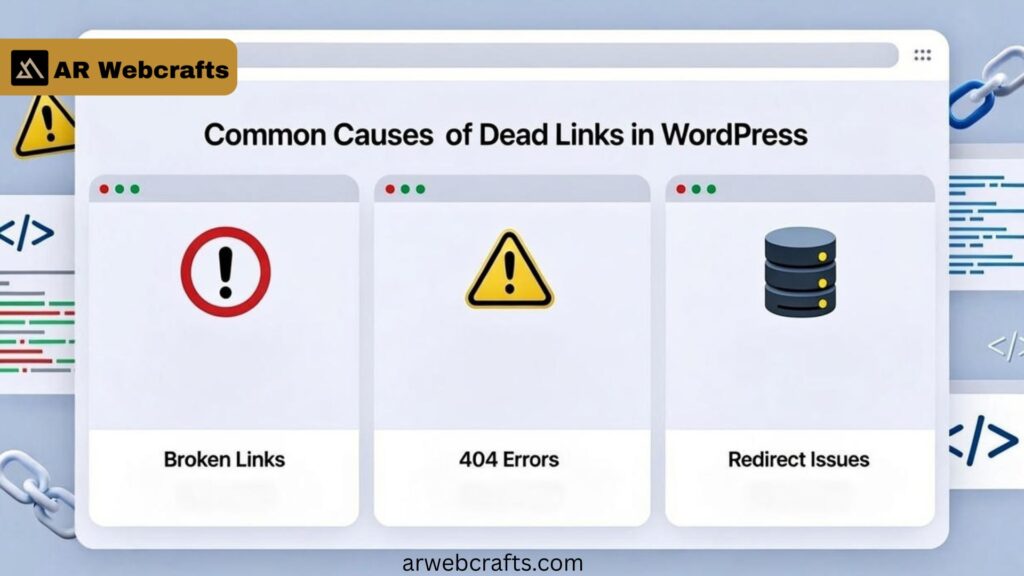
Common Causes of Dead Links in WordPress
Dead links often appear after deleting old posts without setting up redirects, changing permalinks, or updating plugins that alter URLs. External sites you link to can vanish overnight, turning your outbound references into dead link problems. Migrating content, switching themes, or editing HTML without care also creates broken connections.
Missing images happen when media files get removed or paths change during updates. Even small typos in links inside posts add up over years of publishing. On busy WordPress sites, these issues grow quietly until a full scan reveals hundreds of errors waiting for attention.
Limitations of Free Broken Link Checkers
Many free broken link checker options exist as online tools or simple WordPress plugins. They can check your website and produce a basic list of broken instances, but they often stop there. Most free online tools limit the number of links they process or slow down on larger sites.
These tools usually lack depth for internal and external checks running at the same time. Reports might miss broken and redirect links or fail to flag 5xx server errors accurately. When your site grows, a free link checker struggles to crawl your entire site without timeouts or incomplete results.
Free Broken Link Checker Options and When They Fall Short
A free broken link checker works fine for tiny sites with few pages. You can enter a URL into a free online tool and get quick feedback on obvious 404 issues. Some dead link checking tools even export basic CSV reports showing problem spots.
Yet once your WordPress site reaches hundreds of posts, products, or custom pages, these options start missing issues. They rarely handle links on your site buried in dynamic content or shortcodes well. Slow scans, caps on number of links per check and no ongoing monitoring leave gaps that grow over time.
| Feature Comparison: Free Tools vs Professional Needs |
|---|
| Basic Scan Depth – Free tools often check surface links only; professional services crawl deeply including dynamic content |
| Report Detail – Free versions give simple lists; pro reports include priority, location and fix suggestions |
| Site Size Limit – Many free options cap pages or links; no limits with custom service |
| Ongoing Monitoring – Rare in free tools; standard in maintenance plans |
| Redirect Handling – Limited detection of bad 301/3xx; full analysis and fixes available professionally |
| Speed & Accuracy – Free scans can timeout on large sites; senior developers handle complex cases reliably |
Broken Link Checker WordPress Plugins: Pros and Cons
WordPress offers several broken link checker plugins that run from your WordPress dashboard. They can scan posts, pages and comments for issues and sometimes highlight broken links and missing images directly in the editor.
The upside is convenience no need to leave your site. However, many plugins add overhead that slows down larger sites. Some stop working reliably after core updates and free versions limit features like bulk actions or detailed status codes reporting. When you need precise control over thousands of links, a dedicated service often proves more stable.
How to Check Broken Links on Your Site
Start with a full site scan using a trusted link checking tool. Enter your homepage URL and let the checker scans follow every connection it finds. Pay attention to both internal links and external ones, plus any HTTP links in menus or widgets.
Review the report for 4xx and 5xx errors first those are clear problems. Check 3xx redirects next to confirm they point correctly. A thorough broken link checker makes this process straightforward and shows exactly where each issue lives.
Detecting Broken Links in Bulk
Larger WordPress sites benefit from broken link checker bulk checks that process thousands of URLs at once. These scans handle links in seconds when set up properly, covering everything from blog archives to product categories. Tools that crawl recursively save hours compared to page by page reviews. Once complete, you get a clear list of broken items ready for action, including broken links in seconds across the entire domain.
404 Errors and Redirect Management in WordPress
404 errors remain the most common sign of trouble. Setting up proper redirect rules turns old URLs into smooth paths to new content. A strong broken link checker flags bad redirects early so they don’t create chains of errors. Good management keeps visitors on your site and preserves SEO value from old pages. We handle both detection and correct 301 setup so traffic flows where it should.
Our Professional Broken Link Checker and Maintenance Solutions
At arwebcrafts, our team provides hands on broken link checker services tailored to WordPress sites across the United States. Senior developers run detailed scans that catch issues free tools often miss, including complex dynamic links and custom post types. We deliver clear reports with priority levels and exact locations, then handle fixes directly.
Whether it’s updating internal links, replacing outbound references, or cleaning up 404 pages, we work inside your site to make changes clean and permanent. This approach fits perfectly into our ongoing support retainers, keeping your site healthy month after month without you lifting a finger.
Ongoing Link Monitoring and Prevention Services
New content means new links, so one time checks only go so far. Our monitoring service watches your site regularly, alerting us the moment a dead link appears. We catch problems early often before search engines notice.
Prevention starts with smart practices during development and updates. We build sites with clean structures that resist common break points and set up systems to flag issues automatically.
Custom Fixes for Internal Links and External References
Every site has unique needs. Some require careful updates to thousands of internal links after restructuring. Others need verified replacements for important external sources that moved or disappeared.
We handle both with precision updating databases directly when needed, verifying alternatives and testing everything before changes go live. The result is a clean, reliable link structure that supports strong SEO and happy visitors.
Benefits of Professional Broken Link Management
Handing your broken link checker tasks to professionals changes everything for your WordPress site. Instead of spending hours on manual scans or worrying about missed dead links, you get thorough checks that catch every 404 error and bad redirect. This keeps your internal links strong and your outbound references reliable, so visitors stay engaged longer.
SEO gains come quickly when broken links disappear. Search engines reward clean sites with better rankings and fixed links help preserve link equity from backlinks. Your pages load smoothly without missing images or broken CSS, creating a polished experience that turns visitors into repeat customers across the United States.
Time savings stand out most for busy owners. While a free broken link checker might leave you sorting through incomplete reports, our team delivers fixes directly. You avoid the frustration of manually checking hundreds of URLs and focus on growing your business instead.
| Benefits Breakdown |
|---|
| SEO Improvements – Higher rankings, better crawl efficiency, preserved link value from fixed internal and external links |
| User Retention – Lower bounce rates, smoother navigation, professional appearance that builds trust |
| Time Saved – No manual scans or partial reports; full fixes handled by experts so you stay productive |
| Long Term Protection – Ongoing monitoring prevents new broken links from hurting performance |
Real World Results from Our Clients
One e commerce client came to us with over 800 broken links after a major site restructure. Our broken link checker process identified issues across products, blog posts and category pages. After targeted fixes and proper 301 redirects, their organic traffic rose 42% in three months and bounce rates dropped noticeably.
An online education platform struggled with dead links in course materials and external resources. We ran a complete scan, updated internal links and replaced or removed problematic outbound connections. Within weeks, student completion rates improved and search rankings for key terms climbed steadily.
A manufacturing business saw 404 pages piling up from old catalog updates. Our bulk detection and repair work cleared hundreds of errors fast. They reported fewer customer support tickets about “page not found” issues and gained better visibility in local searches across the United States.
Client Feedback on WordPress Maintenance
Clients often tell us how relieved they feel once regular link checking becomes part of their plan. One owner shared that constant worry about broken links used to eat up weekends now our team handles alerts and fixes before problems grow.
Another highlighted the clear reports we provide. Seeing exactly where each dead link lives and watching it get resolved builds real confidence in the service. They especially appreciate quick turnaround on redirect setups after content changes.
Businesses repeatedly mention the peace of mind from knowing their WordPress site stays healthy. No more surprise drops in traffic from overlooked 404 errors just steady performance and growth.
Why AR Webcrafts for Your WordPress Link Health
At arwebcrafts, we bring years of hands on WordPress experience to every broken link checker project. Our in house senior developers work directly on your site, using proven methods that go beyond basic scans to deliver lasting results for clients across the United States.
We focus solely on custom WordPress solutions, so your links get attention from people who live and breathe this platform daily. No outsourcing means faster communication and cleaner code when we update HTML, adjust plugins, or manage URLs.
Long term partnerships matter to us. Many clients stay with our maintenance retainers because consistent link monitoring and proactive fixes keep their sites running smoothly year after year.
Schedule Your WordPress Site Audit Today
Ready to fix broken links and boost your WordPress rankings?
Contact AR Webcrafts at 1443 E 2nd St, Casper, WY 82601 or [email protected] for a free site audit and full broken link checker scan.
Call +1 307 278 4862 now we’ll provide a clear report and handle fixes or ongoing support right away.
Frequently Asked Questions
What is a broken link?
A broken link points to a page or file that no longer exists, often showing a 404 error. These appear on your site for broken links when content gets deleted or URLs change without redirects.
What is broken link checker?
A broken link checker is a links checker or link checker tool that scans pages to detect broken links and flag issues. It acts as a reliable SEO tool for keeping sites clean.
Is broken link checker free?
Many basic versions are free, but they often limit scans or miss deeper problems. Professional broken link checking through services like ours provides full coverage without restrictions.
How to check broken links of a website?
Enter your domain into a broken links checker or hyperlink checker and let it crawl all pages. Our team runs detailed checks that check for broken links across every section.
How do I find and check broken links?
Start with a full site scan using a dead link checker to build a report. From years of fixing client sites, I always recommend reviewing internal and external references together.
How to use broken link checker?
Run the tool from your dashboard or an online option, review the list and fix broken items one by one. Changes take effect immediately once you update or redirect.
Why having broken links is so bad?
Broken links frustrate visitors and hurt trust in your website for broken content. Search engines lower rankings when they find too many site for issues that need your attention.
Are broken links damaging your website’s rankings and usability?
Yes, they directly affect rankings by signaling poor maintenance and reduce usability with dead end pages. We see traffic drops reverse quickly once clients fix the links.
How can I easily spot broken links on my website?
Use a WordPress plugin or professional scan that highlights problems in a clear list. Regular check links routines make spotting issues simple before they grow.
Can I get alerts on 404 errors?
Professional services can set up notifications for new 404s as they appear. This way, problems get attention fast instead of building up quietly over time.
