
A custom WooCommerce add-on that delivers targeted popup browser notifications to store visitors based on user role, product, category, country, and page — with sound, position, and timing controls — built by AR Webcrafts.
A WooCommerce store owner came to us frustrated that their marketing reach stopped the moment a customer left the site. Email open rates were declining, SMS costs were high, and there was no way to show targeted promotional messages to customers who were actively browsing. They needed a direct, real-time communication channel — one that appeared right inside the browser, on the right page, for the right customer, at exactly the right moment — without relying on third-party push notification services.
No native WooCommerce feature exists to display targeted in-browser notification popups to customers while they browse the store
Email marketing had declining open rates — the store needed a channel that reached customers while they were actively on-site
Promotional messages were shown to all customers regardless of what they were browsing — irrelevant notifications frustrated customers and got dismissed immediately
No way to control when, where, or how many notifications appeared per page — customers were getting notification fatigue
No urgency triggers existed — there was nothing to create a time-sensitive feel around promotions or limited offers
The store served customers across multiple countries and needed location-based notification control
"We used to show the same promotional banner to every single visitor. Half of them weren't even logged in and couldn't use the coupon. Now we show the coupon notification only to logged-in customers on the cart page — and our coupon redemption rate tripled within two weeks."
AR Webcrafts built a fully controllable browser notification system embedded directly into WooCommerce — no third-party service, no subscription fees, no external API. Admins create notifications of multiple types: Simple messages, Order updates, Email capture forms, Coupon codes, Testimonials, Social links, and Countdown counters. Each notification is precisely targeted using display conditions — showing only to specific user roles, only when viewing specific products, categories, or tags, only to visitors from specific countries, and only on selected pages. Six pre-defined notification positions let admins place alerts in any corner of the screen. Optional notification sounds with four audio tones draw attention without being disruptive. Admins set delay timing between consecutive notifications, a maximum per-page limit, and choose whether notifications auto-hide after a set time or wait for the customer to manually close them.
The store replaced generic sitewide banners with precisely targeted browser notifications that appeared only when relevant — a coupon code notification on the cart page for logged-in customers, a social proof testimonial on product pages for first-time visitors, and a countdown timer on limited-offer products. Click-through rates on notifications significantly outperformed email campaigns for the same promotions because customers were already on-site and engaged. Customer feedback about irrelevant popups dropped to nearly zero because targeting rules ensured every notification was contextually appropriate.
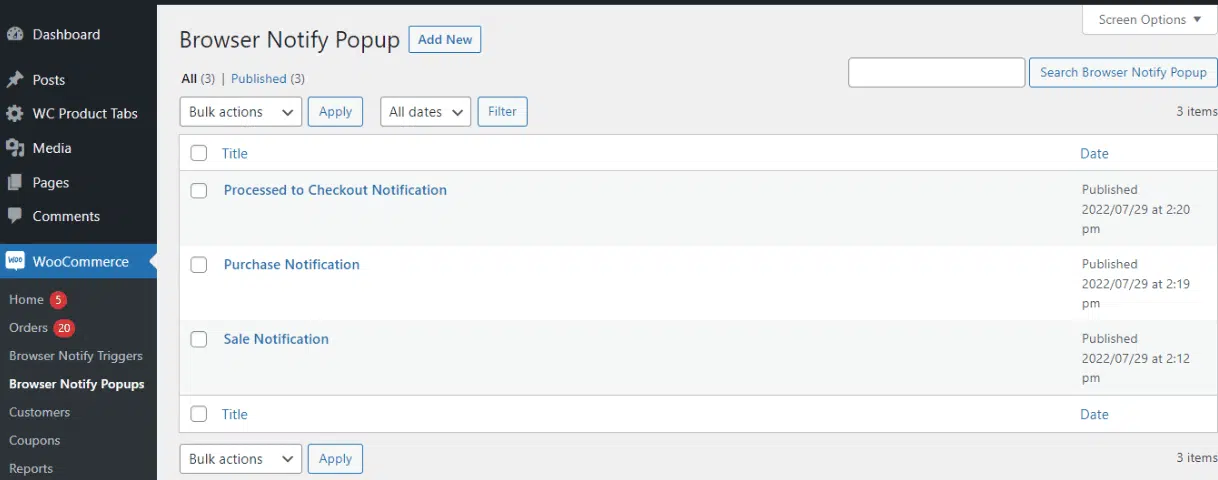
You can create as many popup templates as you want to display on the front end.
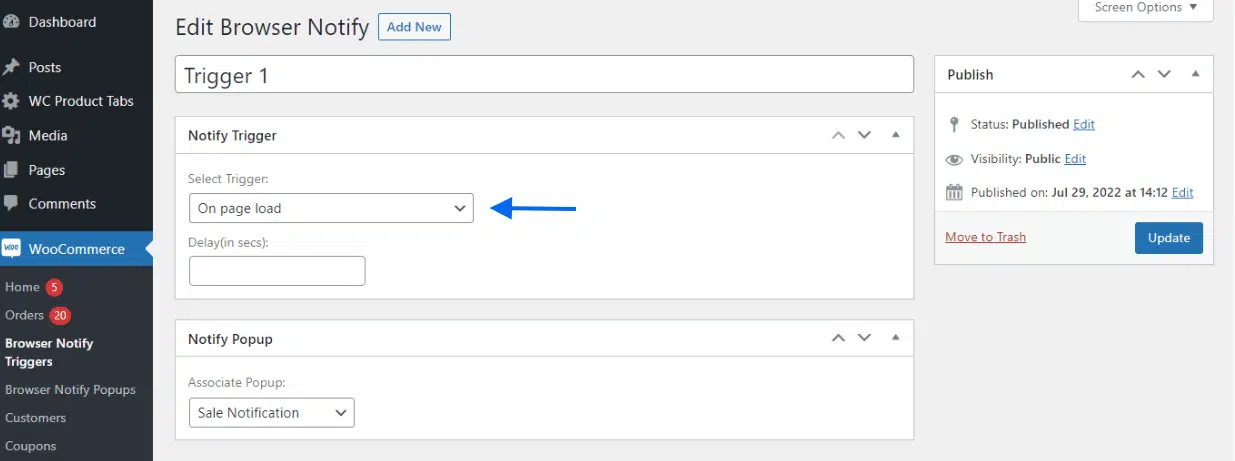
You can associate any popup with a specific action completed on your WooCommerce site. You can also associate popups with browser actions like “on open window” OR “on scroll”.
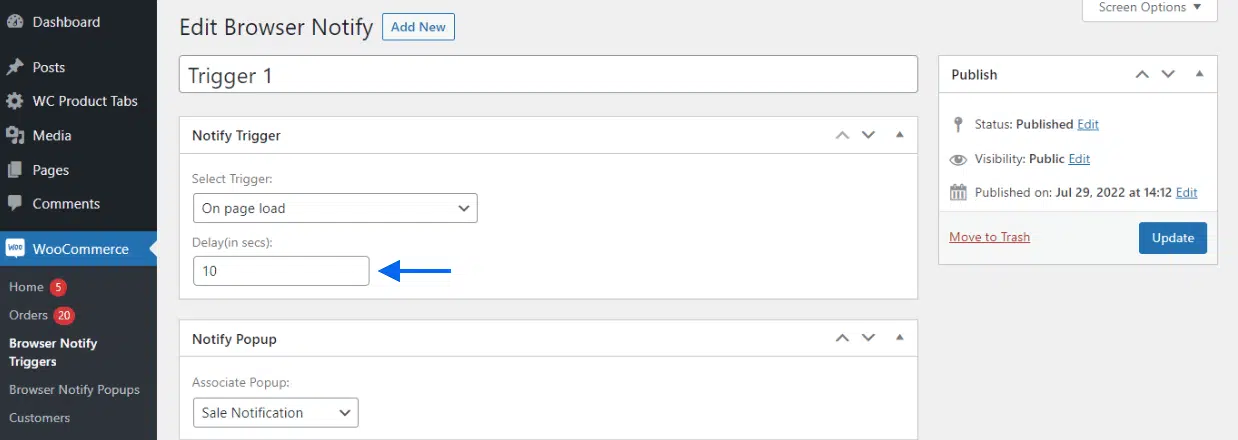
Select how many seconds should pass before the popup to appears on the page.
We build custom browser notification and on-site engagement tools for WooCommerce that deliver the right message to the right customer — with zero third-party fees.
