
A custom WooCommerce add-on that lets store admins bulk edit prices, stock, categories, attributes, and more — all from a single, filterable interface — built by AR Webcrafts.
A WooCommerce store owner managing over 500 products came to us exhausted. Every time they needed to run a sale, update prices for a product category, or change stock status across a range of items, they had to open each product individually and edit it one by one. WooCommerce’s native bulk edit offered only the most basic fields and no real filtering power. What should have taken five minutes was taking hours — every single week.
WooCommerce’s built-in bulk edit is extremely limited — only basic fields like price and status can be changed in bulk natively
Editing prices, stock, categories, tags, attributes, or descriptions for large product catalogs required opening products one by one
No smart filtering meant admins couldn’t isolate specific product groups (e.g., all products in a category under a certain price) before editing
Running seasonal sales, clearances, or price adjustments across hundreds of variable products was a multi-hour manual task
No undo functionality — a mistake on a bulk edit meant manually correcting every affected product
"A huge portion of our students are in areas with unreliable internet. This add-on changed everything for them — they download the course on WiFi and study it on the go. It was one of the most requested features we'd ever had, and AR Webcrafts delivered it perfectly."
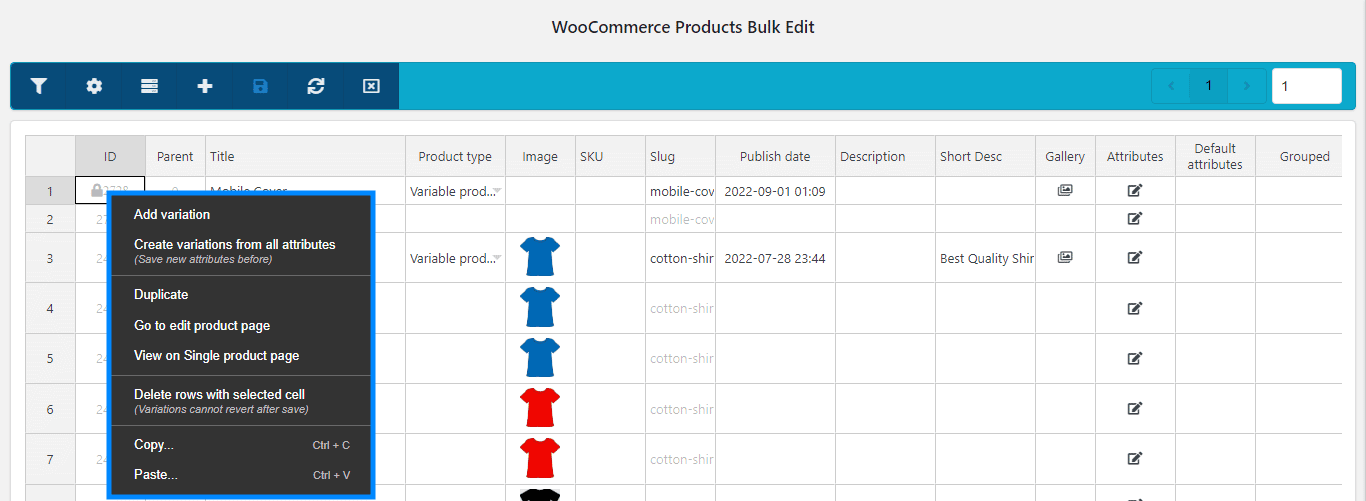
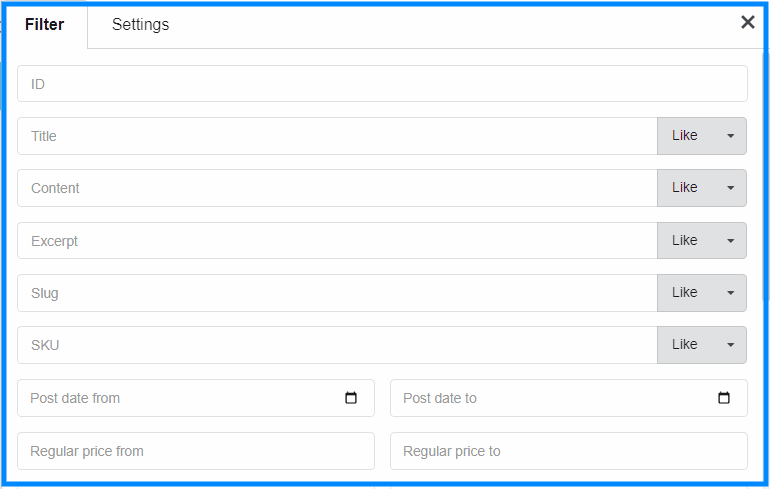
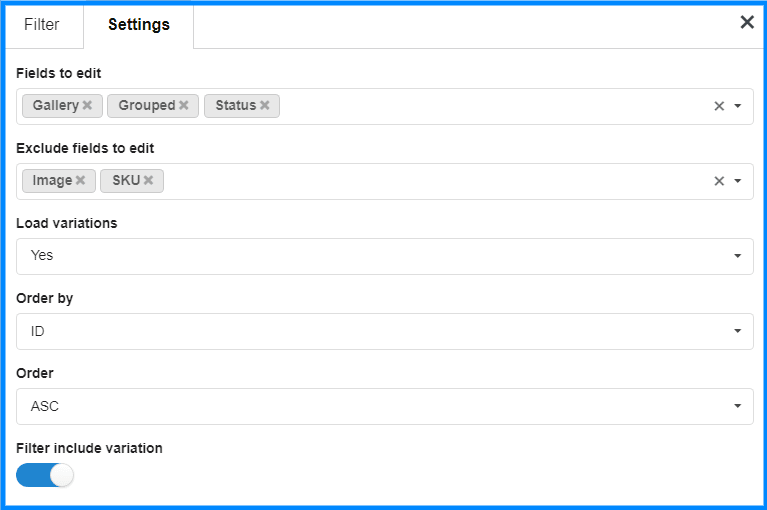
AR Webcrafts built a powerful bulk product editing interface that sits directly inside the WooCommerce dashboard. Admins use a comprehensive filter system — filtering by category, product type, stock status, price range, tags, and attributes — to isolate exactly the products they need to edit. From there, they apply changes across all selected products simultaneously: updating regular prices, sale prices, stock quantities, stock status, categories, tags, descriptions, shipping classes, and more — all in one action. A built-in Undo feature lets admins reverse any bulk update instantly, eliminating the fear of costly mistakes on large catalogs. The interface supports Simple, Variable, and External product types, including editing individual variations of variable products in bulk.
The store owner went from spending 3–4 hours per week on product updates to under 20 minutes. Running seasonal sales — which previously required opening each product individually — became a five-minute task using the price filter and bulk sale price tool. The undo feature eliminated the anxiety of large-scale edits. The store scaled from 500 to over 1,200 products without any increase in admin management time.
We build custom bulk management tools for WooCommerce that give store owners real control over their catalog — without the manual grind.
